
Mazda 6 Service Manual: Control system
L.H.D.
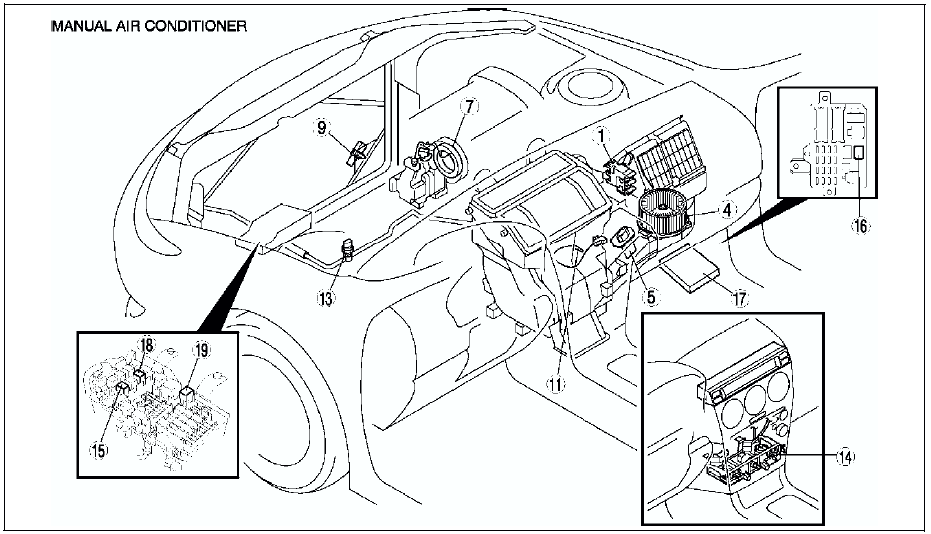
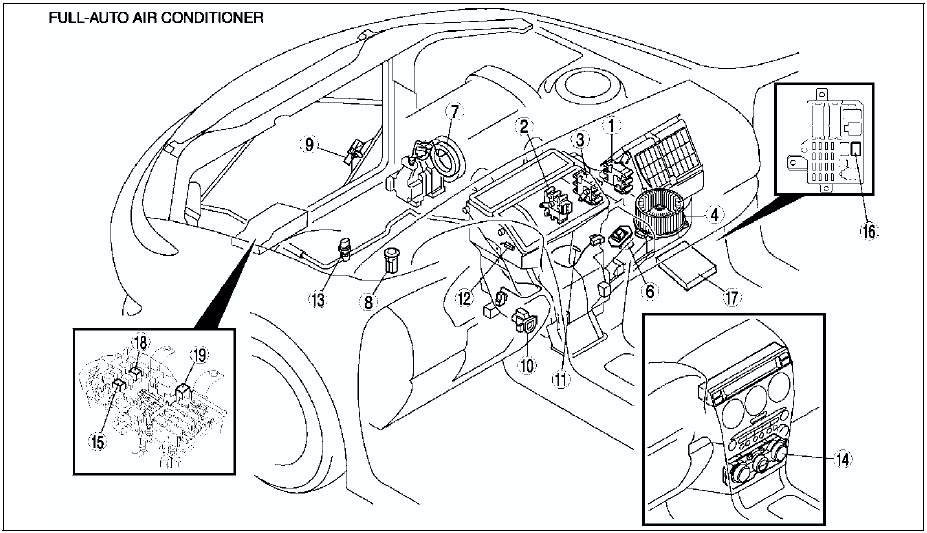
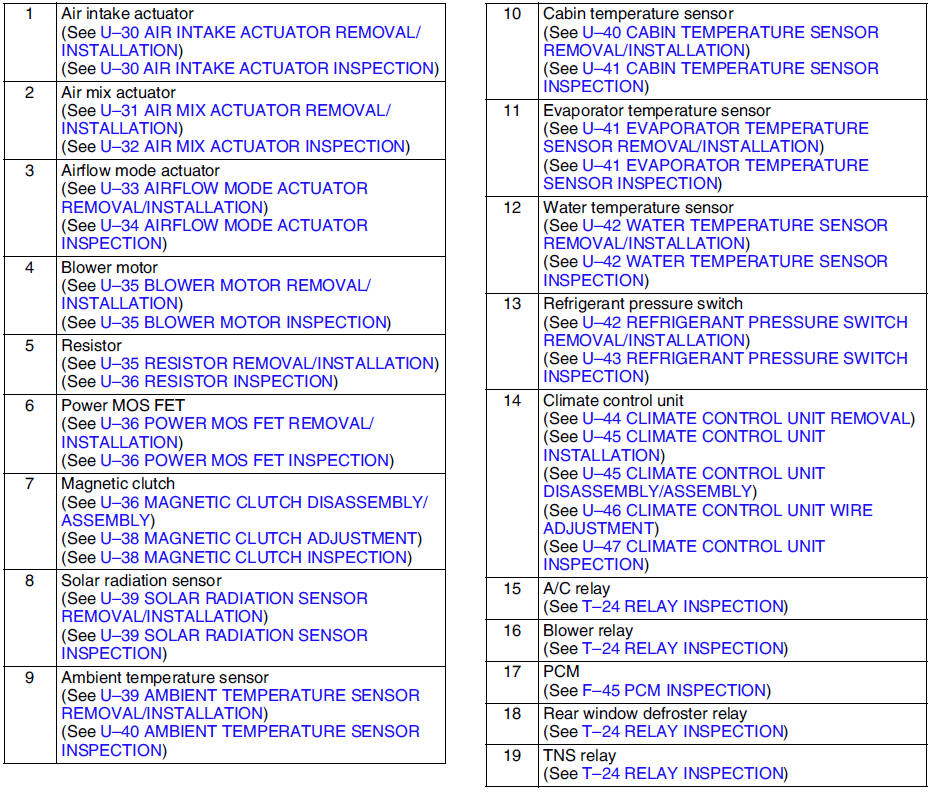
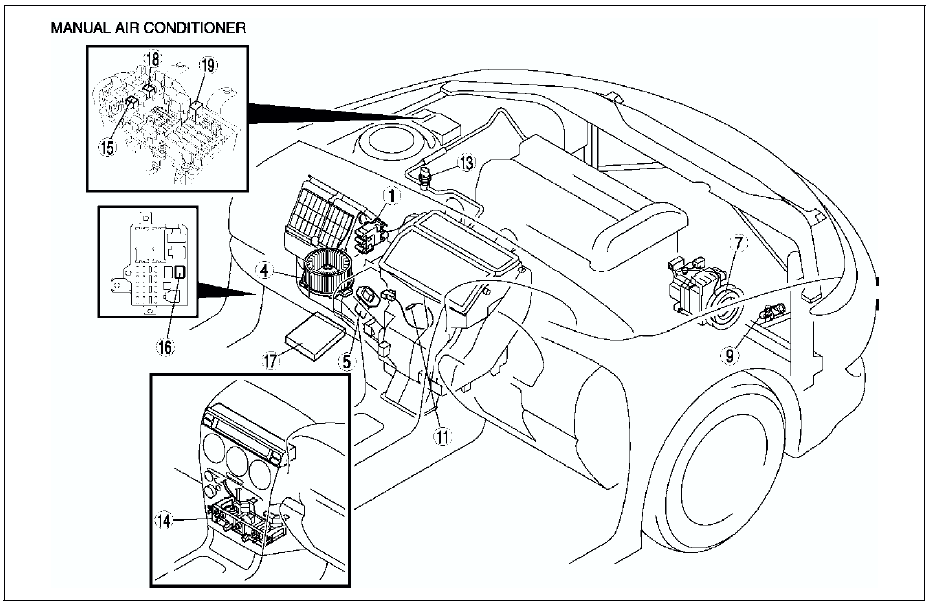
R.H.D.

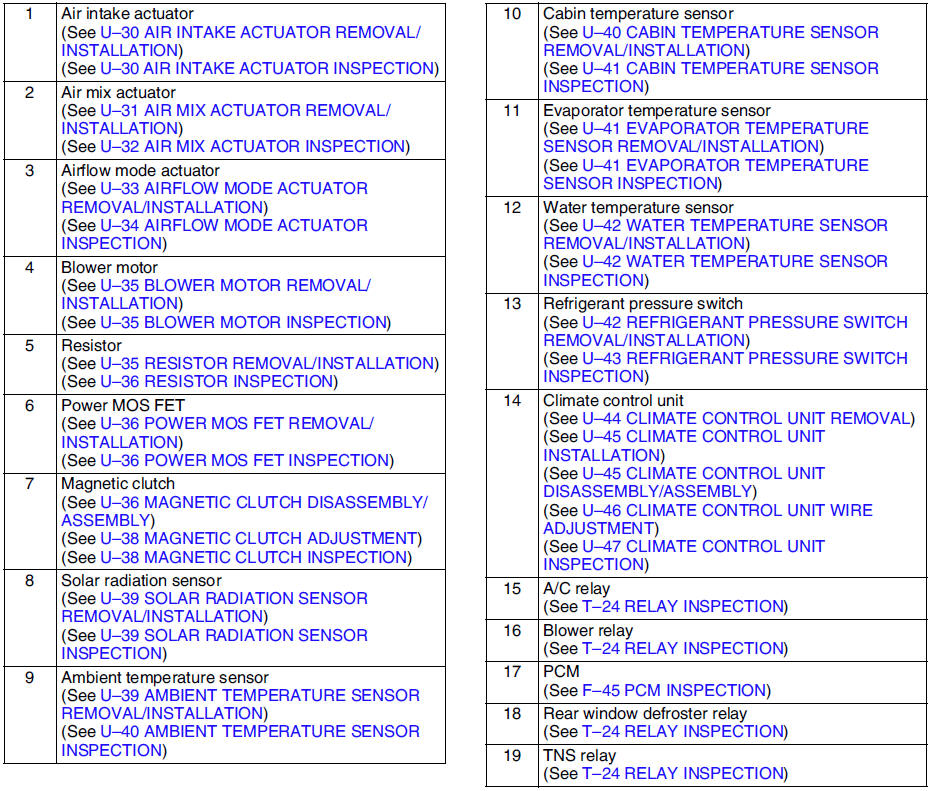
 Basic system
...
 Service warnings
HANDLING REFRIGERANT
Avoid breathing air conditioning refrigerant or lubricant vapor.
Exposure may irritate eyes, nose and throat. Also, due to environmental
concerns, we urge use of recover ...
Other materials:
Mazda 6 Service Manual: Interior Lights
NOTE
Do not leave the lights on for long periods while the engine is turned off.
Otherwise the battery power could be depleted.
Overhead Lights
NOTE
The rear map lights also turn on and off when the overhead light switch is
operated.
Front Map Lights
When the overhead light switch is i ...
Mazda 6 Service Manual: Front shock absorber and spring removal/installation
Caution
Performing the following procedures without first removing the ABS
wheel-speed sensor may possibly cause an open circuit in the harness if it
is pulled by mistake. Before performing the following procedures, remove the
ABS wheel-sensor (axle side) and fix it to an appropriate pl ...
© 2016-2026 Copyright www.mazda6info.net