
Mazda 6 Service Manual: Door
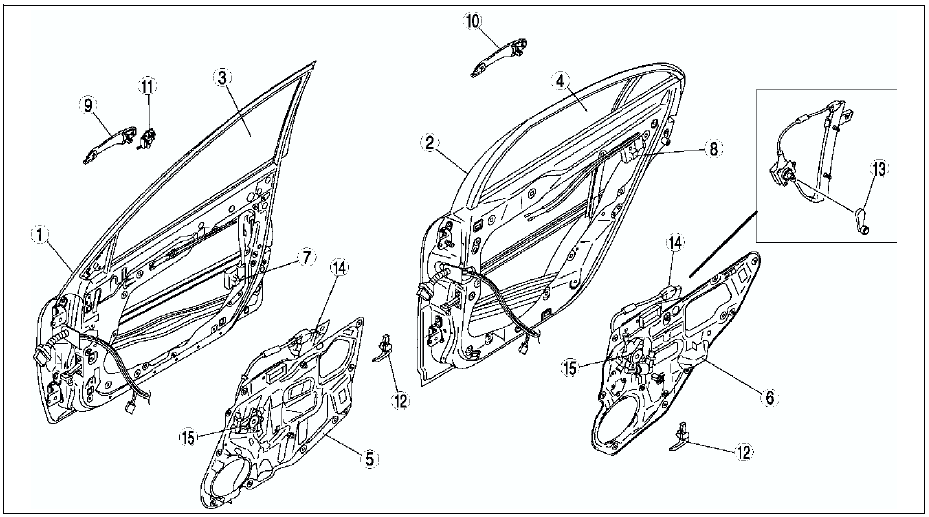
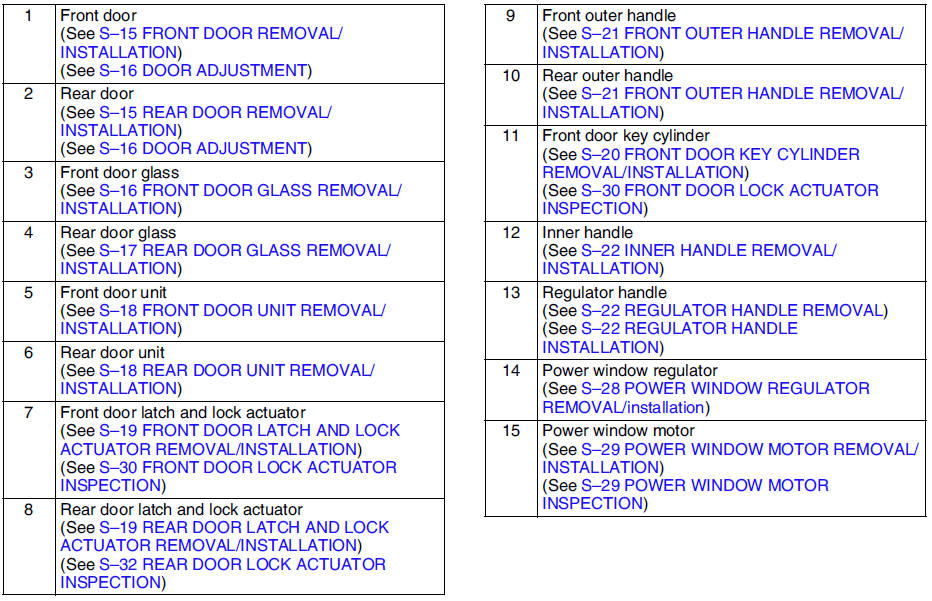
 Interior
Front
Rear
...
 Bonnet
...
Other materials:
Mazda 6 Service Manual: Vehicle Loading
WARNING
Do not tow a trailer with this vehicle: Towing a trailer with this
vehicle is dangerous because it has not been designed to tow a trailer and doing
so will affect the drive system which could result in vehicle damage.
This section will guide you in the proper loading of your vehicle, t ...
Mazda 6 Service Manual: Operating Tips for CD Player
Condensation phenomenon
Immediately after turning on the heater when the vehicle is cold, the CD or optical
components (prism and lens) in the CD player may become clouded with condensation.
At this time, the CD will eject immediately when placed in the unit. A clouded CD
can be corrected sim ...
© 2016-2026 Copyright www.mazda6info.net