
Mazda 6 Owners Manual: Identification Numbers
Vehicle Information Labels
Vehicle Identification Number
The vehicle identification number legally identifies your vehicle. The number is on a plate attached to the cowl panel located on the left corner of the dashboard. This plate can easily be seen through the windshield.
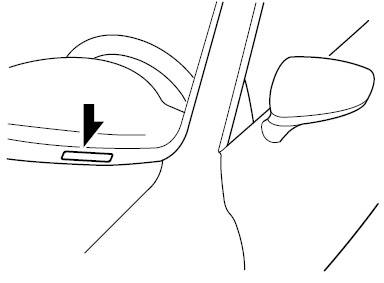
Motor Vehicle Safety Standard Label (U.S.A. and Canada)
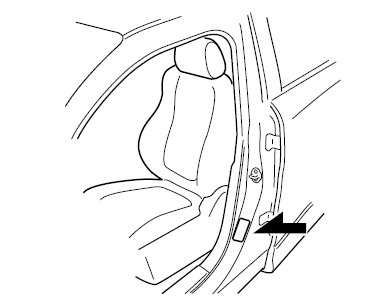
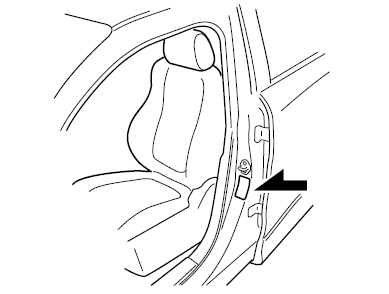
Chassis Number
Open the cover shown in the figure to check the chassis number.
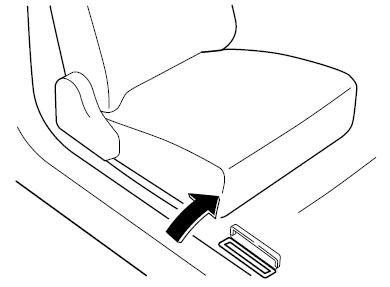
Vehicle Emission Control Information Label (U.S.A. and Canada)
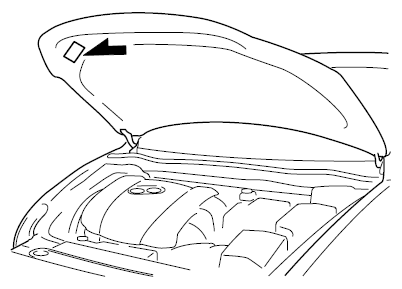
Tire Pressure Label
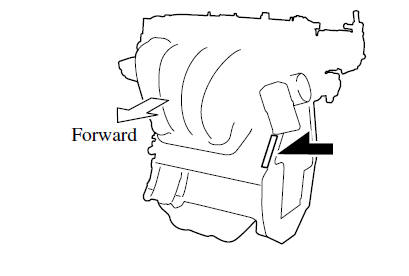
Engine Number
 Specifications
...
 Specifications
Engine
Electrical System
*1 Q-85 is designed for i-ELOOP system. Only Q-85 should be used to ensure correct
operation of i-ELOOP system. Consult an Authorized Mazda Dealer for details.
*2 Not ...
Other materials:
Mazda 6 Owners Manual: No.9 tcs off light stays on more than 4 seconds with ignition switch on
When performing an asterisked (*) troubleshooting inspection, shake the
wiring harness and connectors while
doing the inspection to discover whether poor contact points are the cause
of any intermittent malfunction. If
there is a problem, check to make sure connectors, terminals and ...
Mazda 6 Owners Manual: Steering gear and linkage assembly
Caution
Place copper plates, rag, or similar material in a vise, when
secure the mounting bracket portion of the steering gear.
Assemble in the order indicated in the table.
Mounting Rubber Assembly Note
1. Apply soapy water to the rubber part of the mounting rubber.
2. Press the ...