
Mazda 6 Service Manual: Quick diagnosis chart
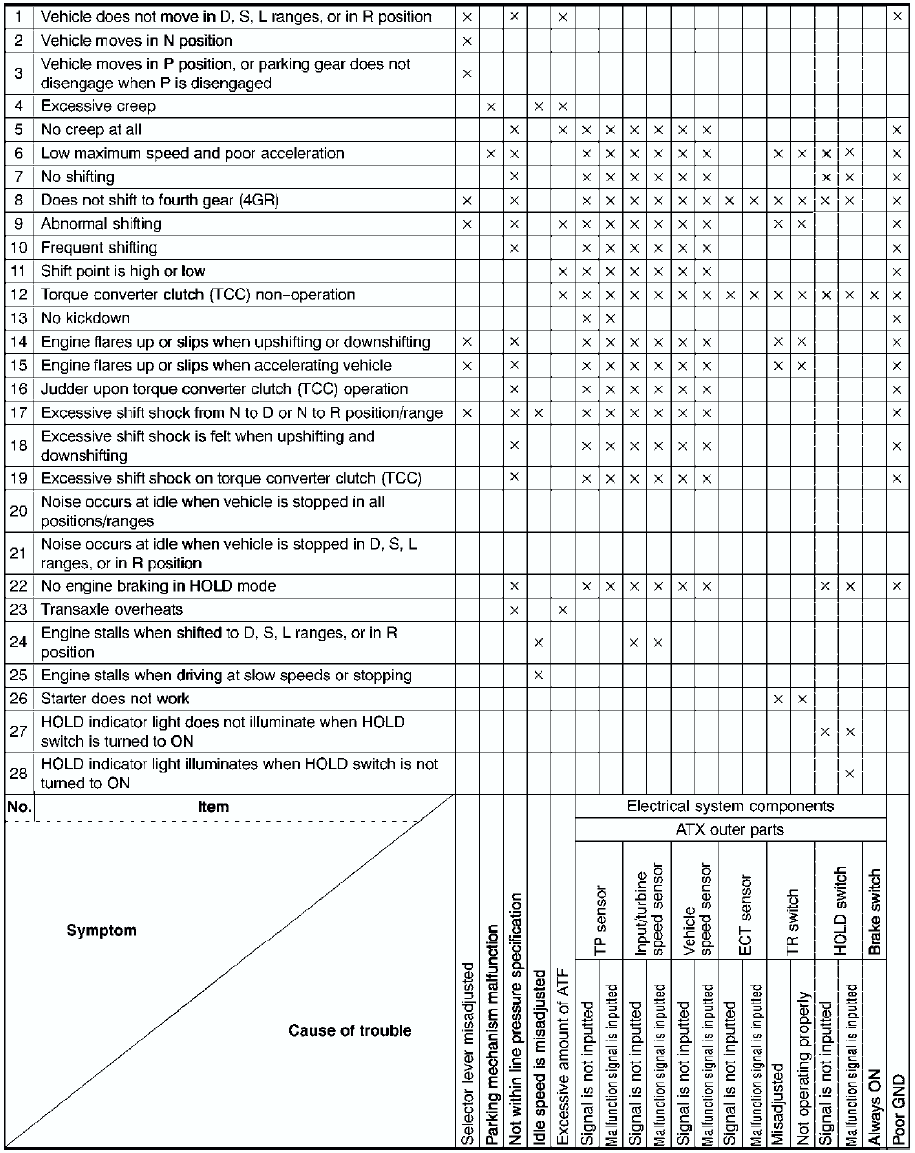
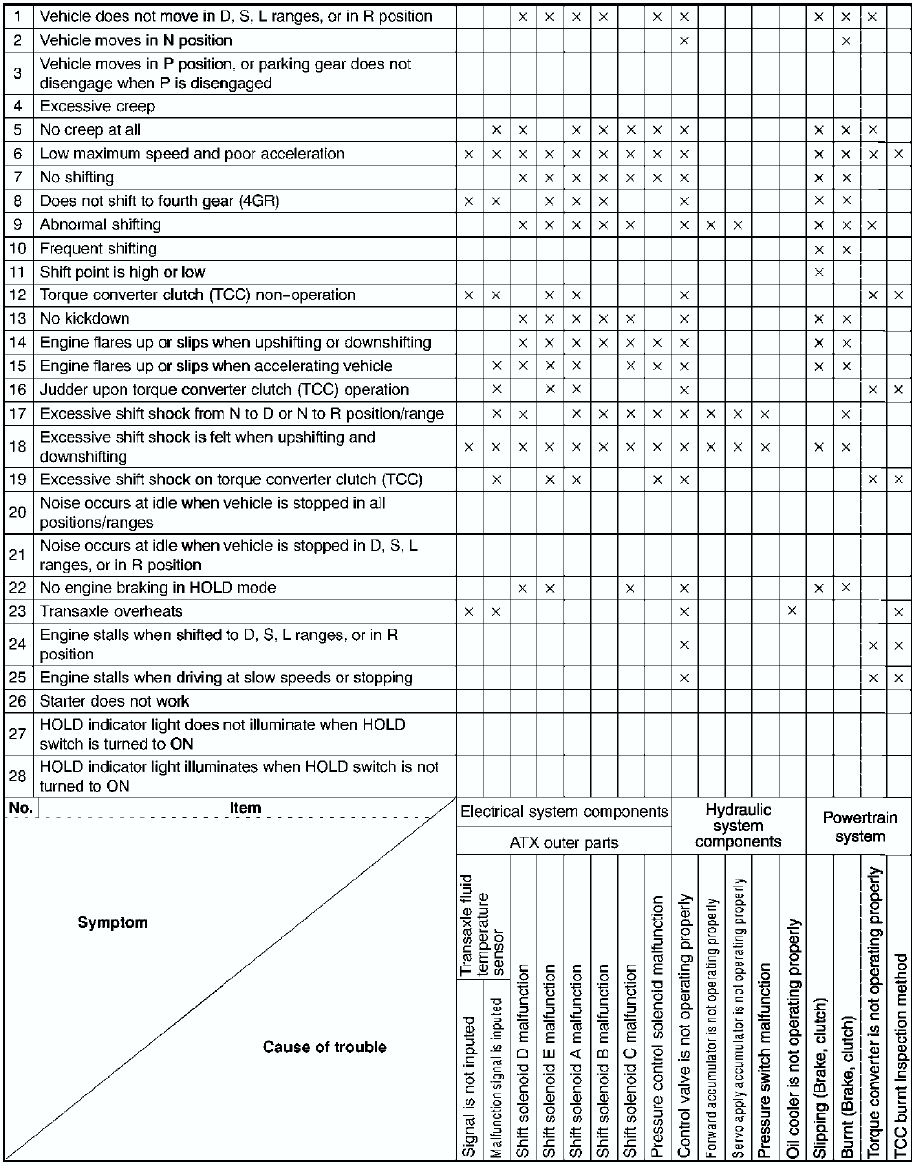
 Symptom troubleshooting item table
Use the chart below to verify the symptoms of the trouble in order to
diagnose the appropriate area.
...
 No.1 vehicle does not move in d, s, l ranges, or in r position
Diagnostic procedure
...
Other materials:
Mazda 6 Service Manual: Scheduled maintenance
SCHEDULED MAINTENANCE TABLE
For Europe (L.H.D. U.K.)
Chart symbols:
I : Inspect and repair, clean, adjust, or replace if necessary.
(Oil-permeated air cleaner elements cannot be cleaned using the air-blow
method.)
R : Replace
T : Tighten
L : Lubricate
Remarks:
To ensure efficient oper ...
Mazda 6 Service Manual: Variable air duct (vad) control solenoid valve inspection (l3)
1. Remove the VAD control solenoid valve. (See INTAKE-AIR SYSTEM
REMOVAL/INSTALLATION.)
2. Inspect airflow between the ports under the following conditions.
If not as specified, replace the VAD control solenoid valve.
If as specified, carry out the Circuit Open/Short Inspection.
Circ ...
© 2016-2026 Copyright www.mazda6info.net