
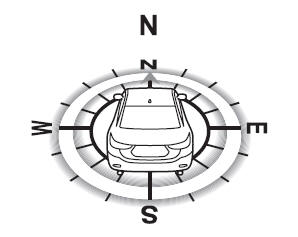
Mazda 6 Owners Manual: Compass Display
The direction the vehicle is moving is displayed while the vehicle is being driven.
 Cruise Control Set Vehicle Speed Display (Some models)
The vehicle speed preset using the cruise control is displayed.
...
 Warning (Display Indication)
A message is displayed to notify the user of the system operation status and
malfunctions or abnormalities.
If the warning light turns on/flashes simultaneously or a symbol is indicated
in the di ...
Other materials:
Mazda 6 Owners Manual: Scheduled Maintenance (U.S.A., Canada, and Puerto Rico)
Follow Schedule 1 if the vehicle is operated mainly where none of the following
conditions (severe driving conditions) apply.
Repeated short-distance driving
Driving in dusty conditions
Driving with extended use of brakes
Driving in areas where salt or other corrosive materials are used
...
Mazda 6 Owners Manual: Drive shaft (atx) disassembly/assembly
1. Disassemble in the order indicated in the table.
2. Assemble in the reverse order of disassembly.
Boot Band (Wheel Side) Disassembly Note
Note
The boot band does not need to be removed unless it is being replaced.
Remove the boot clamp with end clamp pliers as shown and discard the
cla ...