
Mazda 6 Owners Manual: Contact Authorized Mazda Dealer and Have Vehicle Inspected
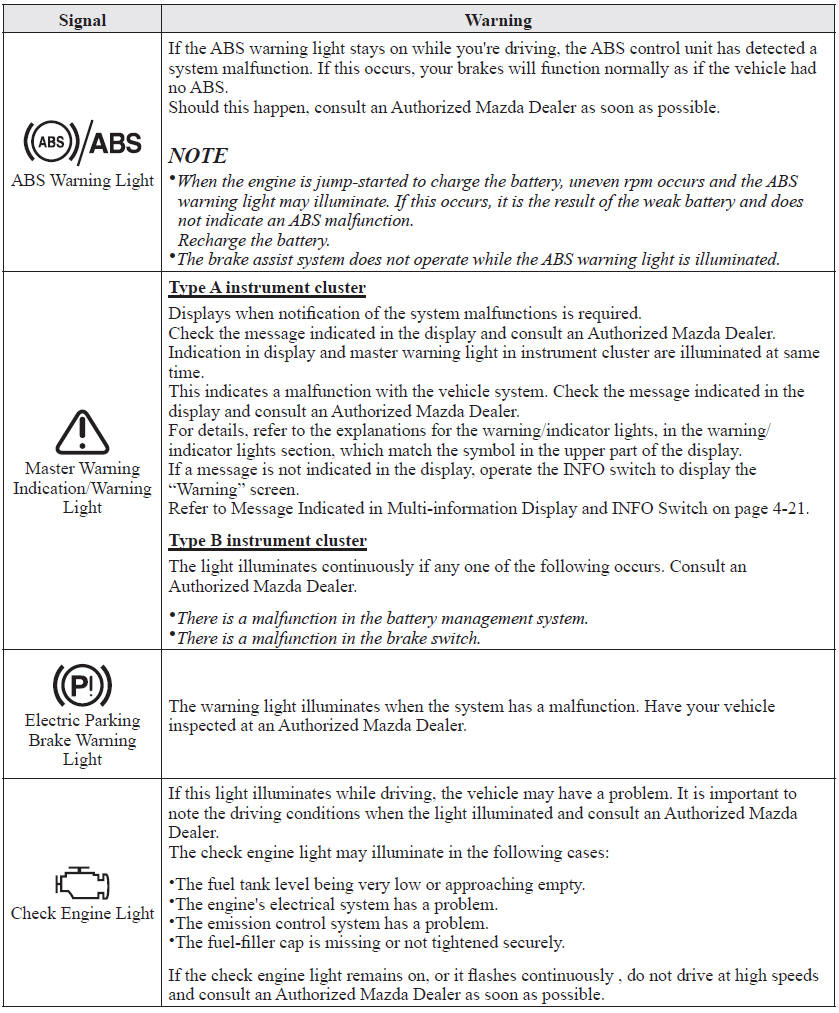
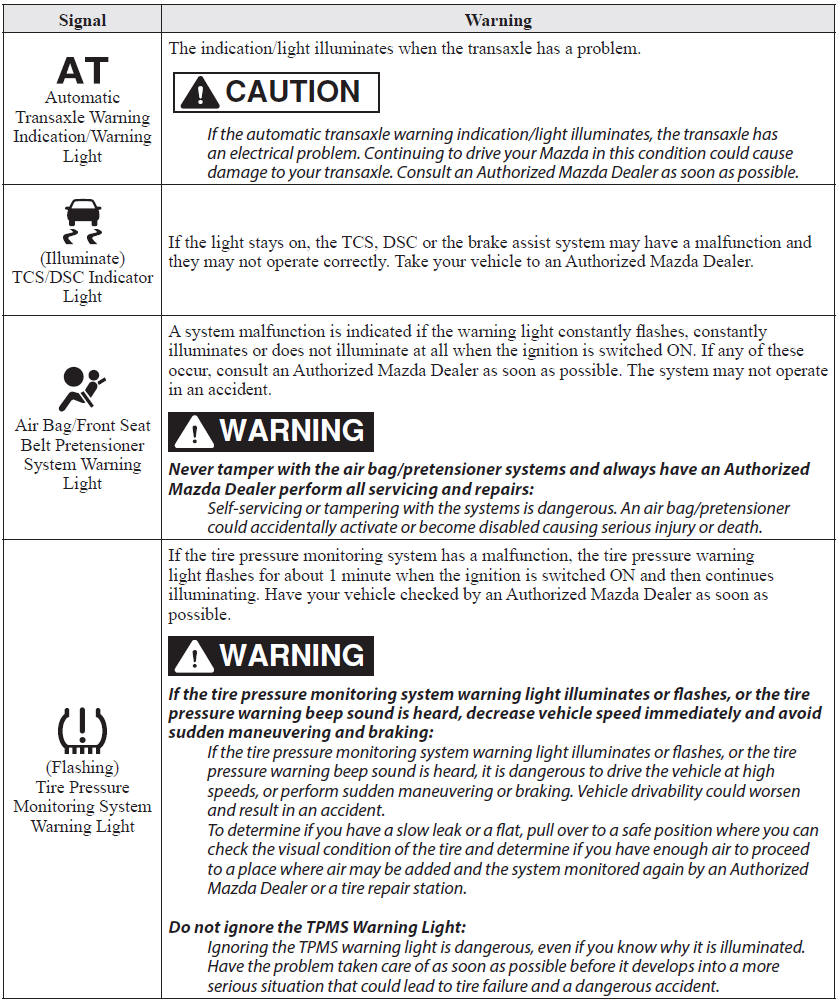
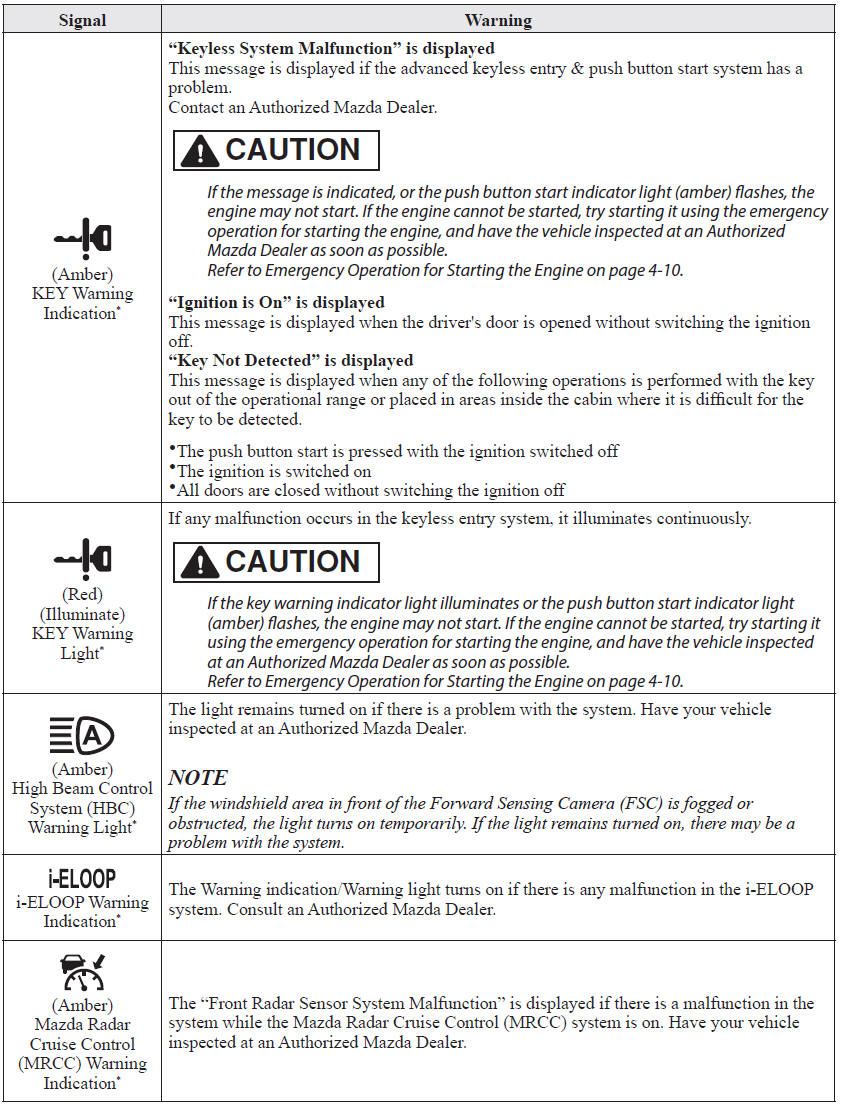
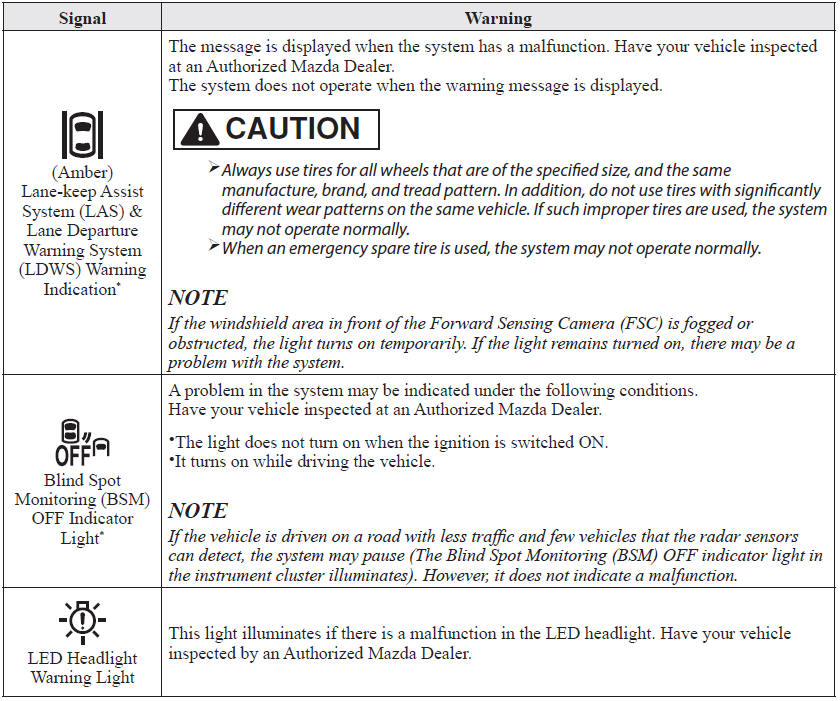
If any of the following warning lights or the indicator light turns on/flashes, the system may have a malfunction. Contact an Authorized Mazda Dealer to have your vehicle inspected.
 Stop Vehicle in Safe Place Immediately
If any of the following warning lights turns on, the system may have a malfunction.
Stop the vehicle in a safe place immediately and contact an Authorized Mazda Dealer.
...
 Taking Action
Take the appropriate action and verify that the warning light turns off.
...
Other materials:
Mazda 6 Owners Manual: Temporary Spare Tire
Inspect the temporary spare tire at least monthly to make sure it is properly
inflated and stored.
NOTE
The temporary spare tire condition gradually deteriorates even if it has not
been used.
The temporary spare tire is easier to handle because of its construction which
is lighter and small ...
Mazda 6 Owners Manual: Control Switches
AUTO switch
By pressing the AUTO switch the following functions will be automatically controlled
in accordance with the selected set temperature:
Airflow temperature
Amount of airflow
Selection of airflow mode
Outside/Recirculated air selection
Air conditioner operation
NOTE
AUTO ...