
Mazda 6 Service Manual: Dtc b1877, b1878, b1879, b1885
Mazda 6 Service Manual / Body electrical system / On-board diagnostic [air bag system] / Dtc b1877, b1878, b1879, b1885
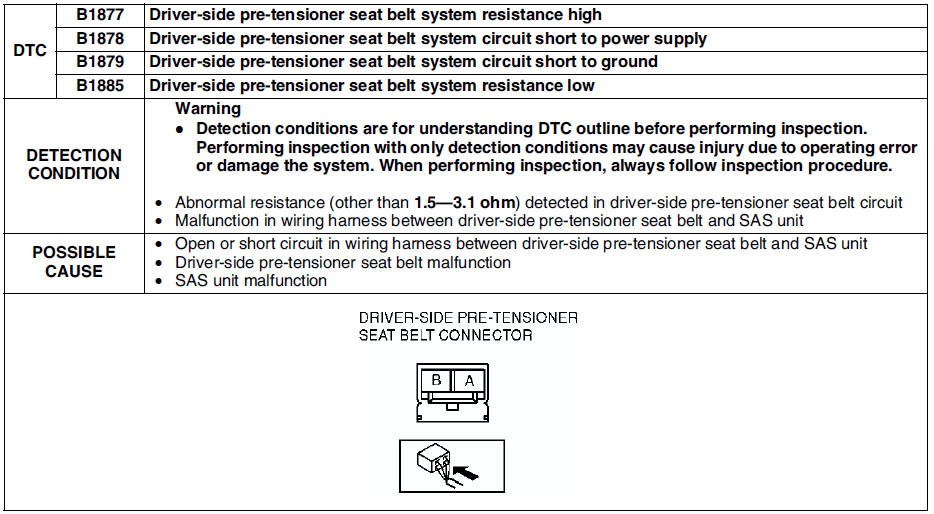
Diagnostic procedure
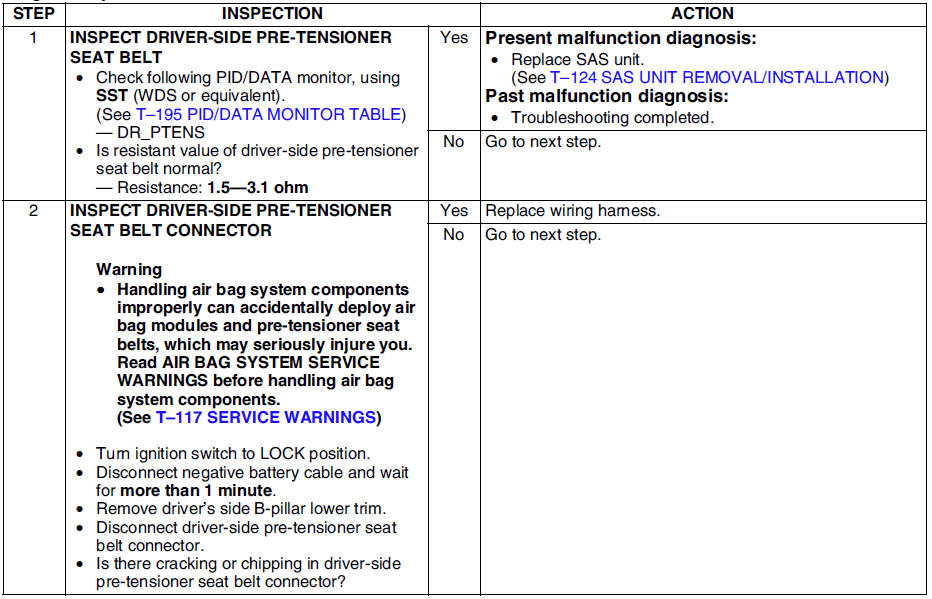
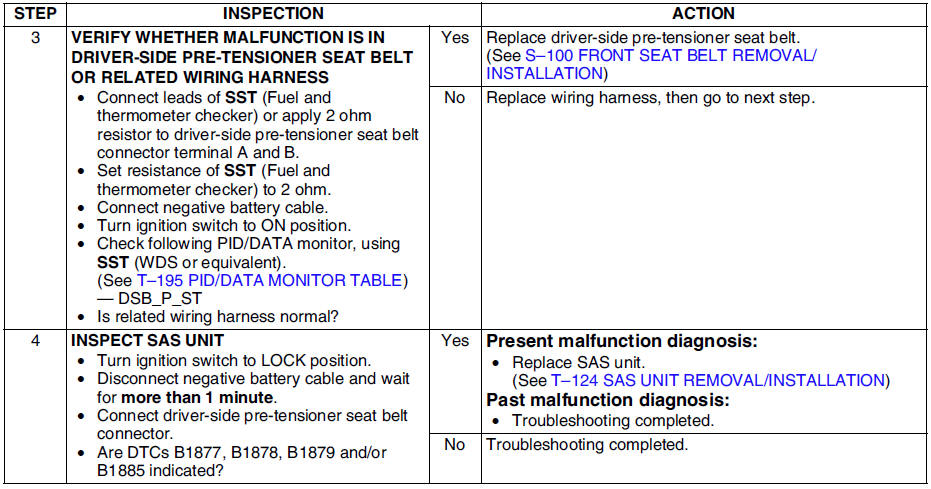
 Dtc b1871
Diagnostic procedure
...
 Dtc b1881, b1882, b1883, b1886
Diagnostic procedure
...
Other materials:
Mazda 6 Service Manual: System Operation
Make sure that the Lane-keep Assist System (LAS) & Lane Departure Warning System
(LDWS) OFF indicator light in the instrument cluster is turned off. When the Lane-keep
Assist System (LAS) & Lane Departure Warning System (LDWS) OFF indicator light is
turned on, press the switch and make ...
Mazda 6 Service Manual: Oil pressure inspection
Warning
Continuous exposure to USED engine oil has caused skin cancer in
laboratory mice. Protect your skin by washing with soap and water
immediately after working with engine oil.
Hot engines and engine oil can cause severe burns. Turn off the
engine and wait until it and the engine ...
© 2016-2026 Copyright www.mazda6info.net