
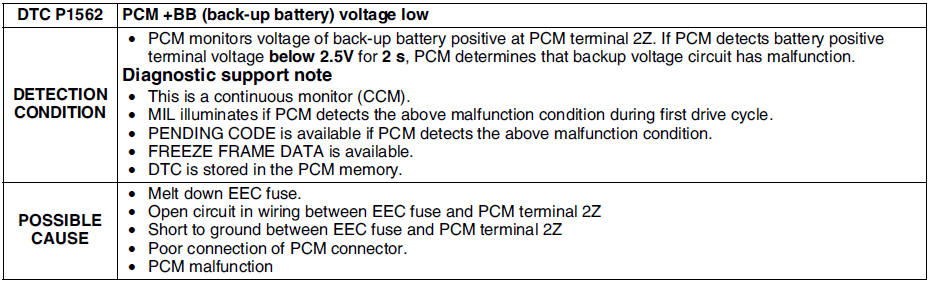
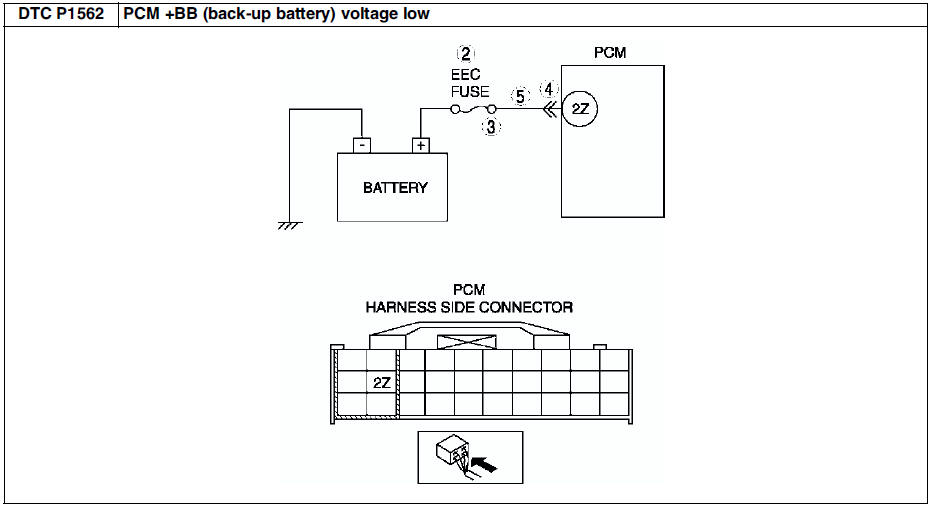
Mazda 6 Service Manual: Dtc p1562
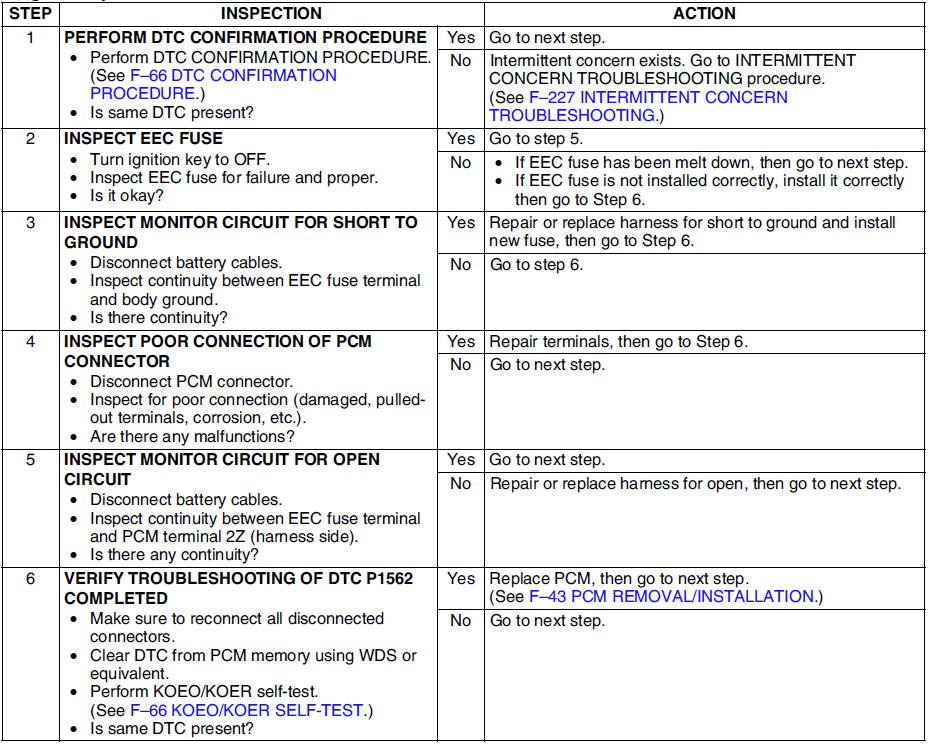
Diagnostic procedure

 Dtc p1410
Diagnostic procedure
...
 Dtc p2006
Diagnostic procedure
...
Other materials:
Mazda 6 Service Manual: Windshield installation
Caution
To prevent the sealant from cracking or the glass from being
pushed out by air pressure if a door is closed, open all of the windows and
leave them open until the sealant has hardened.
1. Cut away the old sealant using a razor so that 1-2 mm {0.04-0.07 in}
thickness of sealant ...
Mazda 6 Service Manual: Jam-safe Moonroof
If a person's hands, head or an object blocks the moonroof while it is closing,
the moonroof will stop and move in the reverse direction.
WARNING
Make sure nothing blocks the moonroof just before it reaches the fully closed
position: Blocking the moonroof just before it reaches the closed posi ...
© 2016-2026 Copyright www.mazda6info.net