
Mazda 6 Service Manual: Master cylinder removal/installation
1. Remove in the order indicated in the table.
R.H.D.
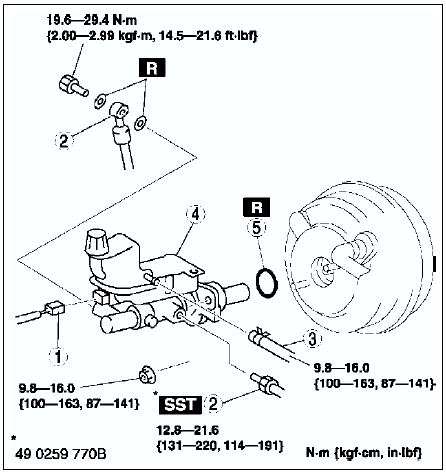
L.H.D.
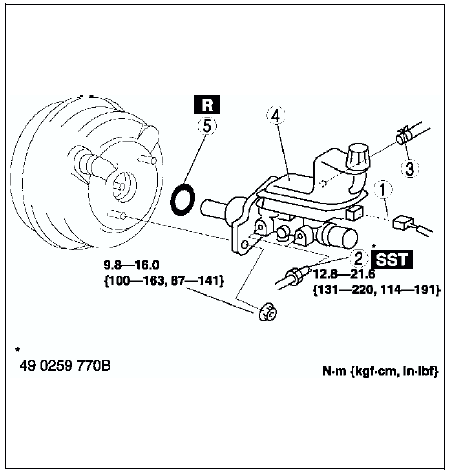
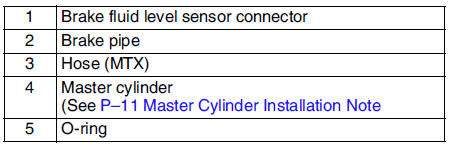
2. Install in the reverse order of removal.
Master Cylinder Installation Note
Caution
- Always install the gasket of the power brake unit push rod before performing measurement inspections or adjustments.
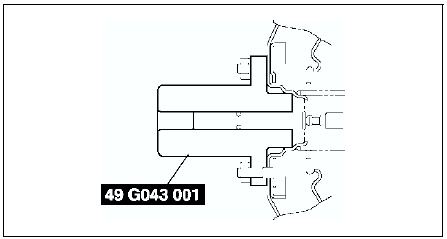
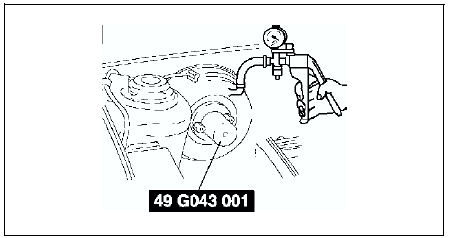
1. Install the SST
to the power brake unit as shown, and tighten within the specified torque.
Tightening torque 9.8-16.0 N·m {100-163 kgf·cm, 87-141 in·lbf}
2. Using a vacuum gauge, create a vacuum pressure of 66.7 kPa {500 mmHg, 19.7 inHg}
in the power brake unit.
3. Using calipers, measure dimension L as shown.
Specification
22.7 mm{8.94 in}
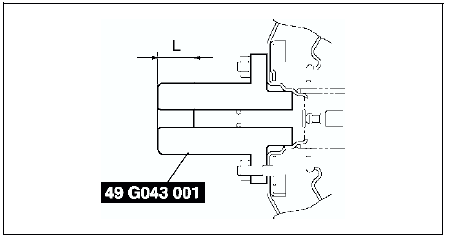
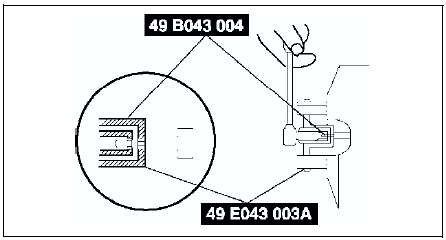
4. If dimension L is not within the specification as shown, remove SST
(49 E043 001) and use SST
(49 B043 004) to adjust the length of the push rod while using SST
(E043 003A) to keep the push rod from rotating.
5. Remove the SSTs
, replace SST
(49 E043 001) and measure dimension L again.
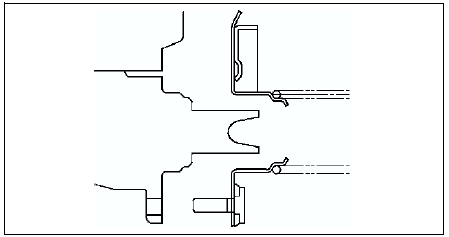
6. Install the master cylinder to the power brake unit.
Caution
- If after installing the master cylinder, air does not bleed properly from the brake lines even after performing air bleeding, brake drag occurs or other characteristics are present, it is possible that the master cylinder piston is jammed against the power brake unit. If air cannot be bled properly, brake drag exists or other malfunctions occur, remove the master cylinder and reinstall properly.
 Brake pedal removal/installation
1. For ATX model, remove the lock unit with brake switch (R.H.D. only).
2. Remove in the order indicated in the table.
3. Install in the reverse order of removal.
Brake switch Installation Note ...
 Fluid level sensor inspection
1. Disconnect the negative battery cable.
2. Disconnect the sensor connector.
3. Inspect for continuity between terminals of fluid level sensor.
If not as specified, replace the fluid level sens ...
Other materials:
Mazda 6 Service Manual: How to Arm the System
1. Close the windows and the moonroof securely (some models).
2. Switch the ignition OFF.
3. Make sure the hood, the doors, and the trunk lid are closed.
4.Press the lock button on the transmitter or lock the driver's door from the
outside with the auxiliary key.
The hazard warning light ...
Mazda 6 Service Manual: Wheel alignment pre-inspection
1. Inspect the tire inflation, and adjust to the recommended pressure as
necessary.
2. Inspect the front wheel bearing play and correct it if necessary. (See
Wheel Bearing Play Inspection.)
3. Inspect the wheel and tire runouts. (See SUSPENSION.)
4. Inspect the ball joints and steering linkag ...