
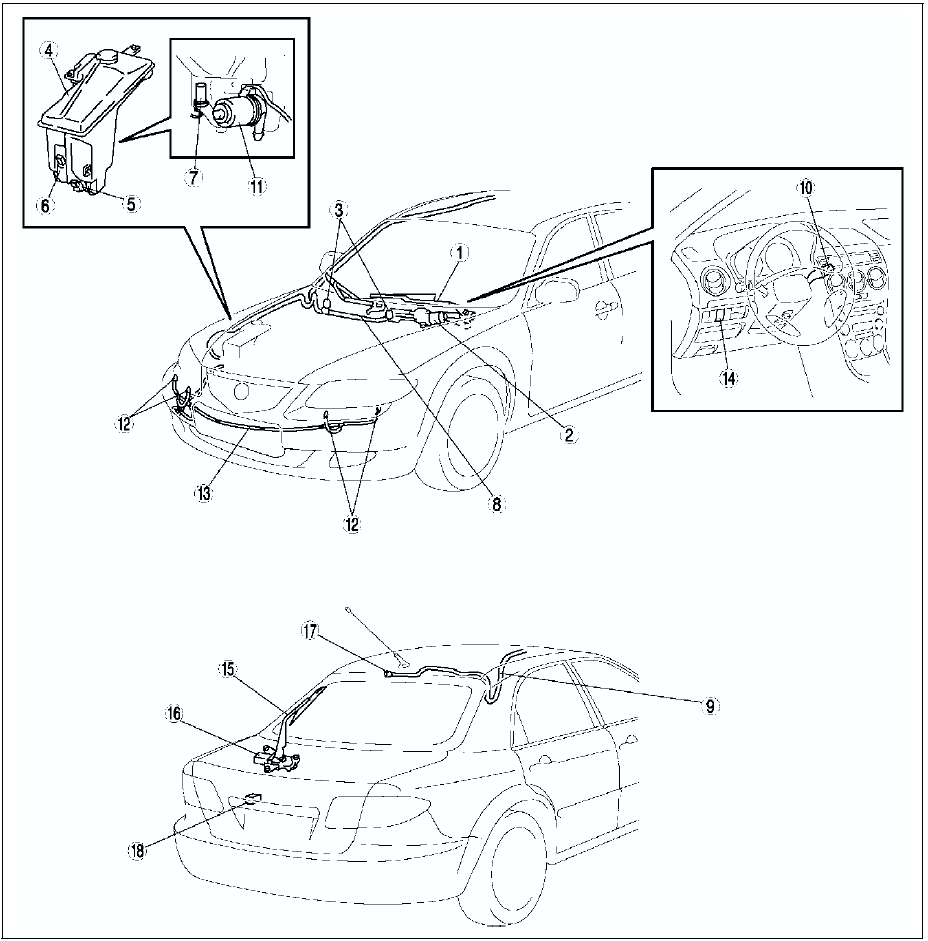
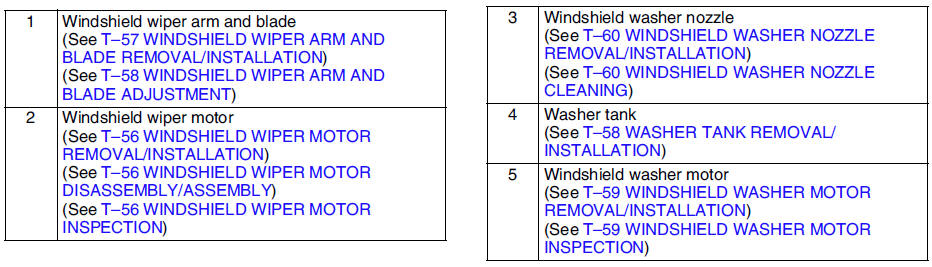
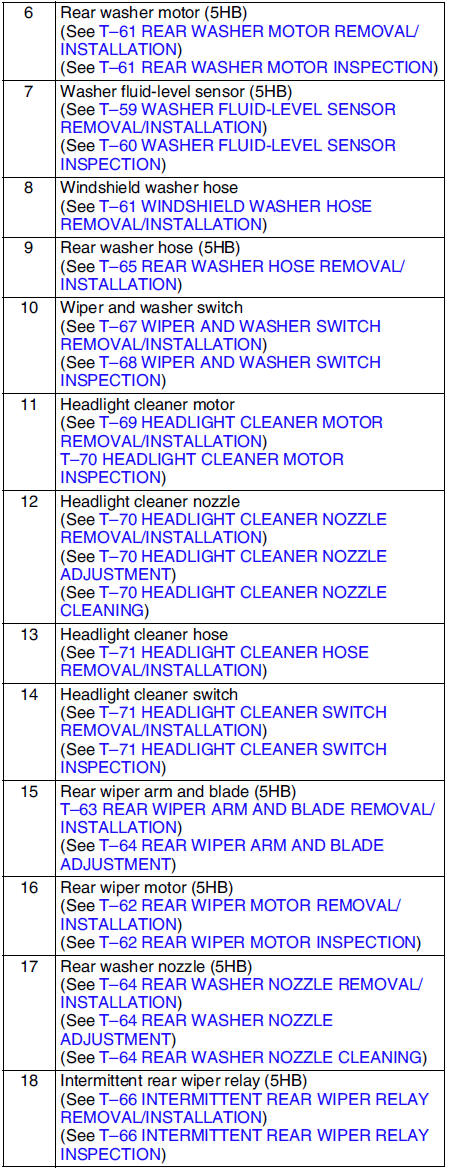
Mazda 6 Service Manual: Wiper and washer system


Other materials:
Mazda 6 Service Manual: Recommendations for Shifting
Upshifting
For normal acceleration, Mazda recommends these shift points:
For cruising, Mazda recommends these shift points:
Downshifting
When you must slow down in heavy traffic or on a steep upgrade,
downshift before the engine starts to overwork. This reduces the chance of stalling
and ...
Mazda 6 Service Manual: Wiper Blades
CAUTION
Hot waxes applied by automatic car washers have been known to affect
the wiper's ability to clean windows.
To prevent damage to the wiper blades, do not use gasoline, kerosene,
paint thinner, or other solvents on or near them.
When the wiper lever is in the AUTO position and th ...
© 2016-2026 Copyright www.mazda6info.net