
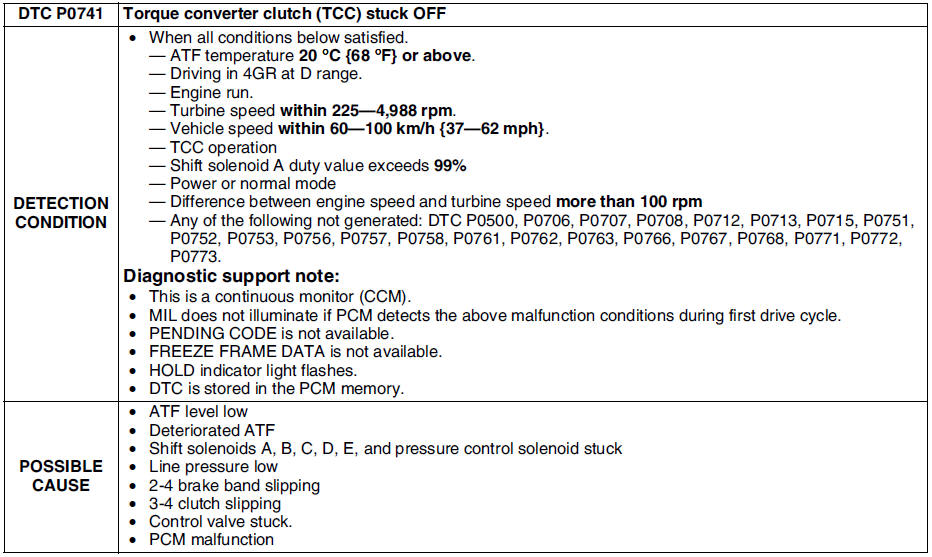
Mazda 6 Service Manual: Dtc p0741
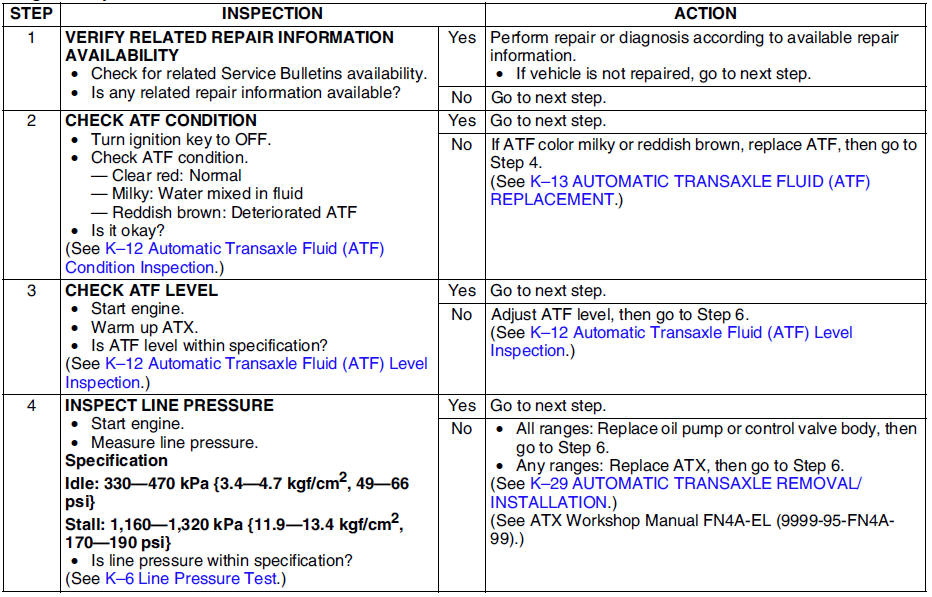
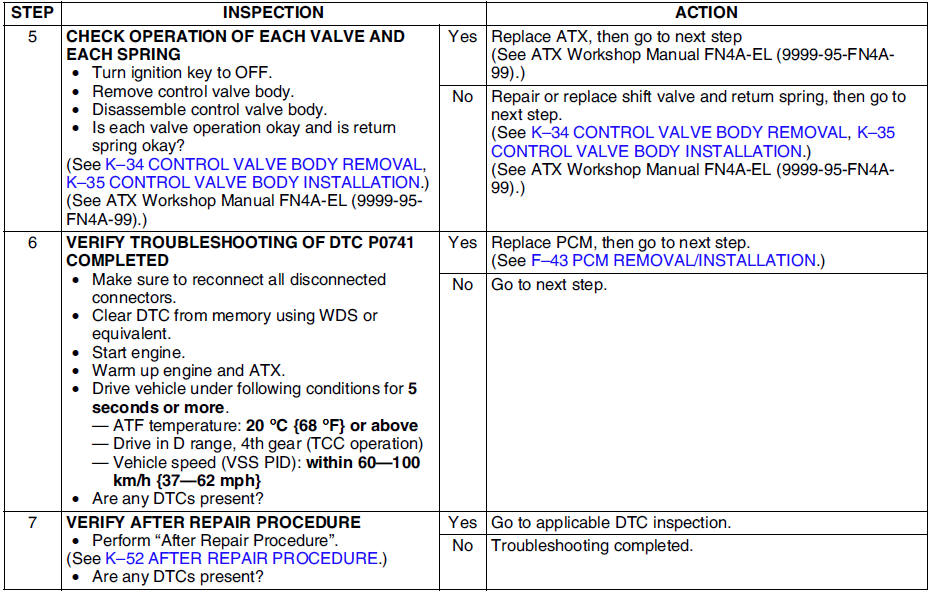
Diagnostic procedure
 Dtc p0734
Diagnostic procedure
...
 Dtc p0742
Diagnostic procedure
...
Other materials:
Mazda 6 Service Manual: Front shock absorber inspection
1. Remove the front shock absorber from the vehicle.
2. Inspect for damage and oil leakage.
3. Inspect the rubber bushing for deterioration and wear.
4. Compress and extend the shock piston at least three times. Verify that the
operational force does not change and that there is no unusual nois ...
Mazda 6 Service Manual: Expansion valve removal/installation
1. Disconnect the negative battery cable.
2. Discharge the refrigerant from the system. (See RECOVERY.) (See CHARGING.)
Caution
If moisture or foreign material enters the refrigeration cycle,
cooling ability will be lowered and abnormal noise will occur. Always
immediately plug open fitt ...