
Mazda 6 Service Manual: Location index
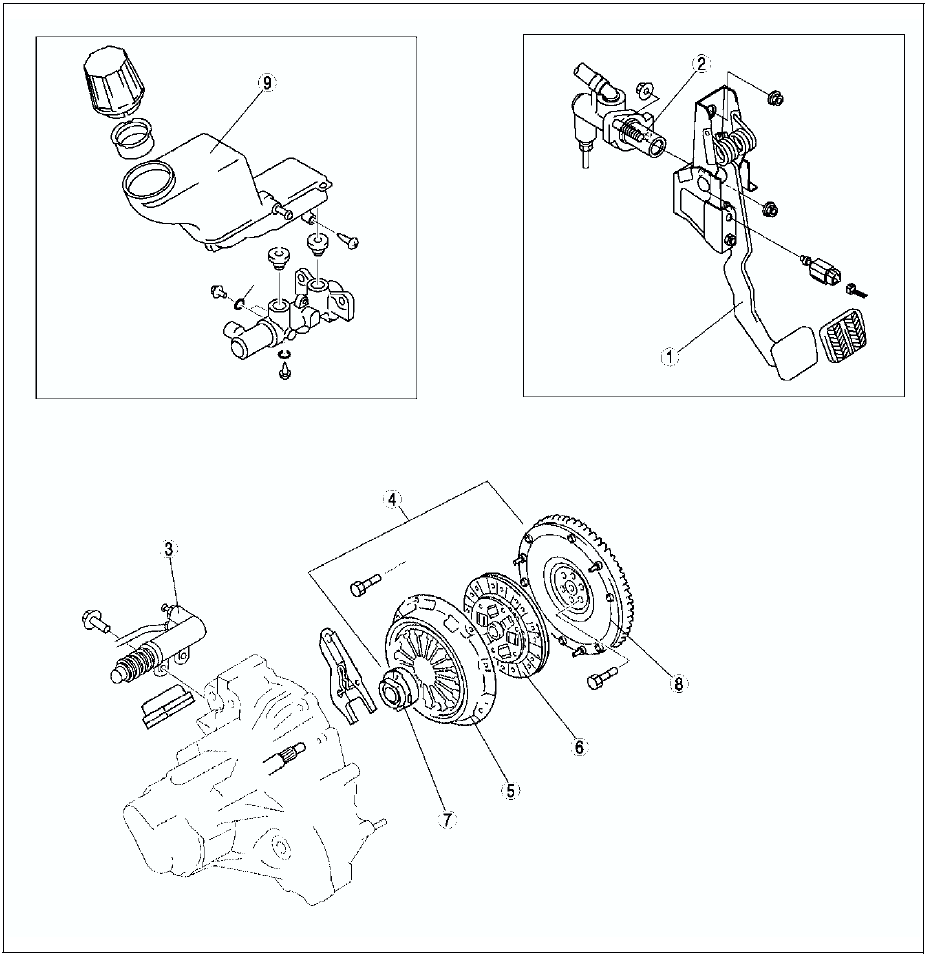
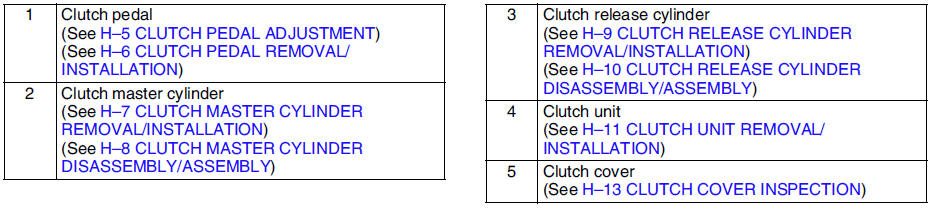
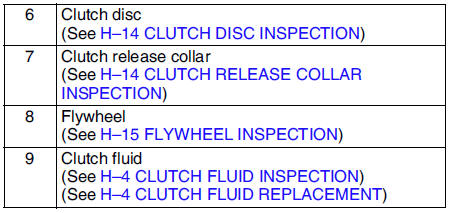
 Clutch
...
 General procedures
PRECAUTION (CLUTCH)
Clutch Pipe Removal/Installation
Note
A common reservoir is used for the clutch and brake system fluid.
1. If clutch pipes have been disconnected any time during the proce ...
Other materials:
Mazda 6 Service Manual: Fuel Economy Monitor
The Control Status and Fuel Consumption are switched and displayed by operating
each icon in the display.
In addition, after completing a trip, the total energy efficiency to date is
displayed in the ending display when the ending display is turned on.
1. Select the icon on the home
screen ...
Mazda 6 Service Manual: Variable intake-air system (vis) shutter valve actuator inspection (l3)
1. Remove the air hose. (See INTAKE-AIR SYSTEM REMOVAL/INSTALLATION.)
2. Disconnect the vacuum hose from the VIS shutter valve actuator.
3. Connect a vacuum pump to the VIS shutter valve actuator.
4. Apply vacuum and verify that the rod moves.
If the rod dose not move, replace the intake ma ...