
Mazda 6 Owners Manual: Contact Authorized Mazda Dealer and Have Vehicle Inspected
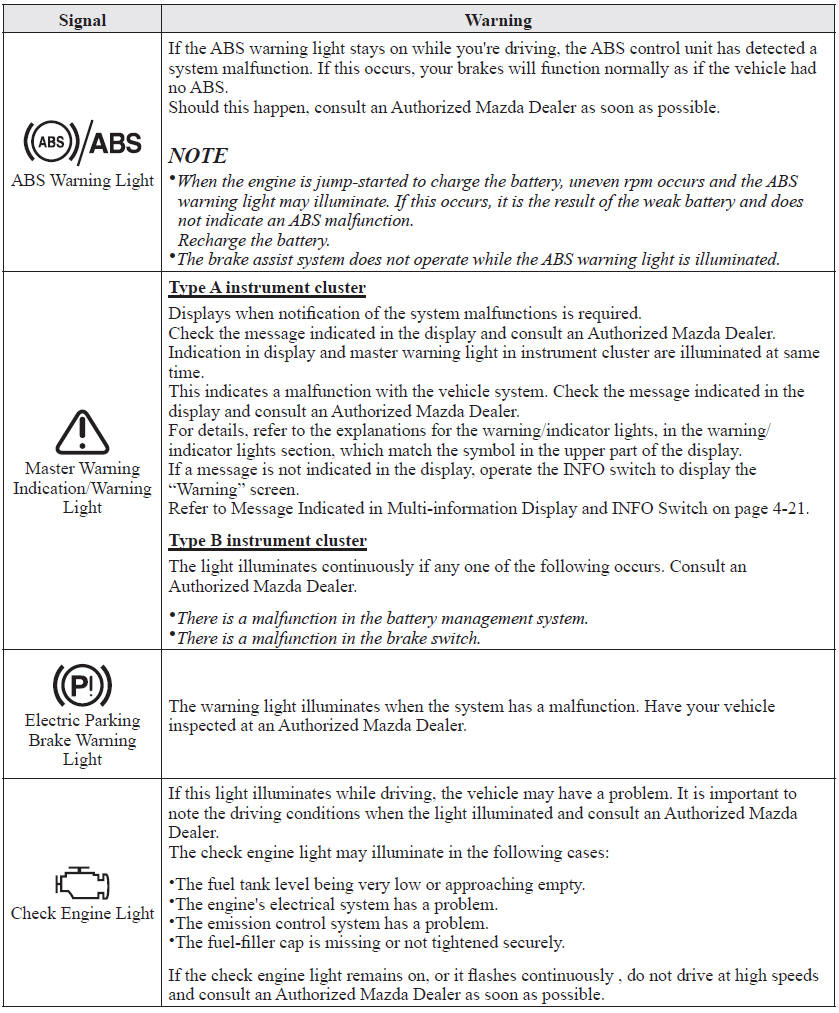
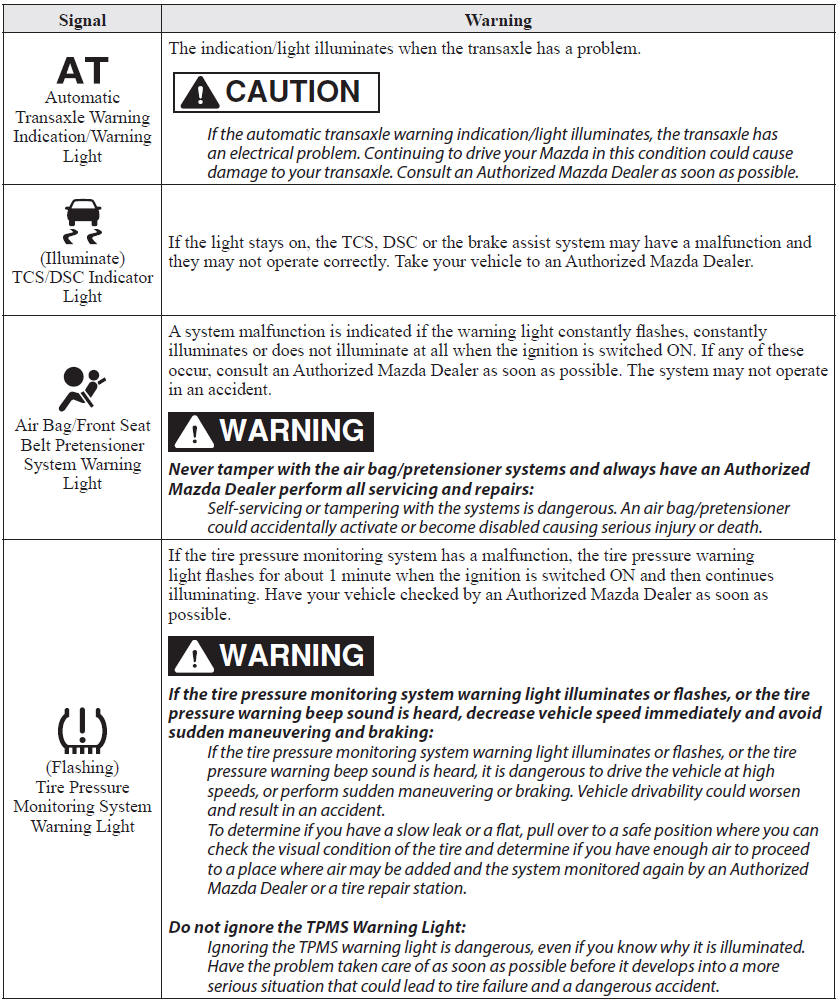
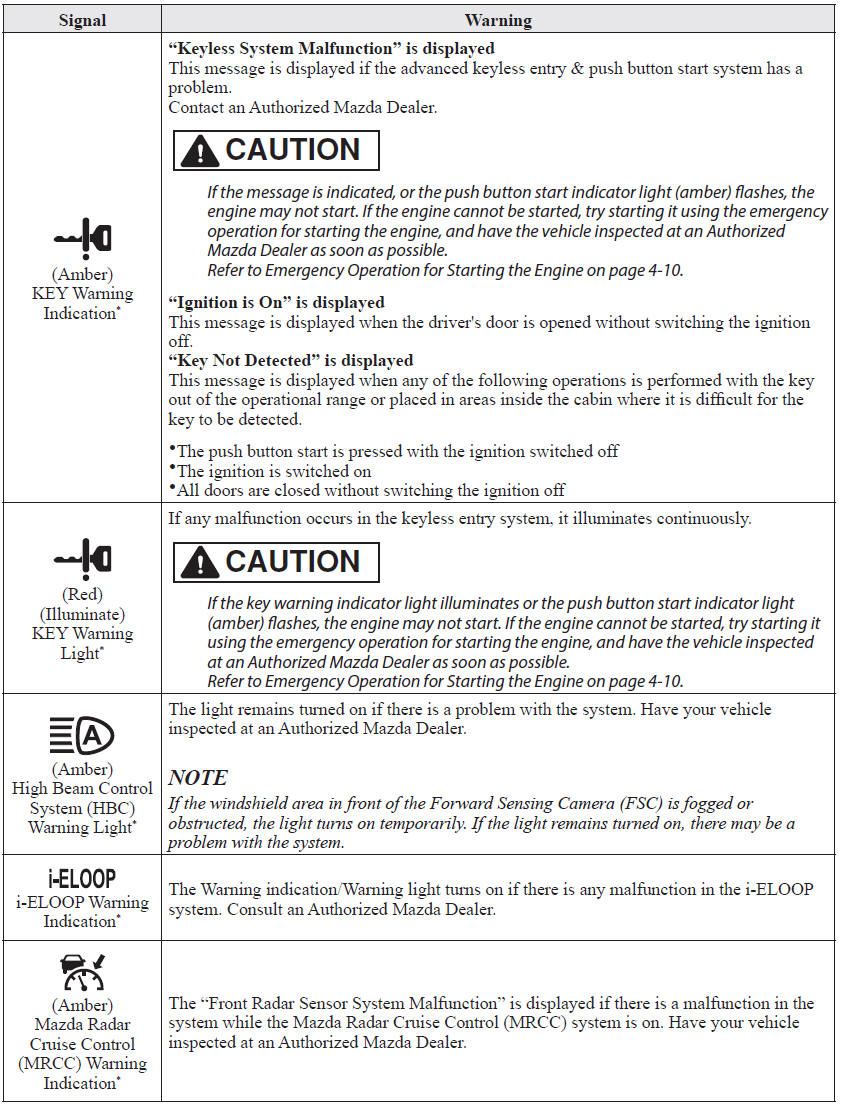
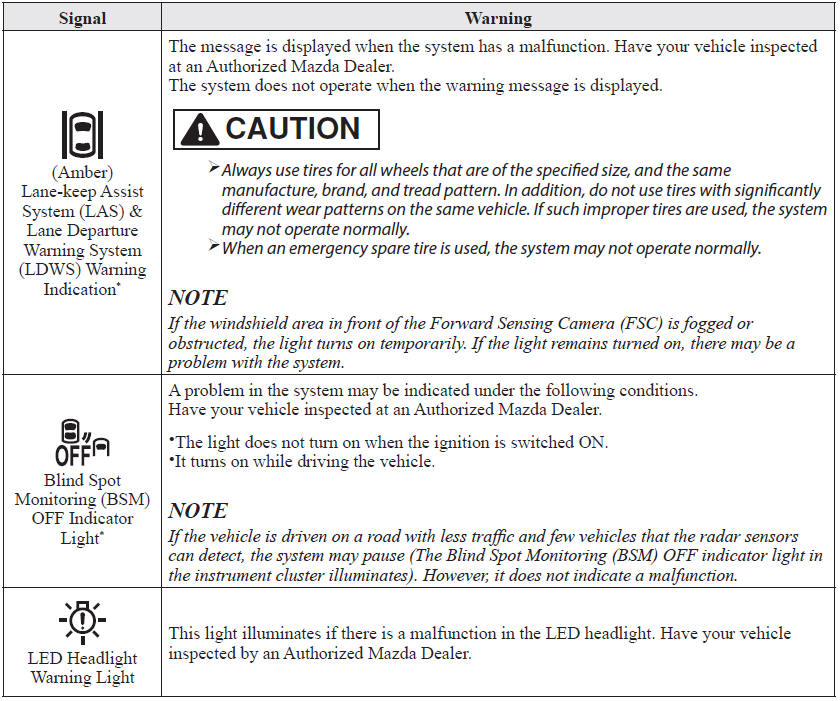
If any of the following warning lights or the indicator light turns on/flashes, the system may have a malfunction. Contact an Authorized Mazda Dealer to have your vehicle inspected.
 Stop Vehicle in Safe Place Immediately
If any of the following warning lights turns on, the system may have a malfunction.
Stop the vehicle in a safe place immediately and contact an Authorized Mazda Dealer.
...
 Taking Action
Take the appropriate action and verify that the warning light turns off.
...
Other materials:
Mazda 6 Owners Manual: Dsc system inspection
Preparation
1. Verify that the battery is fully charged.
2. With ignition switch on, verify that the ABS warning light goes out after
2.4 seconds.
3. Turn the ignition switch off.
4. On level ground, jack up the vehicle and support it evenly on safety
stands.
5. Shift the transaxle to N posi ...
Mazda 6 Owners Manual: Relay inspection
Relay Type
Four-terminal
Type A
1. Remove the relay.
2. Inspect for continuity between the relay terminals using an ohmmeter.
If not as specified, replace the relay.
Type B
1. Remove the relay.
2. Inspect for continuity between the relay terminals using an ohmmeter.
If not as ...