
Mazda 6 Owners Manual: Stop Vehicle in Safe Place Immediately
If any of the following warning lights turns on, the system may have a malfunction. Stop the vehicle in a safe place immediately and contact an Authorized Mazda Dealer.
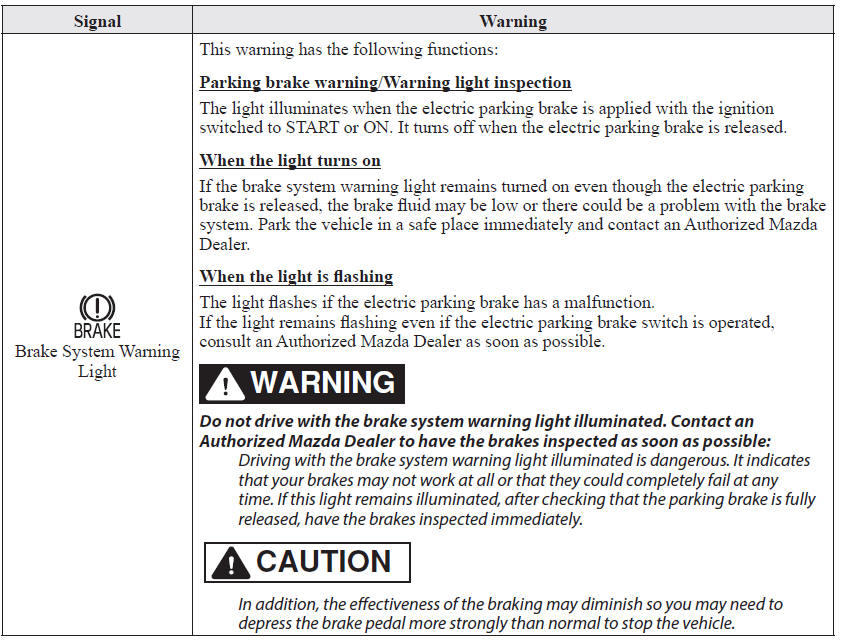
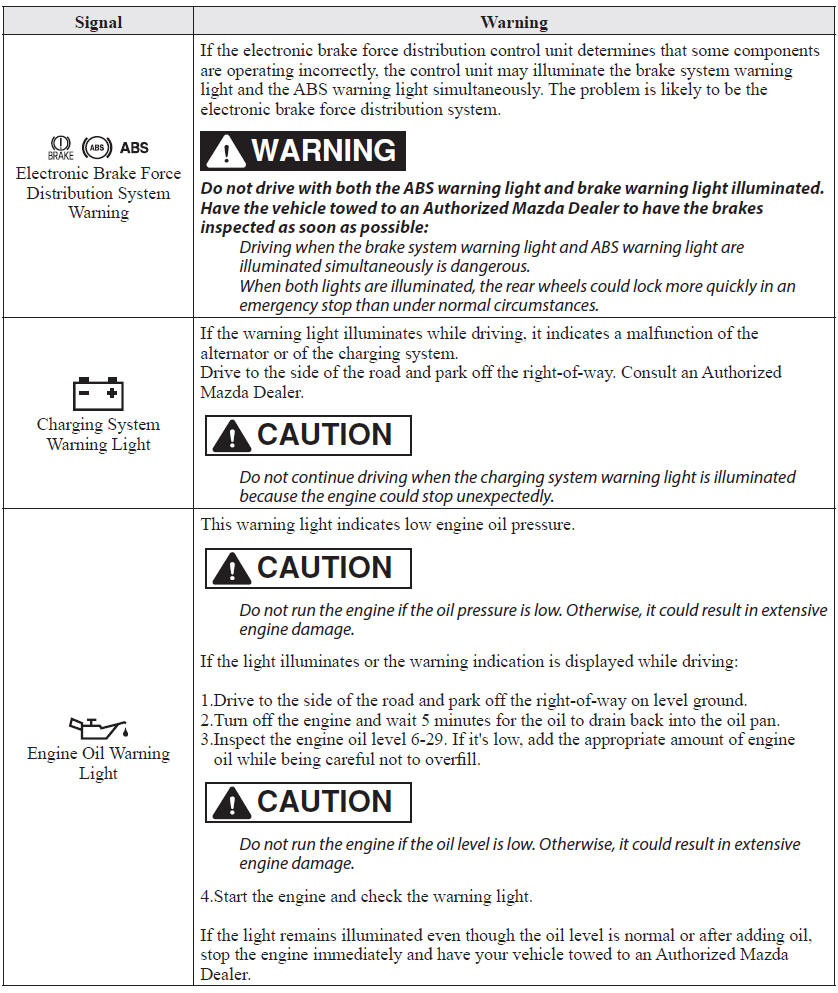
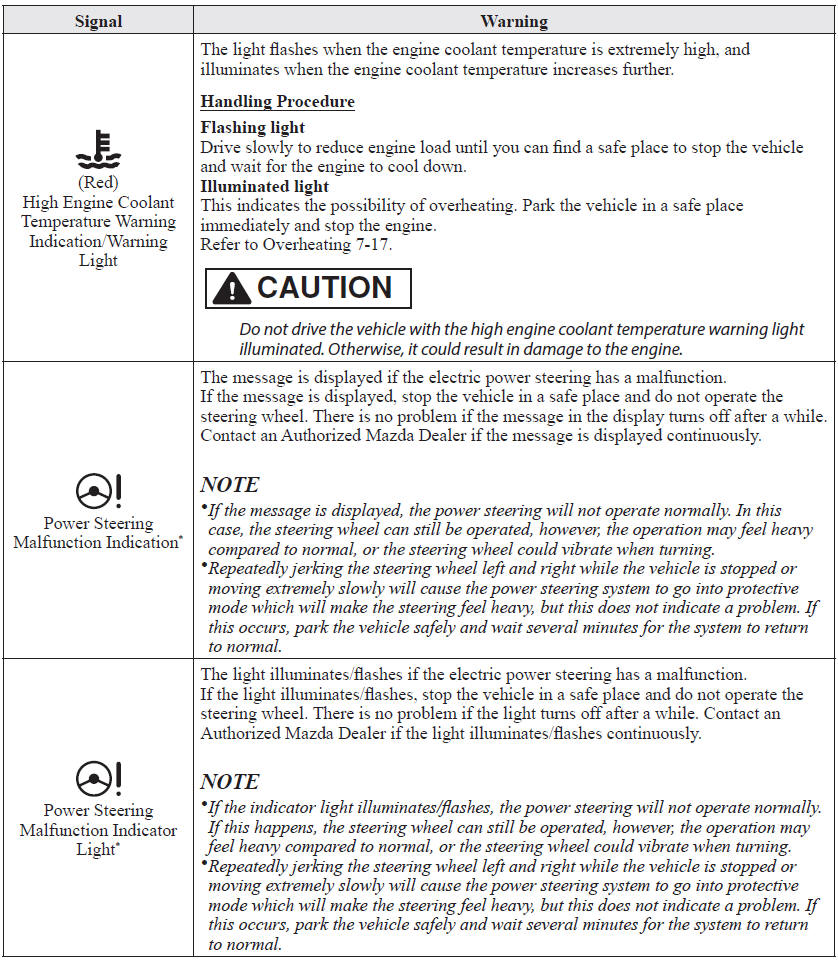
 If a Warning Light Turns On or Flashes
If any warning light turns on/flashes, take appropriate action for each light.
There is no problem if the light turns off, however if the light does not turn off
or turns on/flashes again, consult ...
 Contact Authorized Mazda Dealer and Have Vehicle Inspected
If any of the following warning lights or the indicator light turns on/flashes,
the system may have a malfunction. Contact an Authorized Mazda Dealer to have your
vehicle inspected.
...
Other materials:
Mazda 6 Owners Manual: Anchor Bracket
Anchor brackets for securing childrestraint systems are equipped in the vehicle.
Locate each anchor position using the illustration.
To install a child-restraint system, remove the head restraint. Always follow
the instruction manual accompanying the child-restraint system.
Anchor bracket loca ...
Mazda 6 Owners Manual: Audio control switch inspection
1. Disconnect the negative battery cable.
2. Remove the driver-side air bag module. (See DRIVER-SIDE AIR BAG MODULE
REMOVAL/INSTALLATION.)
3. Disconnect the audio control switch connector.
4. Measure the resistance and inspect for continuity between the cruise
control switch terminals using a ...