
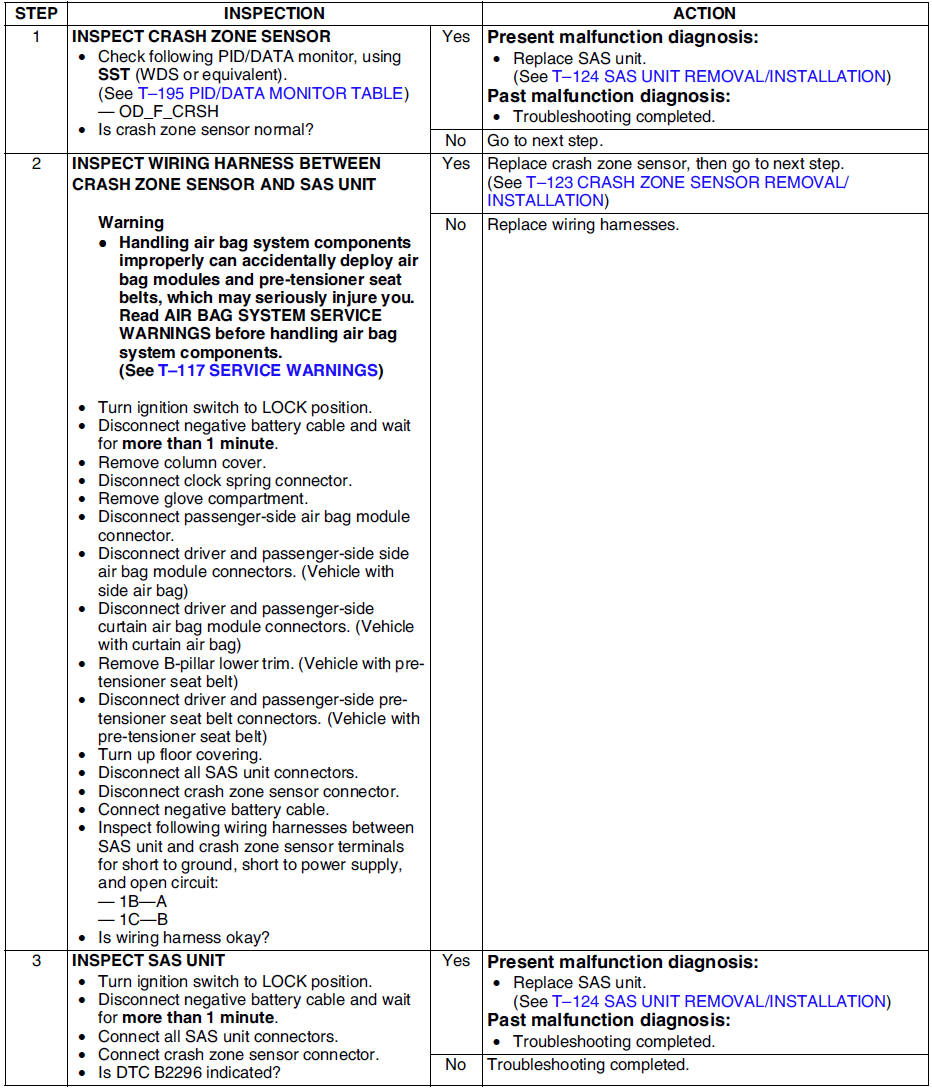
Mazda 6 Service Manual: Dtc b2296
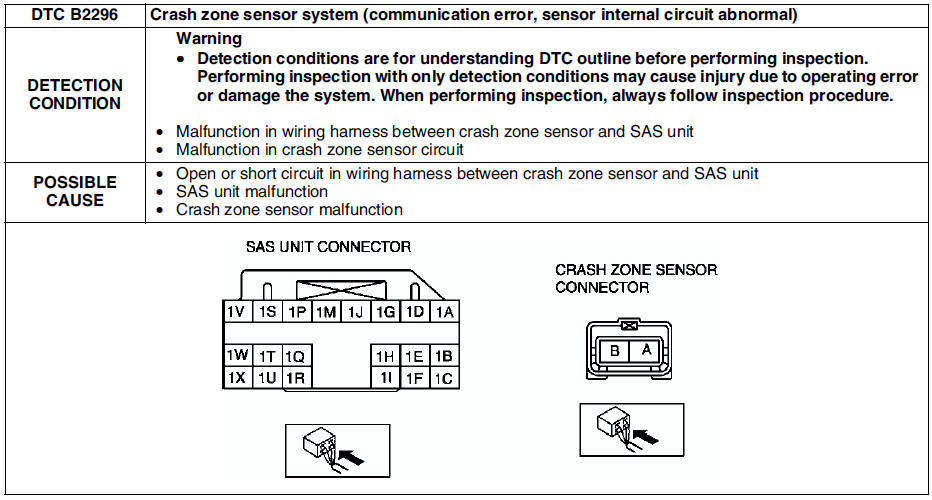
Diagnostic procedure
 Dtc b2229, b2231, b2233, b2235
Diagnostic procedure
...
 Dtc b2444, u2017
Diagnostic procedure
...
Other materials:
Mazda 6 Service Manual: Input/turbine speed sensor removal/installation
1. Disconnect the negative battery cable.
2. Remove the battery and battery tray.
3. Remove the air cleaner component. (See INTAKE-AIR SYSTEM
REMOVAL/INSTALLATION.)
4. Disconnect the input/turbine speed sensor connector.
5. Remove the input/turbine speed sensor.
6. Apply ATF to a new O-ring ...
Mazda 6 Service Manual: Technical data
ENGINE
LUBRICATION SYSTEM
Note
The maintenance intervals on scheduled maintenance table (See
SCHEDULED MAINTENANCE TABLE) can only be supported by the use of following
oils.
Recommended engine oil
COOLING SYSTEM
FUEL AND EMISSION CONTROL SYSTEMS
ENGINE ELECTRICAL SYSTEM
...
© 2016-2026 Copyright www.mazda6info.net