
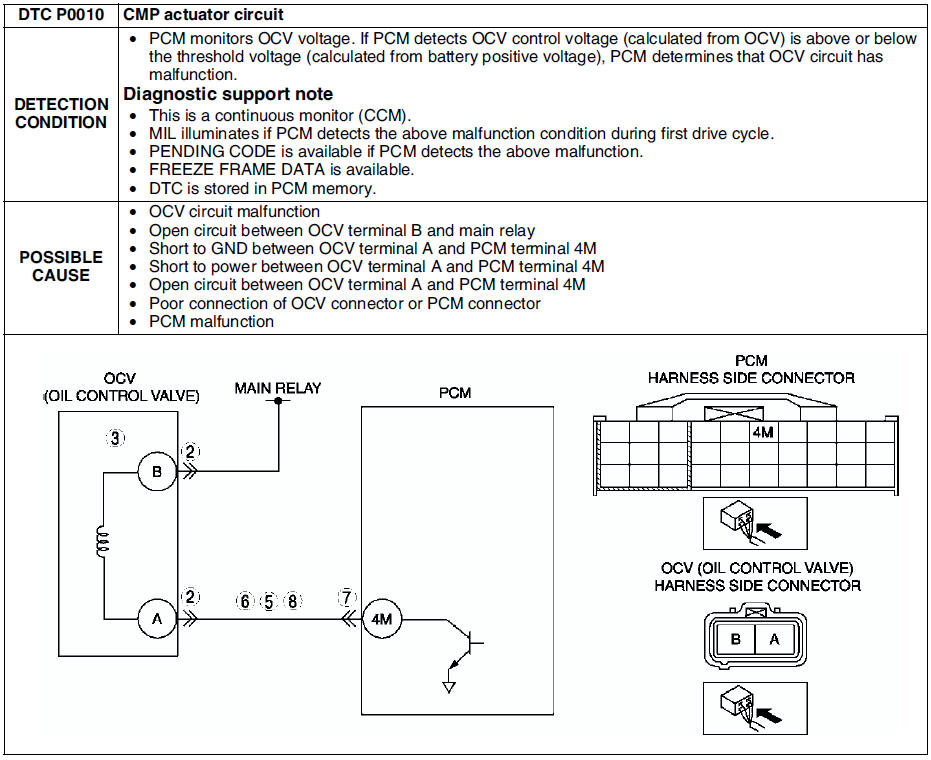
Mazda 6 Service Manual: Dtc p0010
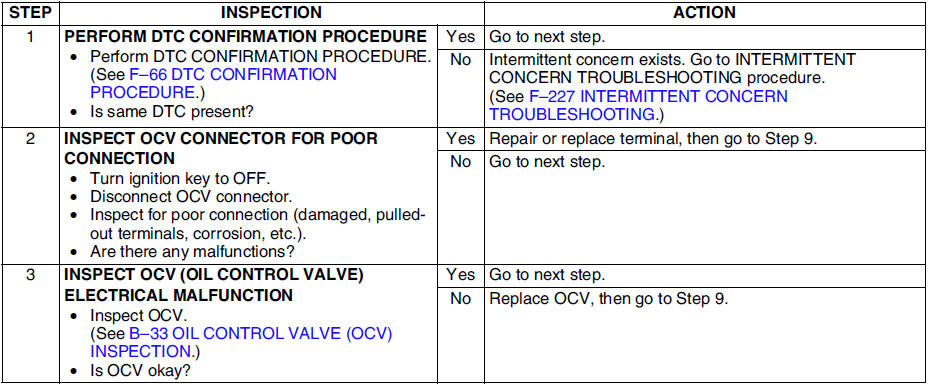
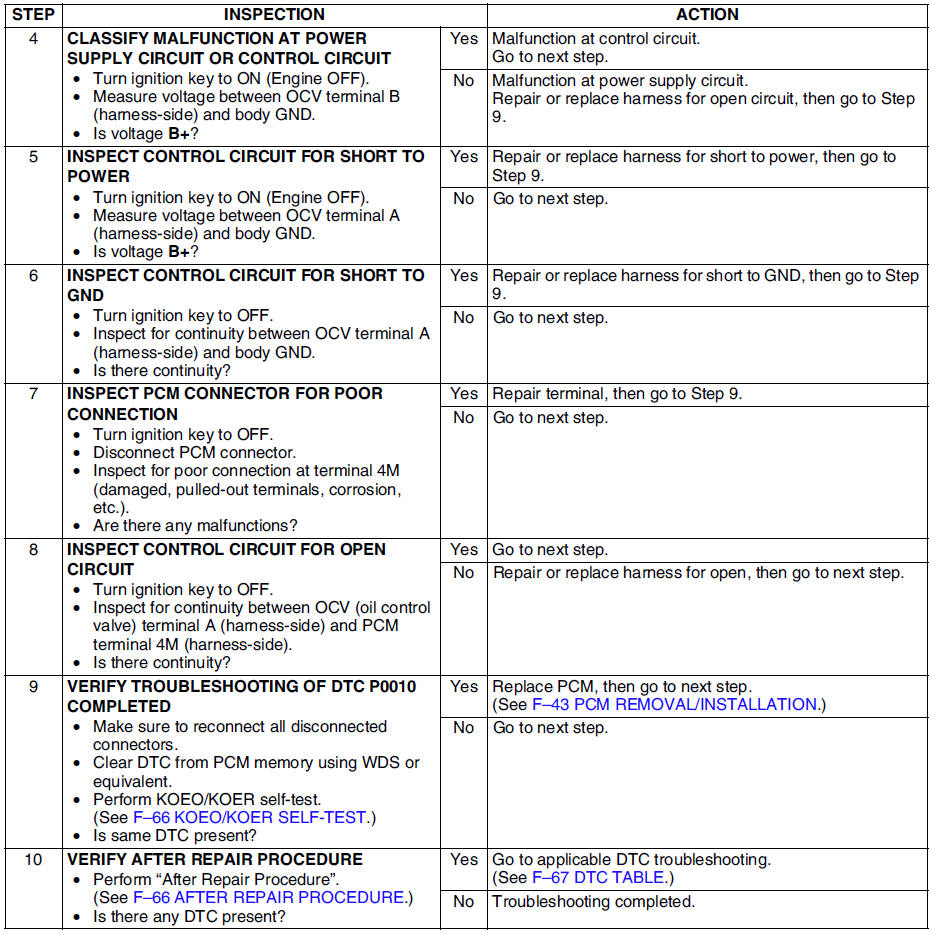
Diagnostic procedure
 Dtc table
DTC table
...
 Dtc p0011
Diagnostic procedure
...
Other materials:
Mazda 6 Service Manual: Locking, Unlocking with Door- Lock Switch
All doors lock automatically when the lock side is pressed. They unlock when
the unlock side is pressed.
Driver's door
Front passenger's door
To lock all the doors from an open front door, press the lock side of the door
lock switch and then close the door.
NOTE
When locking the doors t ...
Mazda 6 Service Manual: Clock spring adjustment
Note
The adjustment procedure is also specified on the caution label of
the clock spring.
1. Set the front wheels straight ahead.
Caution
The clock spring will break if over-wound. Do not forcibly turn
the clock spring.
2. Turn the clock spring clockwise until it stops.
3. Tu ...
© 2016-2026 Copyright www.mazda6info.net