
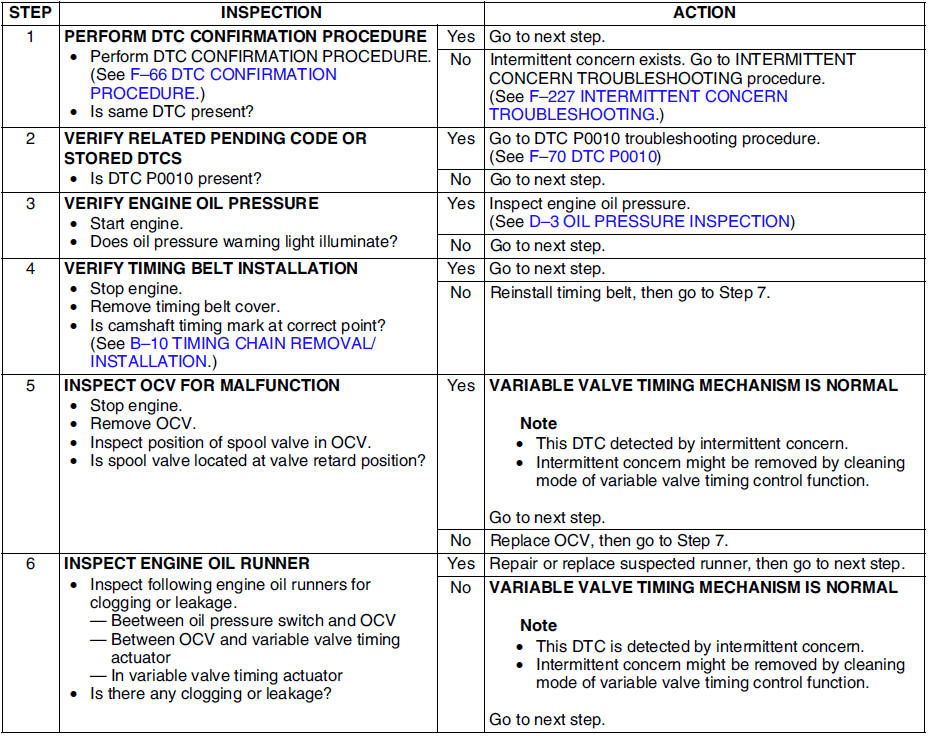
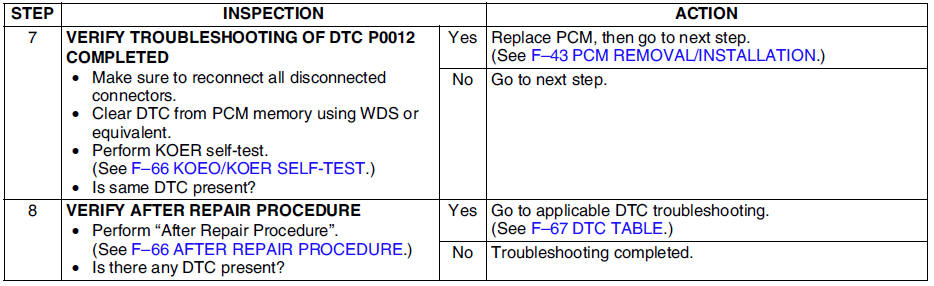
Mazda 6 Service Manual: Dtc p0012
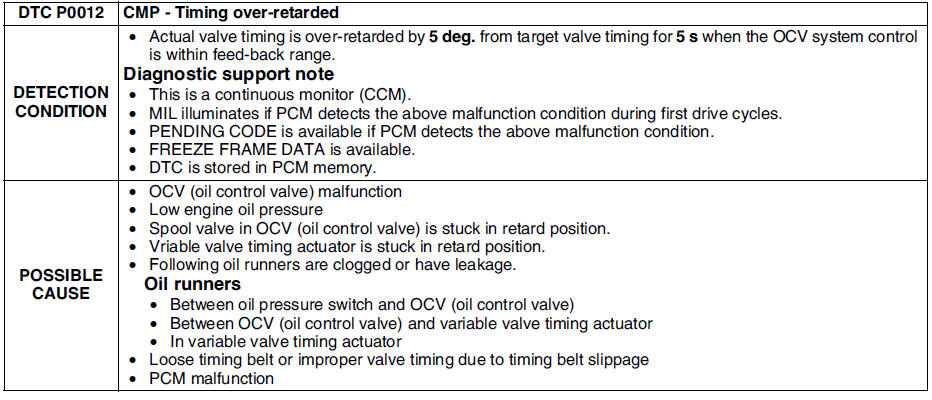
Diagnostic procedure
 Dtc p0011
Diagnostic procedure
...
 Dtc p0031
Diagnostic procedure
...
Other materials:
Mazda 6 Service Manual: Lcd unit removal/installation
1. Disconnect the negative battery cable.
2. Remove the center panel module. (See CENTER PANEL MODULE
REMOVAL/INSTALLATION.)
3. Remove in the order indicated in the table.
4. Install in the reverse order of removal.
LCD Unit Removal Note
1. Pull up the front part of the LCD unit.
2. Wh ...
Mazda 6 Service Manual: Discharge headlight service warnings
Discharge headlight bulb service warnings
To prevent electrical shock when replacing the discharge headlight bulb,
dry hands thoroughly, and carry out work in an area out of rain.
When the light switch is on, approx. 25,000 V of high voltage passes
through the discharge headlight bulb so ...
© 2016-2026 Copyright www.mazda6info.net