
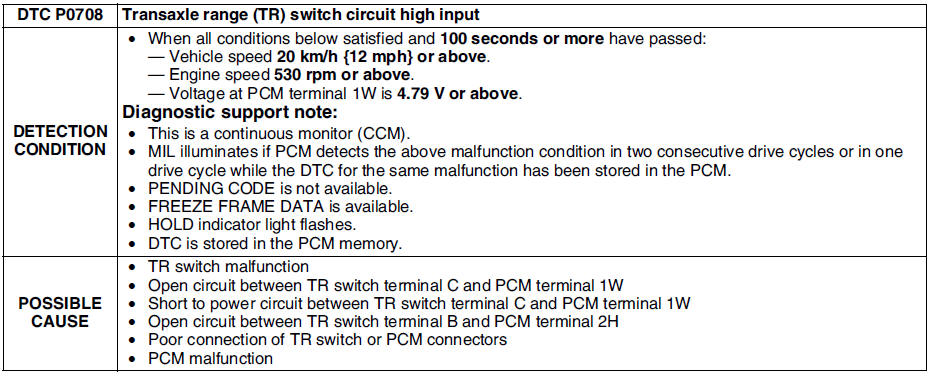
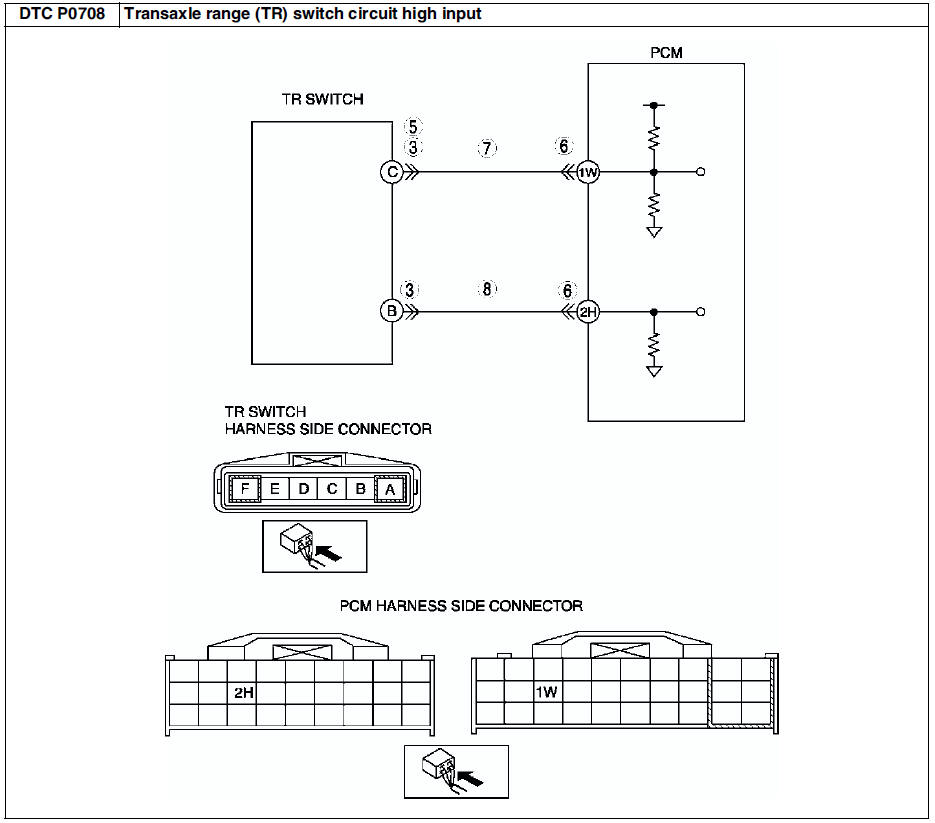
Mazda 6 Service Manual: Dtc p0708
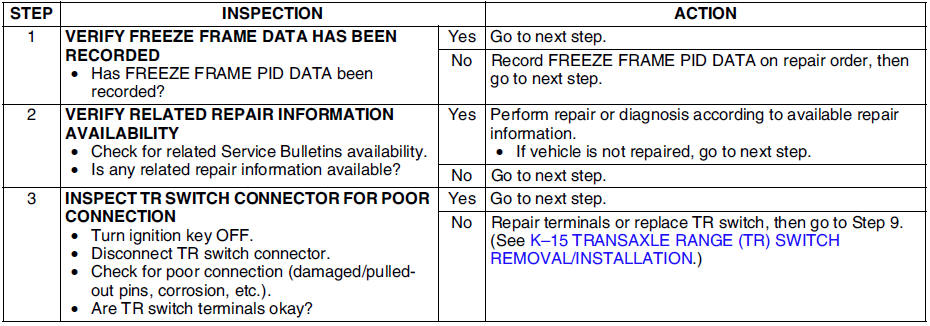
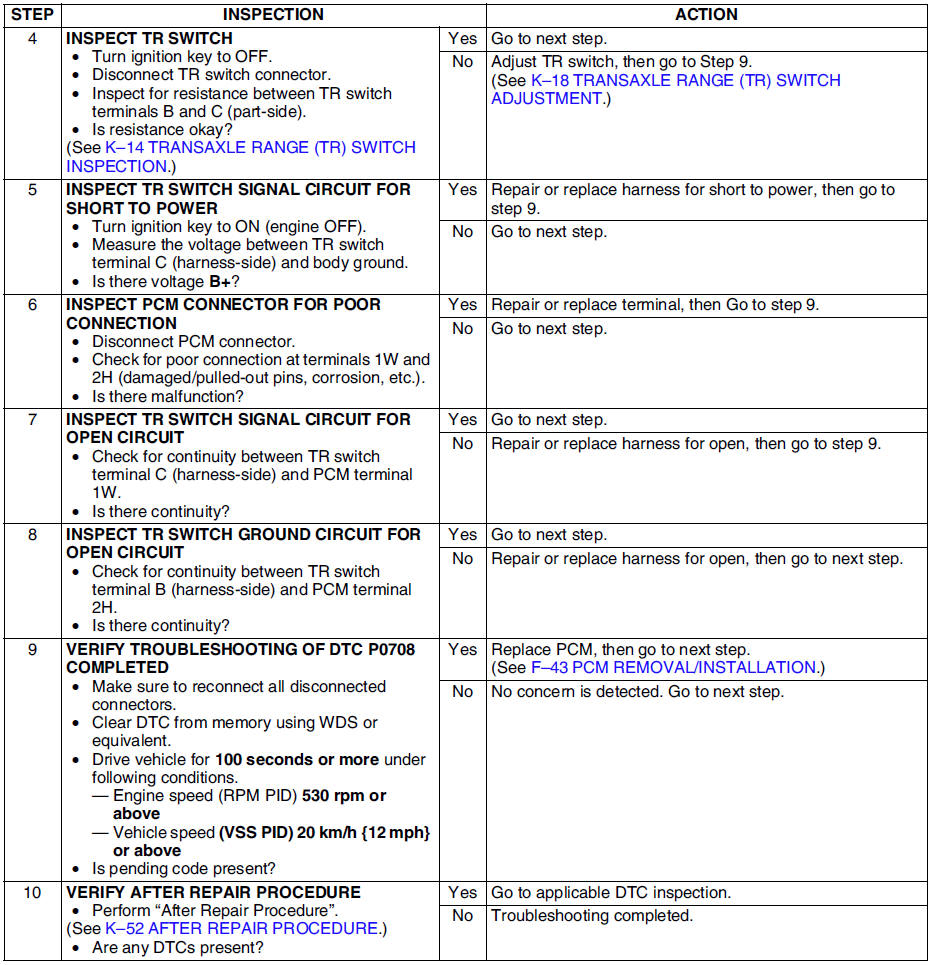
Diagnostic procedure
 Dtc p0707
Diagnostic procedure
...
 Dtc p0711
Diagnostic procedure
...
Other materials:
Mazda 6 Service Manual: Parking brake (lever type) adjustment
1. Start the engine and depress the brake pedal several times.
2. Stop the engine.
3. Remove the ashtray behind the center console.
4. Turn the adjusting nut as shown in the figure.
5. After adjustment, inspect the following points:
(1) Turn the ignition switch to ON, pull the parking brak ...
Mazda 6 Service Manual: Crankshaft position (ckp) sensor removal/installation
Removal
1. Perform the following procedure to making the working space.
(1) Remove the Front wheel (RH).
(2) Remove the splash shield.
2. Disconnect the CKP sensor connector.
3. Remove the installation bolts to remove the CKP sensor.
Installation
Caution
When foreign material such a ...