
Mazda 6 Service Manual: Running light unit inspection
1. Connect the connector to the running light unit.
2. Connect the negative battery cable.
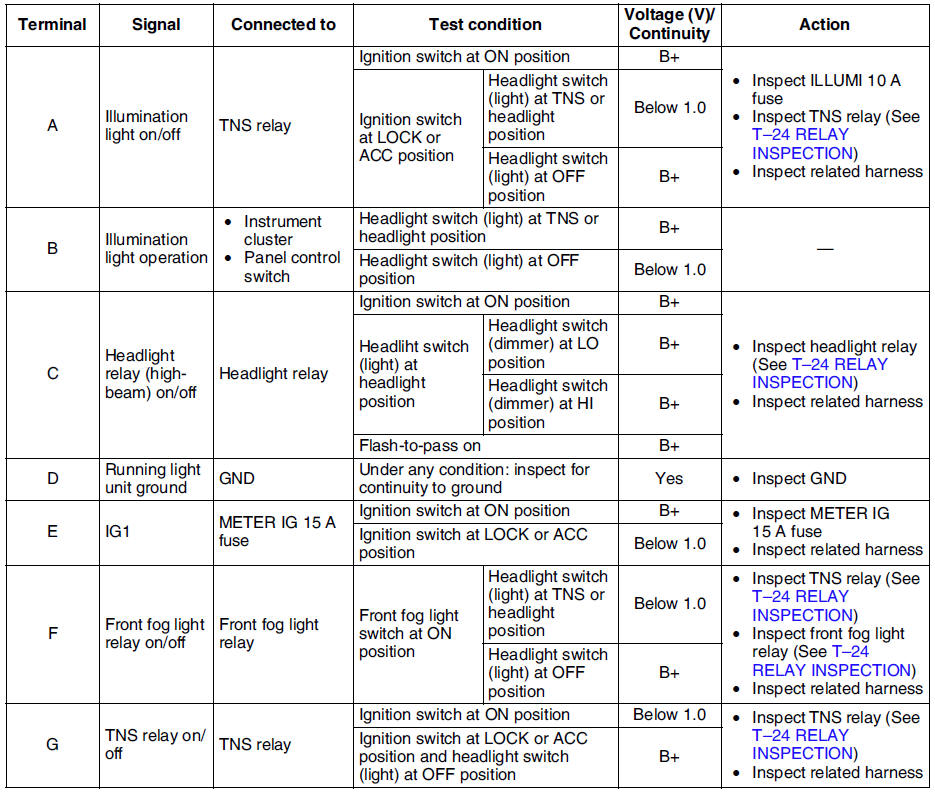
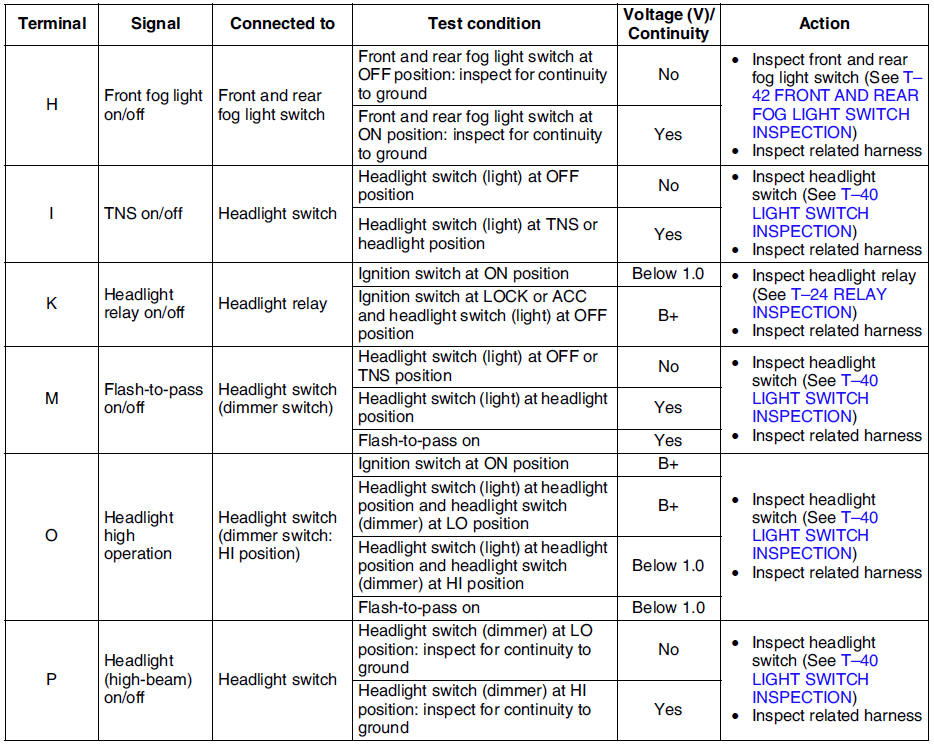
3. Measure the voltage at the running light unit using voltmeter.
- When inspecting terminal D, H or P for continuity, disconnect the running light unit connector.
4. If the value are not as specified in the Terminal Voltage List (Reference), inspect the parts under Action and related wiring harnesses.
5. If the system does not work properly even though the parts or related wiring harnesses do not have any malfunction, replace the running light unit.
Terminal Voltage List (Reference)

 Running light unit removal/installation
Disconnect the negative battery cable.
2. Remove the glove compartment. (See GLOVE COMPARTMENT REMOVAL/INSTALLATION)
3. Remove in the order indicated in the table.
4. Install in ...

Other materials:
Mazda 6 Service Manual: Schedule 1
Chart symbols:
I: Inspect: Inspect and clean, repair, adjust, fill up, or replace if
necessary.
R: Replace
L: Lubricate
T: Tighten
Remarks:
*1 Use of FL-22 is recommended when replacing engine coolant. Using engine coolant
other than FL-22 may cause serious damage to the engine and cooli ...
Mazda 6 Service Manual: Disconnection of the negative battery cable
Before beginning any work, turn the ignition switch to LOCK position,
then disconnect the negative battery cable and wait for more than 1 minute
to allow the backup power supply of the SAS unit to deplete its stored
power. Disconnecting the battery cable will delete the memories of the
...