
Mazda 6 Service Manual: A/c unit removal/installation
1. Disconnect the negative battery cable.
2. Discharge the refrigerant from the system. (See RECOVERY.) (See CHARGING.)
3. Drain the engine coolant. (See ENGINE COOLANT REPLACEMENT.)
4. Remove the dashboard. (See DASHBOARD REMOVAL/INSTALLATION.)
5. Remove the theft-deterrent control module. (See THEFT-DETERRENT CONTROL MODULE REMOVAL/INSTALLATION.)
Caution
- If moisture or foreign material enters the refrigeration cycle, cooling ability will be lowered and abnormal noise will occur. Always immediately plug open fittings after removing any refrigeration cycle parts to keep moisture or foreign material out of the cycle.
6. Remove in the order indicated in the table. Do not allow compressor oil to spill.
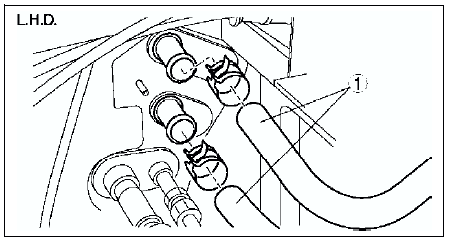
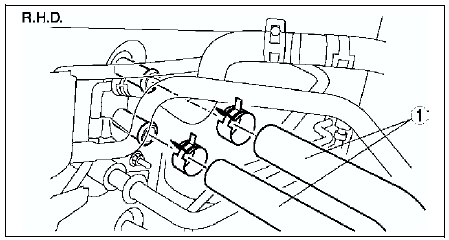
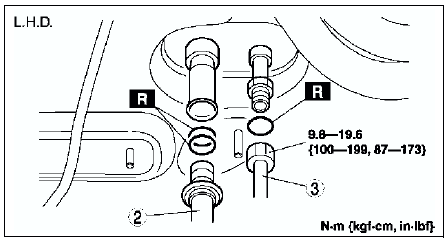
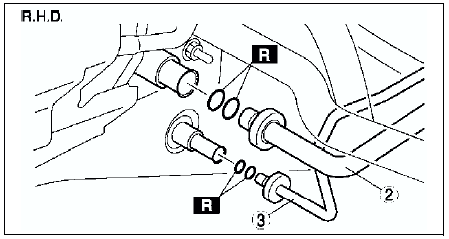
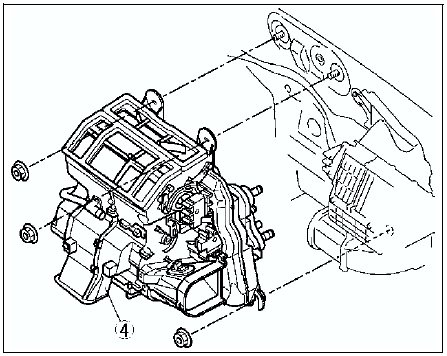
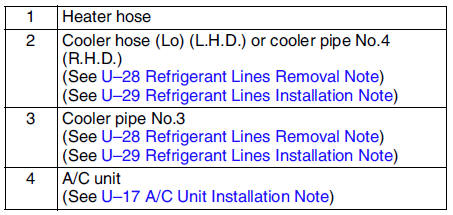
7. Install in the reverse order of removal.
8. Perform the refrigerant system performance test. (See REFRIGERANT SYSTEM PERFORMANCE TEST.)
A/C Unit Installation Note
When installing a new A/C unit or evaporator, add a supplemental amount of ATMOS GU10 compressor oil into the refrigerant cycle.
Supplemental amount (approximate quantity) 25 ml {25 cc, 0.8 fl oz}
 Air filter inspection
1. Remove the air filter.
2. Inspect the air filter.
If the air filter is damaged, excessively dirty, or foul smelling,
replace the air filter.
Note
The air filter cannot be reused by c ...
 A/c unit disassembly/assembly
1. Disassemble in the order indicated in the table.
2. Assemble in the reverse order of disassembly.
Evaporator Temperature Sensor Assembly Note
Assemble the evaporator temperature sensor as ...
Other materials:
Mazda 6 Service Manual: Dehumidifying (With air conditioner)
Operate the air conditioner in cool or cold weather to help defog the windshield
and side windows.
1. Set the mode selector dial to the desired position.
2. Set the air intake selector to the outside air position (indicator light turns
off).
3. Set the temperature control dial to the desired ...
Mazda 6 Service Manual: Event Data Recorder
Event Data Recorder (U.S.A. and Canada)
This vehicle is equipped with an event data recorder (EDR). The main purpose
of an EDR is to record, in certain crash or near crash-like situations, such as
an air bag deployment or hitting a road obstacle, data that will assist in understanding
how a v ...