
Mazda 6 Owners Manual: Blind Spot Monitoring (BSM) Display
Displays the system status.
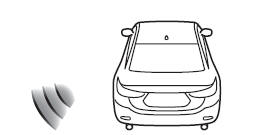
Refer to Blind Spot Monitoring (BSM).
 Maintenance Monitor
The following maintenance period notifications can be displayed by turning the
Maintenance Monitor on.
Scheduled Maintenance
Tire Rotation
Oil Change
For the setting method and indication ...
 Distance Recognition Support System (DRSS) Display (Some models)
Displays the distance between your vehicle and the vehicle ahead.
Refer to Distance Recognition Support System (DRSS). ...
Other materials:
Mazda 6 Owners Manual: Evaporator temperature sensor inspection
1. Turn the AUTO switch on.
2. Set the temperature control at MAX COLD (Turn the left).
3. Turn the A/C switch.
4. Set the RECIRCULATE mode.
5. Close all doors and windows.
6. Wait for 5 minutes.
7. Remove the glove compartment.
8. Disconnect the evaporator temperature sensor.
9. Measure t ...
Mazda 6 Owners Manual: Cup Holder
WARNING
Never use a cup holder to hold hot liquids while the vehicle is moving:
Using a cup holder to hold hot liquids while the vehicle is moving is dangerous.
If the contents spill, you could be scalded.
Do not put anything other than cups or drink cans in cup holders:
Putting objects othe ...