
Mazda 6 Service Manual: Dtc b1681
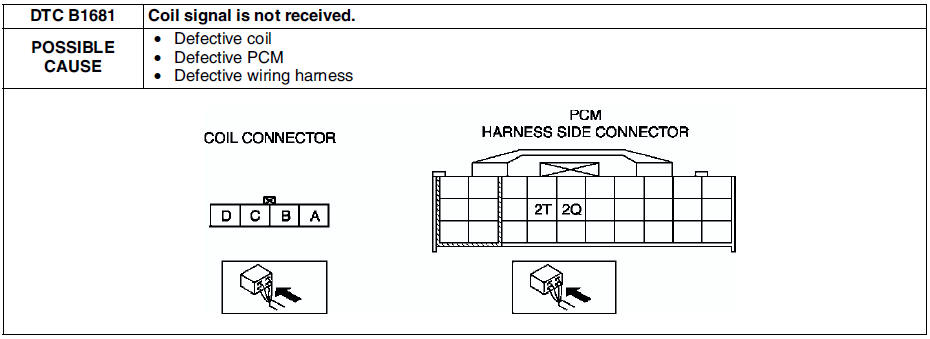
Diagnostic procedure
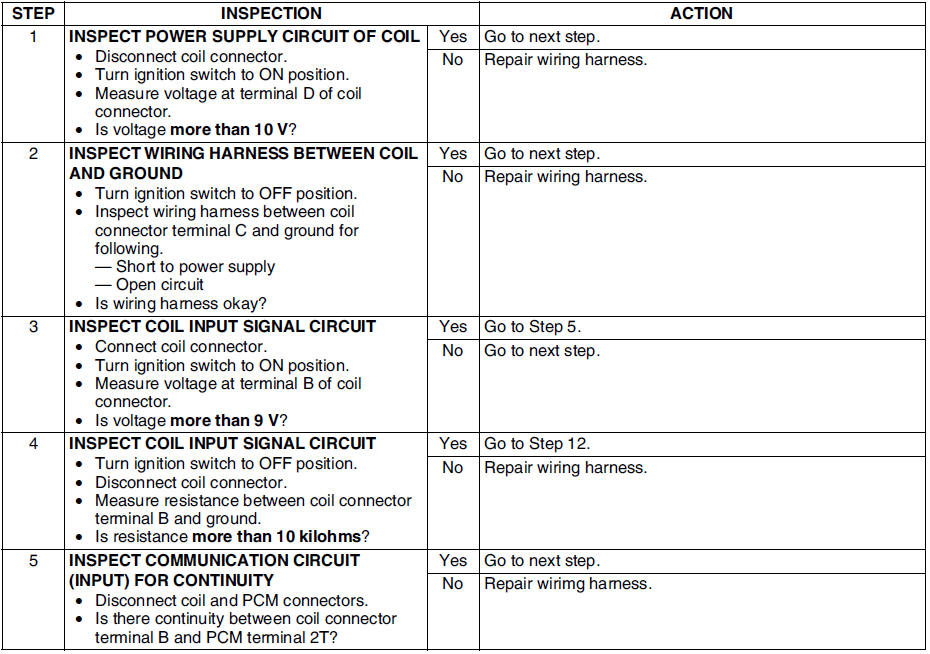
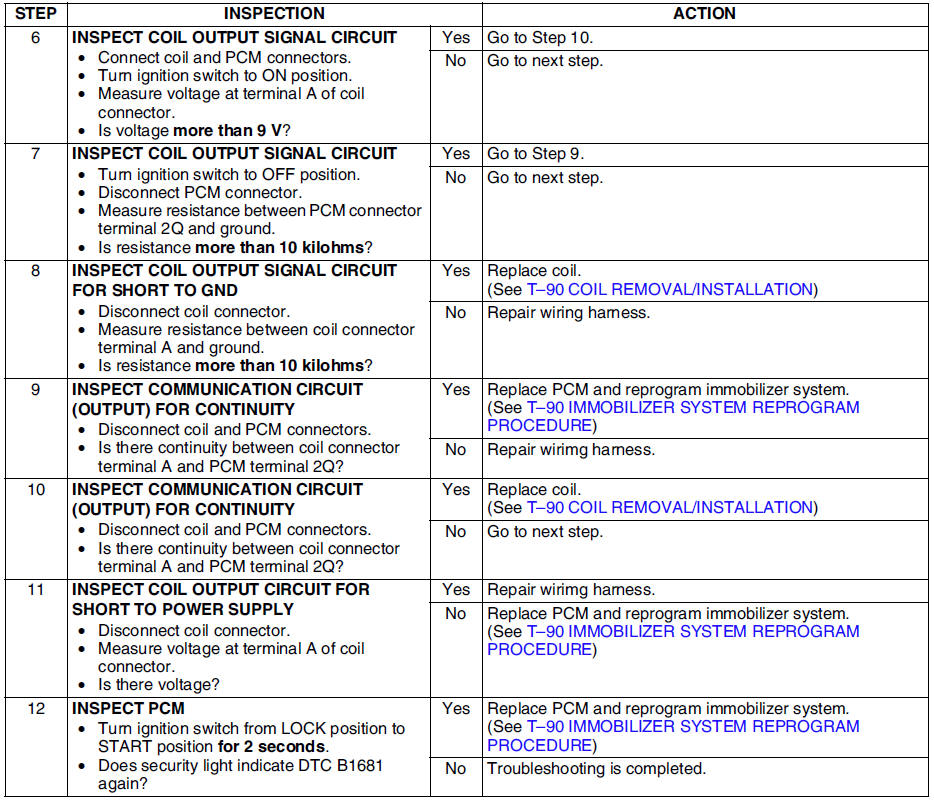
 Dtc table
Note
Perform the following if the security light stays on:
- If gasoline engine stalls, go to symptom troubleshooting NO.11
ENGINE STALLS/QUITS, ENGINE RUNS ROUGH, MISSES, BUCK/JERK,
...
 Dtc b2103
Diagnostic procedure
...
Other materials:
Mazda 6 Service Manual: Smart City Brake Support (SCBS)
The Smart City Brake Support (SCBS) system alerts the driver of a possible collision
using an indication in the display and a warning sound when the Forward Sensing
Camera (FSC) detects a vehicle ahead and determines that a collision with a vehicle
ahead is unavoidable while the vehicle is bei ...
Mazda 6 Service Manual: Passenger-side air bag module removal/installation
Warning
Handling the air bag module improperly can accidentally deploy the
air bag module, which may seriously injure you. Read AIR BAG SYSTEM SERVICE
WARNINGS before handling the air bag module. (See SERVICE WARNINGS.)
Due to the adoption of 2-step deployment control in both the
pass ...