
Mazda 6 Service Manual: Front seat disassembly/assembly
Warning
- Handling the front seat (side air bag) improperly can accidentally deploy the side air bag, which may seriously injure you. Read AIR BAG SYSTEM SERVICE WARNINGS before handling the front seat. (See SERVICE WARNINGS.)
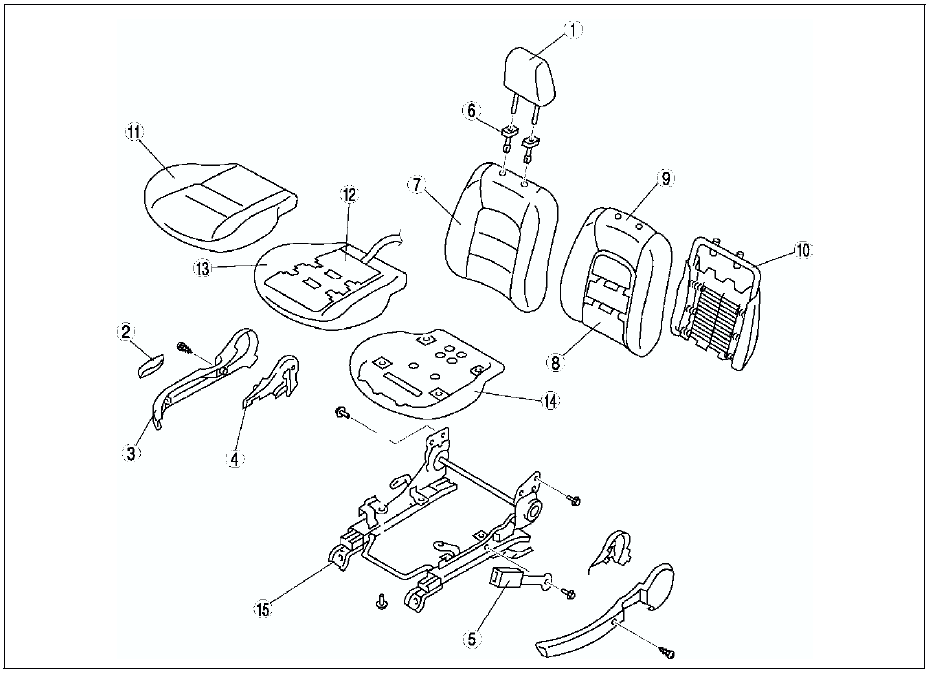
1. Disconnect the negative battery cable and wait for more than 1 minute.
2. Remove the side air bag module. (See SIDE AIR BAG MODULE REMOVAL/INSTALLATION.)
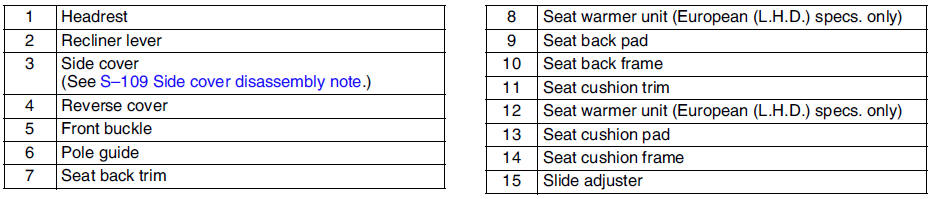
3. Disassemble in the order indicated in the table.
4. Assemble in the reverse order of disassembly.
Driver's Seat (Normal Seat)
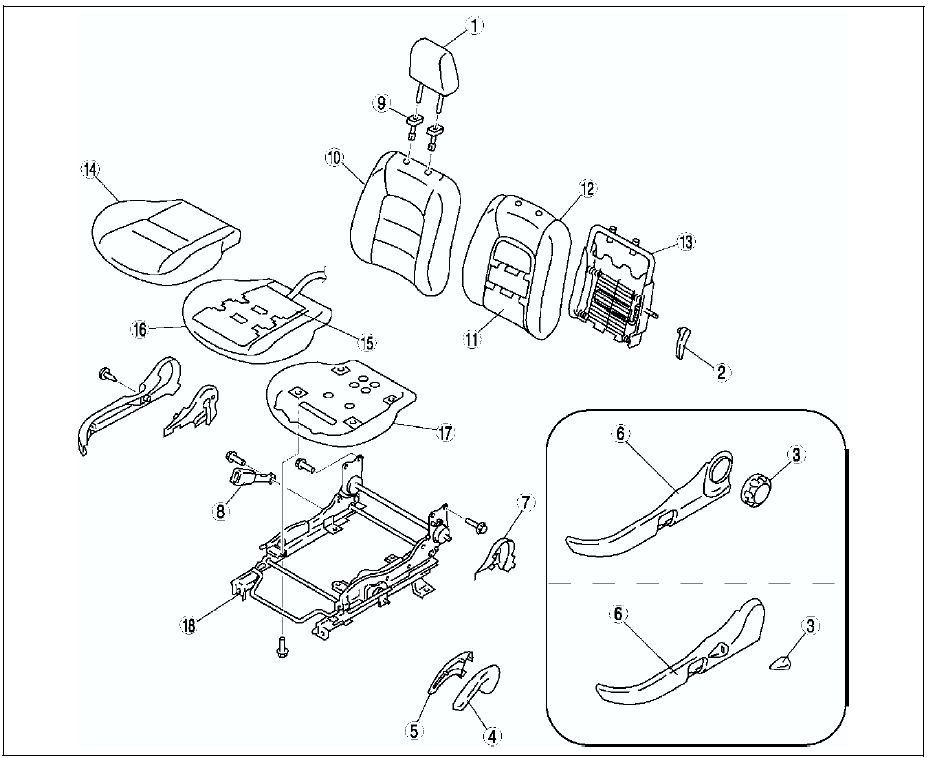
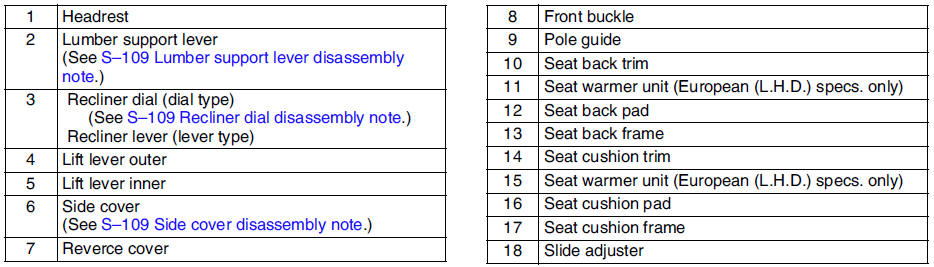
Driver's Seat (Power Seat)
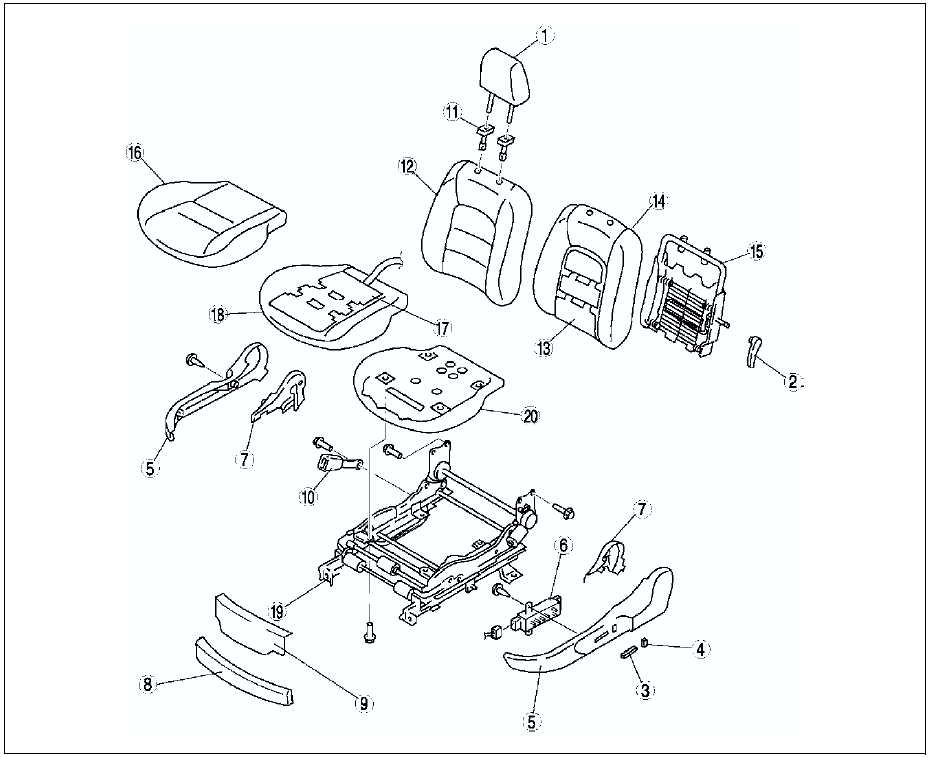
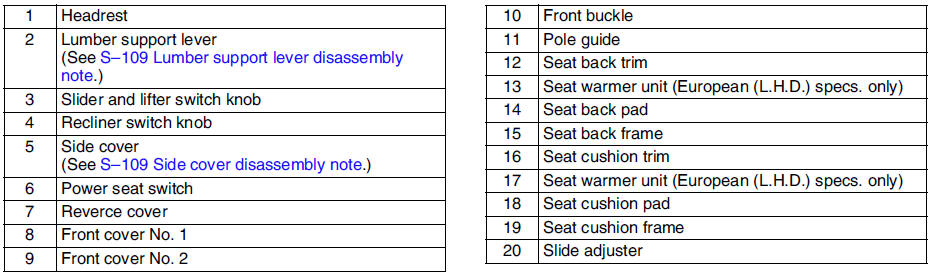
Passenger's Seat
Warning
- Do not disassemble the seat cushion. Doing so will necessitate reassembly which may damage or press the occupancy sensor. This will cause the misoperation of the air bag system, which may seriously injure you.
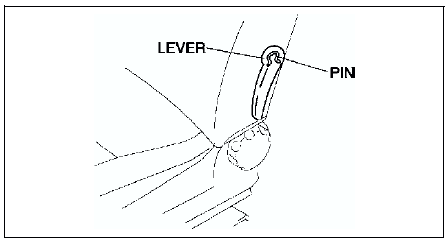
Lumber support lever disassembly note
Remove the pin from the lumber support lever installation part with rag.
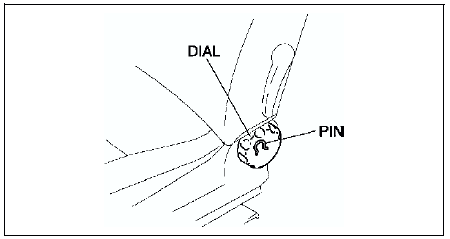
Recliner dial disassembly note
Remove the pin from the recliner dial installation part with rag.
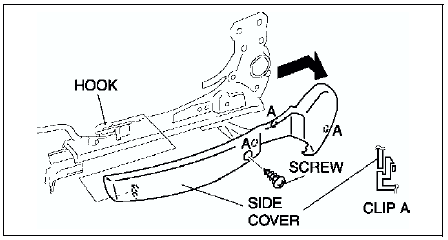
Side cover disassembly note
1. Remove the screws.
2. Disengage the clips.
3. Lift the side cover up in the direction of the arrow, then unhook it from slide adjuster.
 Front seat removal/installation
Warning
Handling the front seat (side air bag) improperly can accidentally
deploy the side air bag, which may seriously injure you. Read AIR BAG SYSTEM
SERVICE WARNINGS before handling the f ...
 Rear seat removal/installation
4SD
1. Remove in the order indicated in the table.
2. Install in the reverse order of removal.
5HB
1. Remove in the order indicated in the table.
2. Install in the reverse order of removal.
...
Other materials:
Mazda 6 Service Manual: Power brake unit removal/installation
1. Remove the master cylinder. (See MASTER CYLINDER REMOVAL/INSTALLATION.)
2. Remove the wiper arm. (See WINDSHIELD WIPER ARM AND BLADE
REMOVAL/INSTALLATION.)
3. Remove the cowl grille. (See COWL GRILLE REMOVAL/INSTALLATION.)
4. Remove the wiper motor. (See WINDSHIELD WIPER MOTOR REMOVAL/INSTAL ...
Mazda 6 Service Manual: Fuel pump unit inspection
Caution
It is normal to hear the fuel pump operating when the ignition
switch is turned to the ON position.
Note
To improve startability, the fuel pump control operates the fuel
pump unit when the ignition switch is turned to the ON position. Due to
this, fuel pressure is rapidly ...