
Mazda 6 Service Manual: Quick diagnosis chart
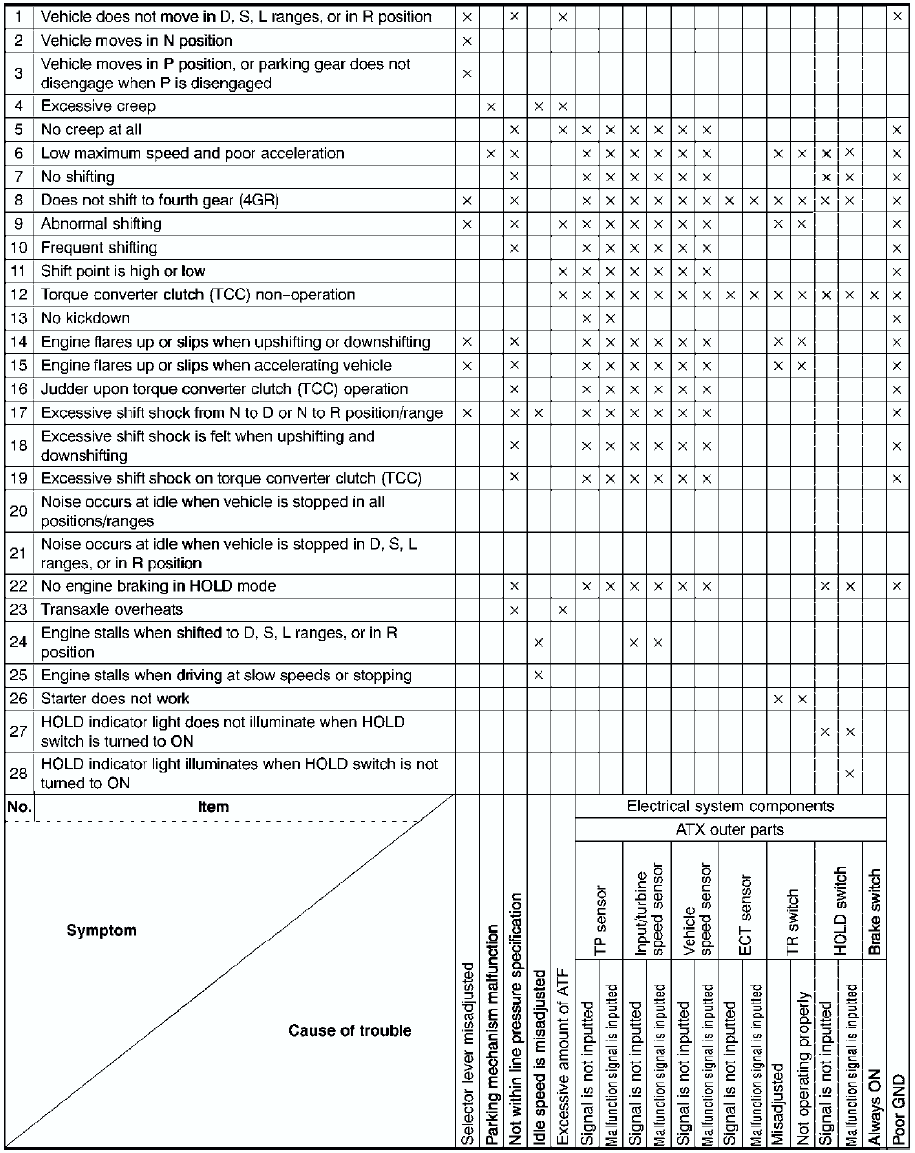
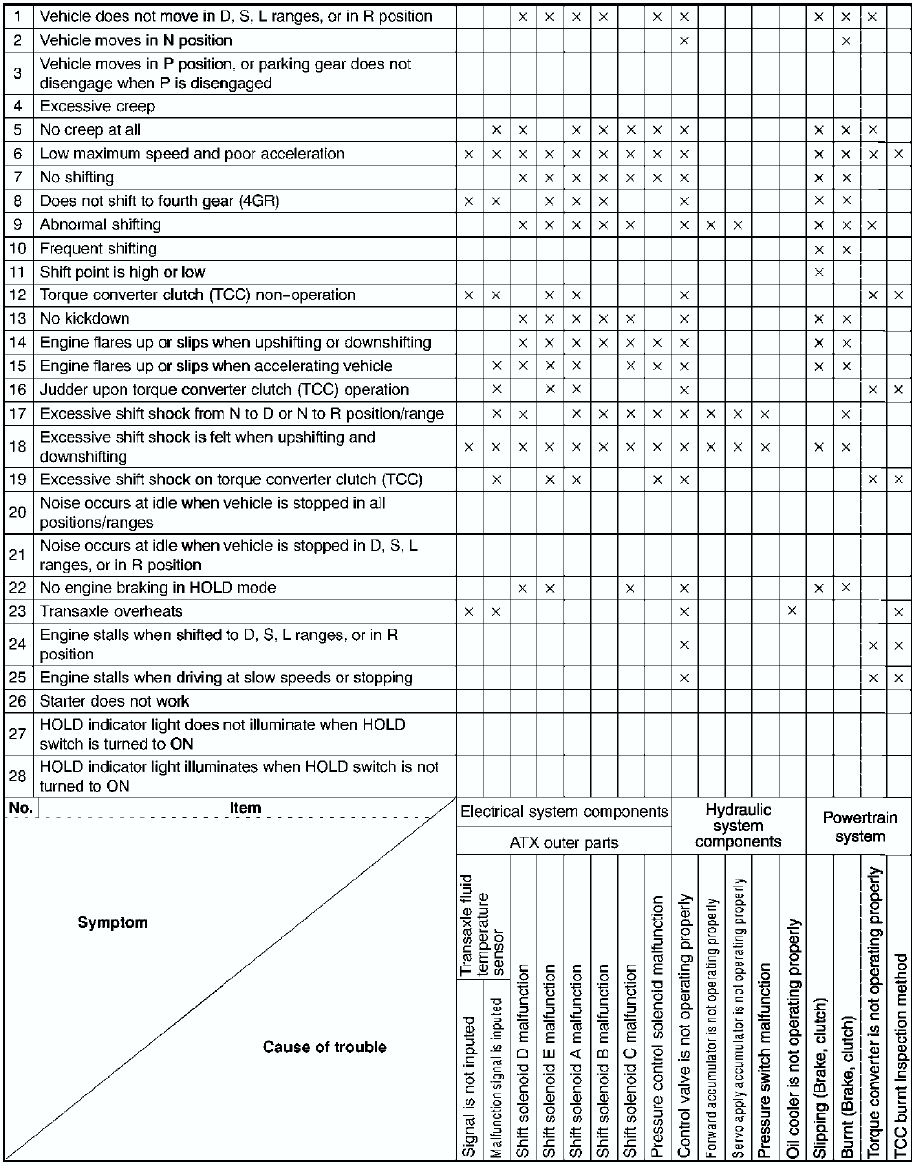
 Symptom troubleshooting item table
Use the chart below to verify the symptoms of the trouble in order to
diagnose the appropriate area.
...
 No.1 vehicle does not move in d, s, l ranges, or in r position
Diagnostic procedure
...
Other materials:
Mazda 6 Service Manual: Sunshade
The sunshade can be opened and closed by hand.
The sunshade opens automatically when the moonroof is opened, but must be closed
by hand.
CAUTION
The sunshade does not tilt. To avoid damaging the sunshade, do not push
up on it.
Do not close the sunshade while the moonroof is opening. T ...
Mazda 6 Service Manual: Pcm configuration
1. Connect the WDS to DLC-2.
2. Set up the WDS (including the vehicle recognition.)
3. Select Module programming.
4. Select Programmable module installation.
5. Select PCM and perform procedures according to directions on the WDS
screen.
Note
If PCM CONFIGURATION is successful, the PCM ...
© 2016-2026 Copyright www.mazda6info.net