
Mazda 6 Service Manual: Running light unit inspection
1. Connect the connector to the running light unit.
2. Connect the negative battery cable.
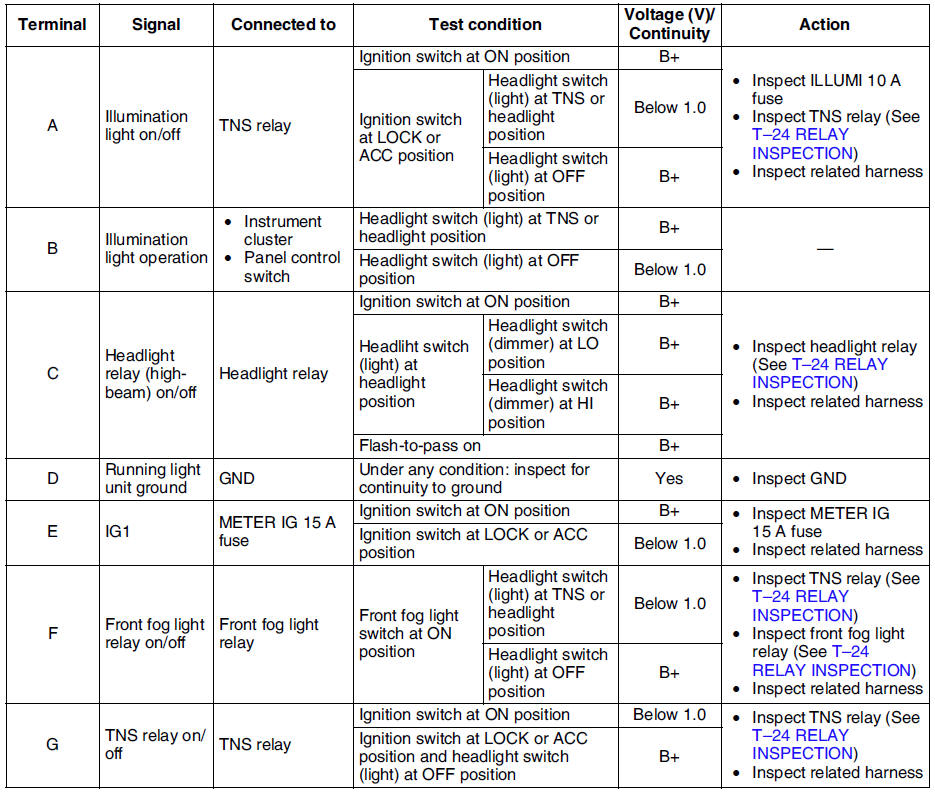
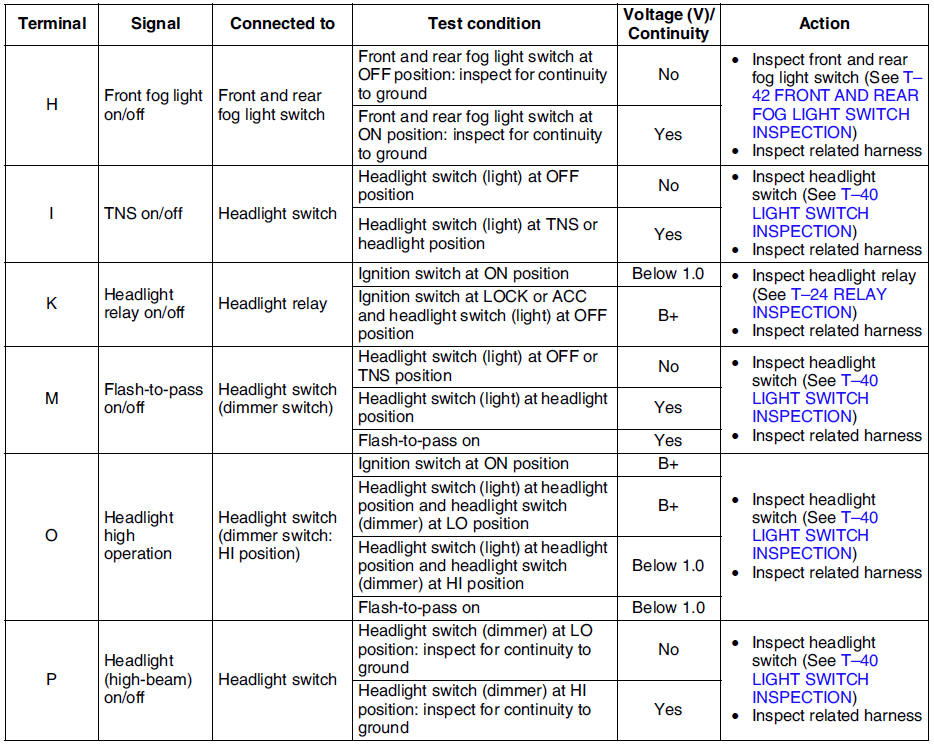
3. Measure the voltage at the running light unit using voltmeter.
- When inspecting terminal D, H or P for continuity, disconnect the running light unit connector.
4. If the value are not as specified in the Terminal Voltage List (Reference), inspect the parts under Action and related wiring harnesses.
5. If the system does not work properly even though the parts or related wiring harnesses do not have any malfunction, replace the running light unit.
Terminal Voltage List (Reference)

 Running light unit removal/installation
Disconnect the negative battery cable.
2. Remove the glove compartment. (See GLOVE COMPARTMENT REMOVAL/INSTALLATION)
3. Remove in the order indicated in the table.
4. Install in ...

Other materials:
Mazda 6 Service Manual: Recording of Vehicle Data
This vehicle is equipped with a computer which records the following main vehicle
data related to vehicle controls, operation, and other driving conditions.
Recorded data
Vehicle conditions such as engine speed and vehicle speed
Driving operation conditions such as accelerator and brake ped ...
Mazda 6 Service Manual: Refrigerant lines removal/installation
1. Remove the battery.
2. Discharge the refrigerant from the system. (See RECOVERY.) (See CHARGING.)
3. Remove the washer tank. (L.H.D. only) (See WASHER TANK
REMOVAL/INSTALLATION.)
4. Remove the air cleaner cover, air cleaner element and air cleaner case.
(See INTAKE-AIR SYSTEM
REMOVAL/INST ...