
Mazda 6 Service Manual: Sas unit configuration
1. Connect the SST
(WDS or equivalent) to the DLC-2.
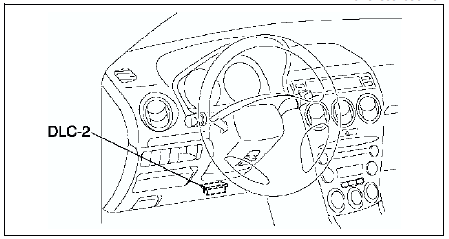
2. Input vehicle information following the directions on the screen.
3. Select Module programming.
4. Select Programmable module installation.
5. Select the following items and perform procedures according to directions on the screen.
Items
- RCM
6. Retrieve DTCs by the SST
(WDS or equivalent), then verify that there is no DTC present.
- If DTC is present, perform applicable DTC inspection.
 Sas unit removal/installation
Warning
Handling the SAS unit improperly can accidentally deploy the air
bag modules and pre-tensioner seat belt, which may seriously injure you.
Read AIR BAG SYSTEM SERVICE WARNINGS before ...
 Clock spring removal/installation
1. Disconnect the negative battery cable.
2. Remove the driver-side air bag module. (See DRIVER-SIDE AIR BAG MODULE
REMOVAL/INSTALLATION.)
3. Remove the steering wheel. (See STEERING WHEEL AND COL ...
Other materials:
Mazda 6 Service Manual: Exterior lighting system
...
Mazda 6 Service Manual: Tire Maintenance
Improper or inadequate vehicle maintenance can cause tires to wear abnormally.
Here are some important maintenance points:
Tire Inflation Pressure
Inspect all tire pressure monthly (including the spare) when the tires are cold.
Maintain recommended pressures for the best ride, top handling, an ...