
Mazda 6 Service Manual: Dtc b1869, b1870
Mazda 6 Service Manual / Body electrical system / On-board diagnostic [air bag system] / Dtc b1869, b1870
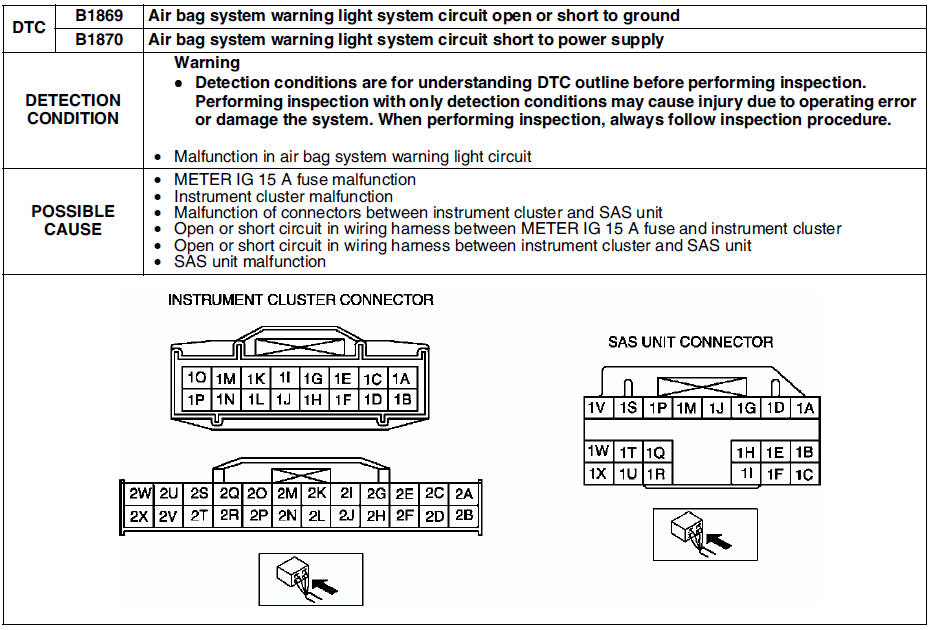
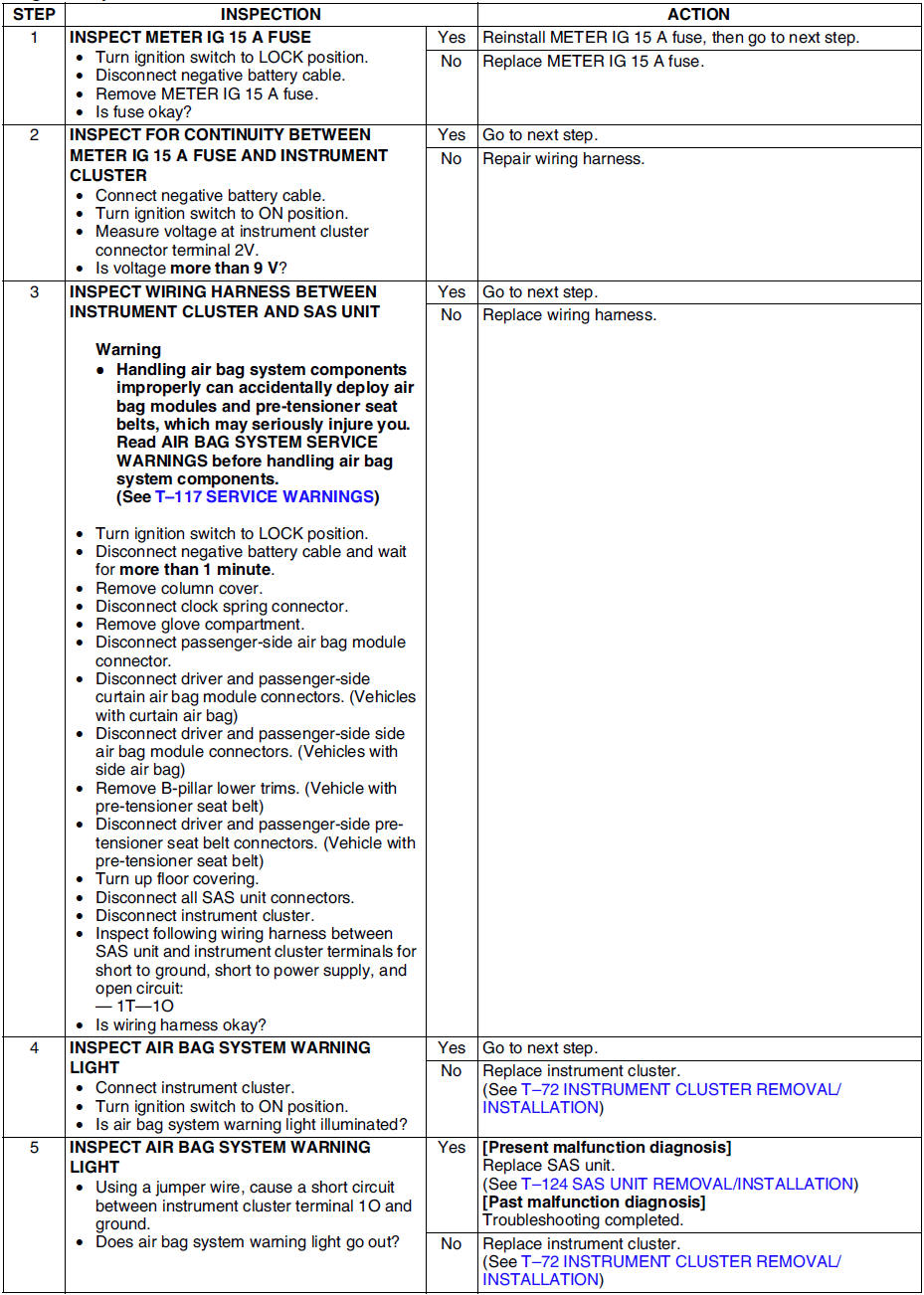
Diagnostic procedure
 Dtc b1342
Diagnostic procedure
...
 Dtc b1871
Diagnostic procedure
...
Other materials:
Mazda 6 Service Manual: Filament repair
1. Use isopropyl alcohol to clean around the damaged section of the filament.
2. Attach tape above and below the damaged section of the filament.
3. Using a small brush or marking pen, repair the filament with silver paint
or equivalent.
4. After 2-3 minutes, carefully remove the tape without ...
Mazda 6 Service Manual: Windshield Wipers and Washer
The ignition must be switched ON to use the wipers.
WARNING
Use only windshield washer fluid or plain water in the reservoir:
Using radiator antifreeze as washer fluid is dangerous. If sprayed on the windshield,
it will dirty the windshield, affect your visibility, and could result in an accid ...
© 2016-2026 Copyright www.mazda6info.net