
Mazda 6 Service Manual: Dtc b2477
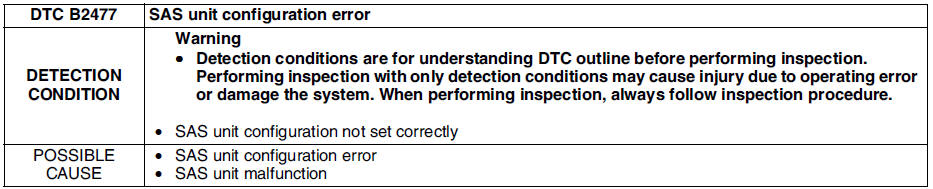
Diagnostic procedure

 Dtc b2445, u2018
Diagnostic procedure
...
 Dtc b2773, b2774, b2775, b2776
Diagnostic procedure
...
Other materials:
Mazda 6 Service Manual: No.9 tcs off light stays on more than 4 seconds with ignition switch on
When performing an asterisked (*) troubleshooting inspection, shake the
wiring harness and connectors while
doing the inspection to discover whether poor contact points are the cause
of any intermittent malfunction. If
there is a problem, check to make sure connectors, terminals and ...
Mazda 6 Service Manual: Windshield Wipers
Turn the wipers on by pressing the lever up or down.
With intermittent wiper
Variable-speed intermittent wipers
Set the lever to the intermittent position and choose the interval timing by
rotating the ring.
With auto-wiper control
Auto-wiper control
When the wiper lever is in the
...