
Mazda 6 Service Manual: Dtc b2773, b2774, b2775, b2776
Mazda 6 Service Manual / Body electrical system / On-board diagnostic [air bag system] / Dtc b2773, b2774, b2775, b2776
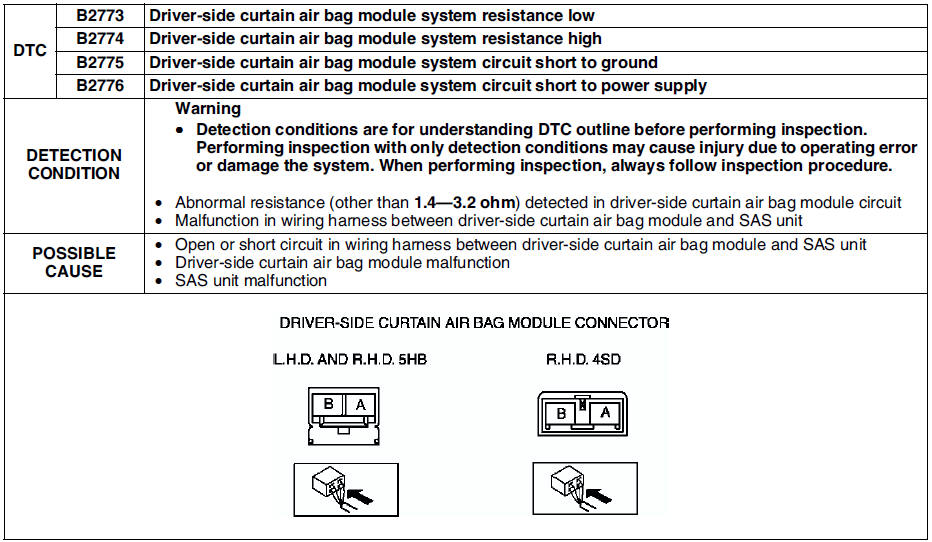
Diagnostic procedure
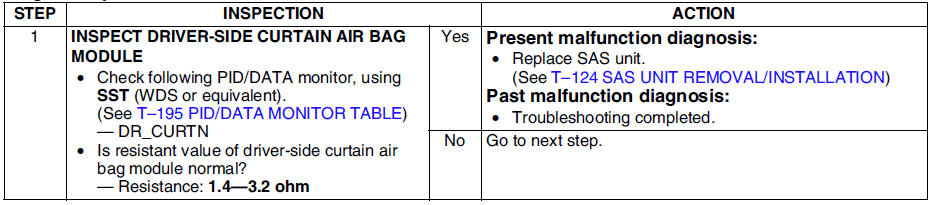
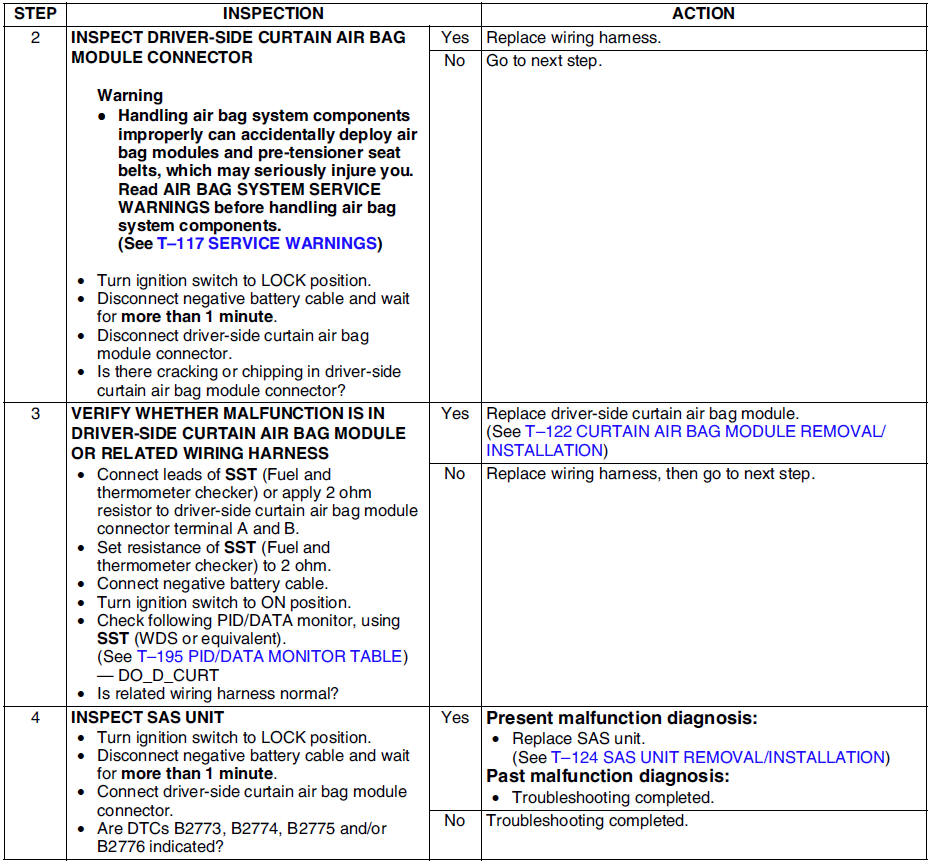
 Dtc b2477
Diagnostic procedure
...
 Dtc b2777, b2778, b2779, b2780
Diagnostic procedure
...
Other materials:
Mazda 6 Service Manual: Rear wheel alignment
Specification (Unloaded)*1
Normal
Elevated*3
*1 : Engine coolant and engine oil are at specified level. Spare tire, jack
and tools are in designated position.
*2 : Difference between left and right must not exceed 1°30'.
*3 : Distance between wheel center and fender brim is 392 mm {15.4 ...
Mazda 6 Service Manual: Driving In Flooded Area
WARNING
Dry off brakes that have become wet by driving slowly, releasing the accelerator
pedal and lightly applying the brakes several times until the brake performance
returns to normal: Driving with wet brakes is dangerous. Increased stopping
distance or the vehicle pulling to one side when ...
© 2016-2026 Copyright www.mazda6info.net