
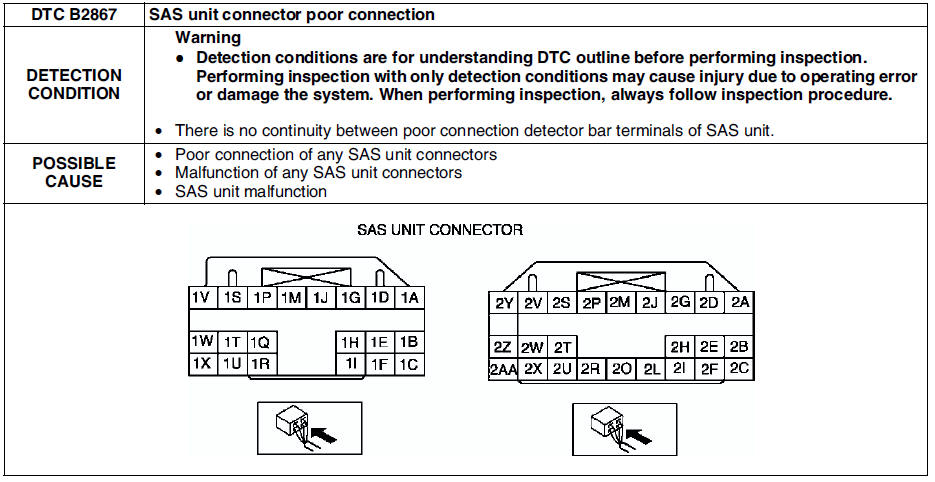
Mazda 6 Service Manual: Dtc b2867
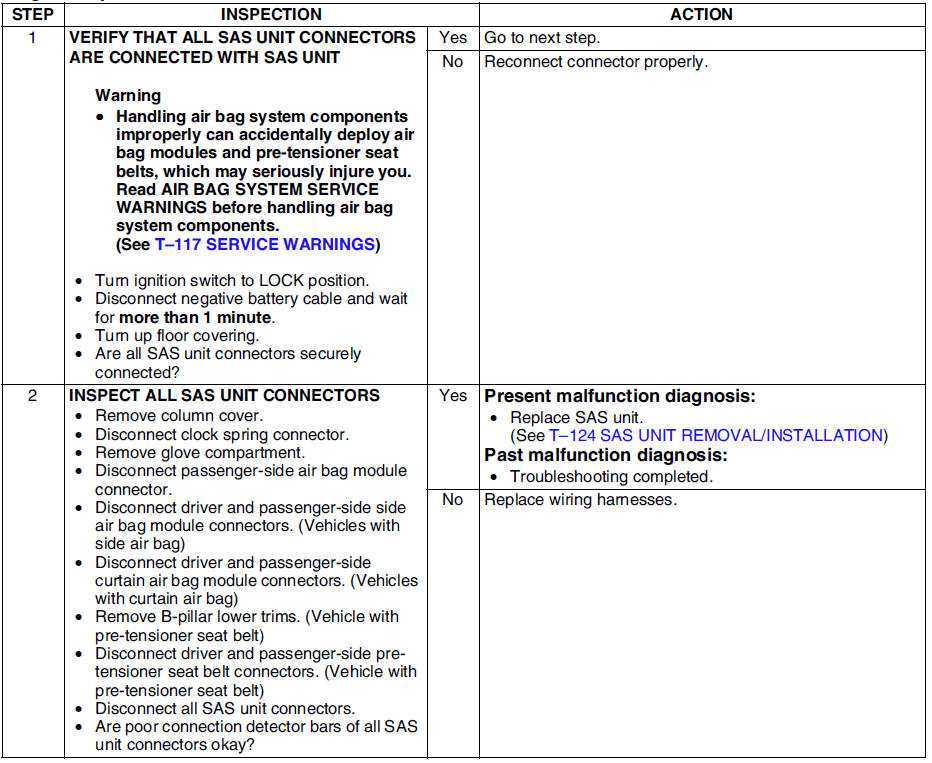
Diagnostic procedure
 Dtc b2777, b2778, b2779, b2780
Diagnostic procedure
...
 Troubleshooting
...
Other materials:
Mazda 6 Service Manual: Fuel Requirements
Vehicles with catalytic converters or oxygen sensors must use ONLY UNLEADED FUEL,
which will reduce exhaust emissions and keep spark plug fouling to a minimum.
This vehicle will perform best with fuel listed in the table.
* U.S. federal law requires that octane ratings be posted on gasoline st ...
Mazda 6 Service Manual: Cruise Control Switch
Cruise Main Indication (White)/ Cruise Set Indication (Green)
The indication has two colors.
Cruise Main Indication (White)
The indication turns on (white) when the cruise control system is activated.
Cruise Set Indication (Green)
The indication turns on (gr ...
© 2016-2026 Copyright www.mazda6info.net