
Mazda 6 Service Manual: Dtc p0102
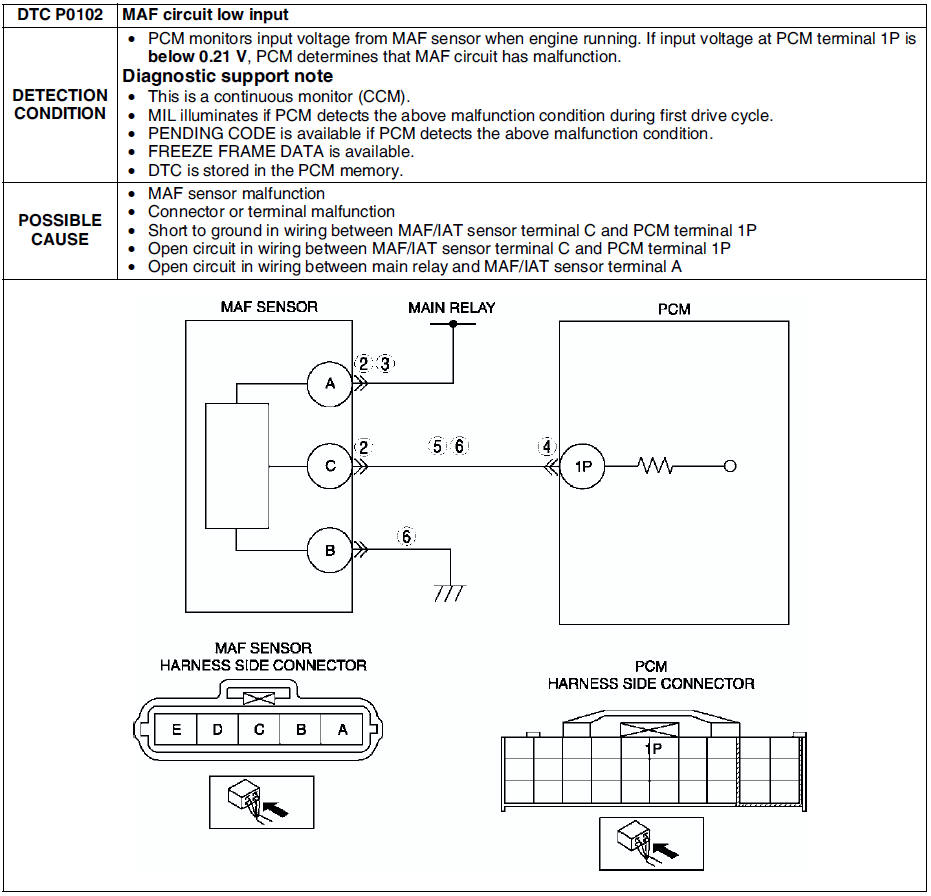
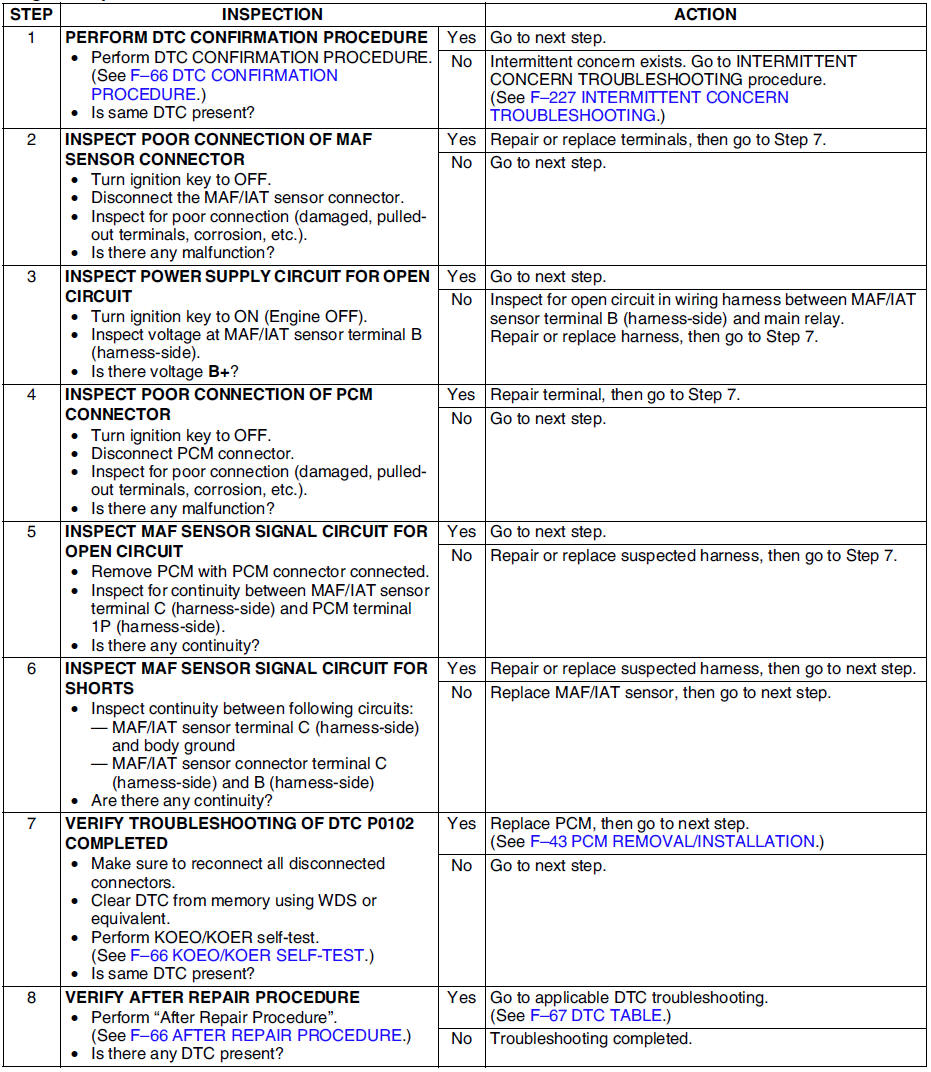
Diagnostic procedure
 Dtc p0101
Diagnostic procedure
...
 Dtc p0103
Diagnostic procedure
...
Other materials:
Mazda 6 Service Manual: Information display removal/installation
1. Disconnect the negative battery cable.
2. Remove the center panel module. (See CENTER PANEL MODULE
REMOVAL/INSTALLATION.)
3. Remove the LCD unit. (with car-navigation system) (See LCD UNIT
REMOVAL/INSTALLATION.)
4. Remove the center box. (without car-navigation system)
5. Remove in the or ...
Mazda 6 Service Manual: Transaxle range (tr) switch removal/installation
1. Disconnect the negative battery cable.
2. Remove the air cleaner component. (See INTAKE-AIR SYSTEM
REMOVAL/INSTALLATION.)
Caution
Water or foreign objects entering the connector can cause a poor
connection or corrosion. Be sure not to drop water or foreign objects on the
connector w ...