
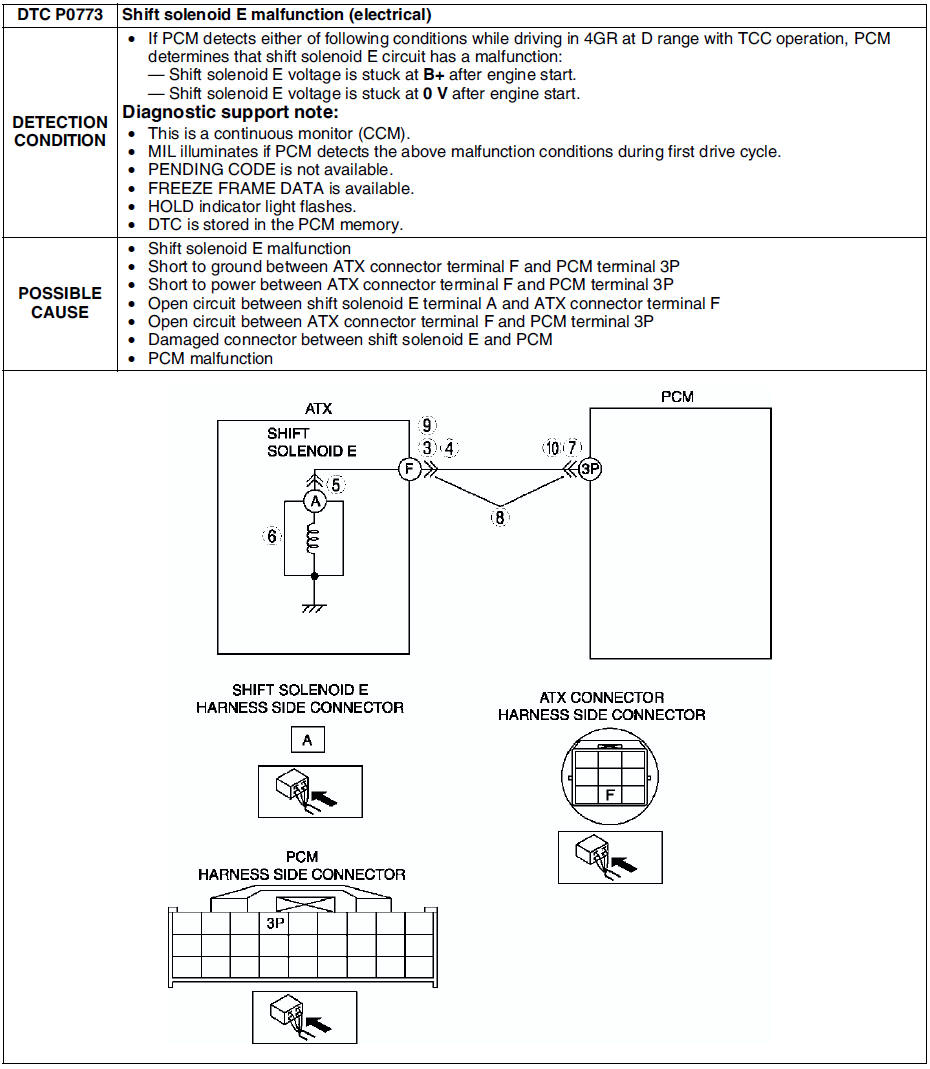
Mazda 6 Service Manual: Dtc p0773
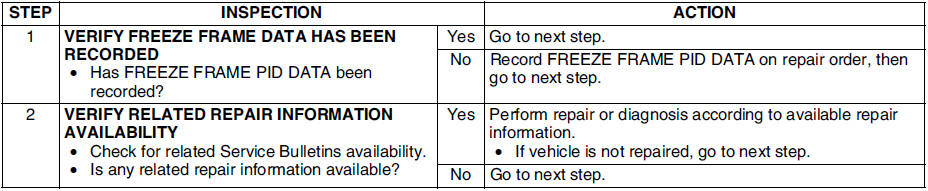
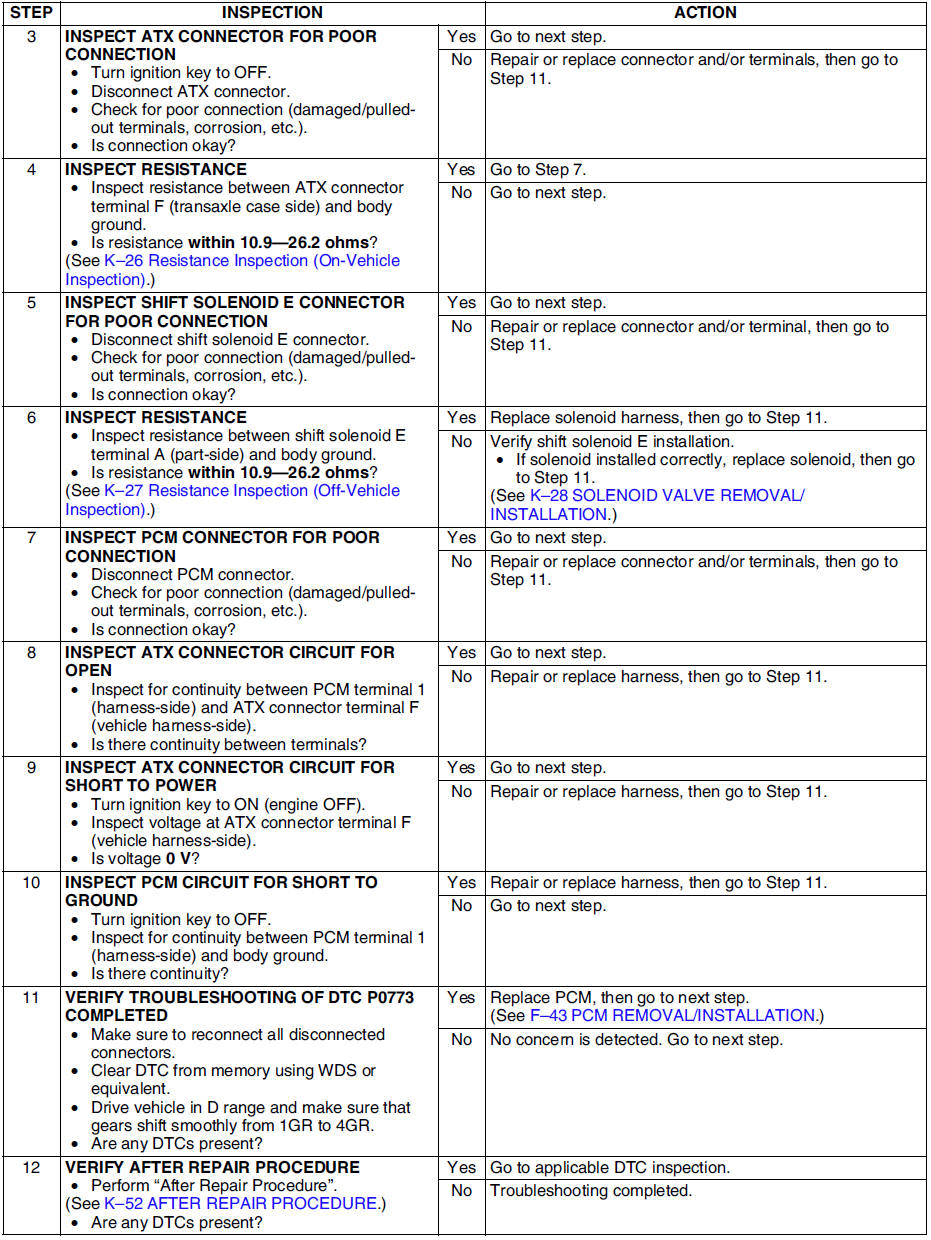
Diagnostic procedure
 Dtc p0772
Diagnostic procedure
...
 Dtc p0841
Diagnostic procedure
...
Other materials:
Mazda 6 Service Manual: Dual proportioning valve inspection (without abs)
1. Connect the SSTs to the brake pipes as shown in the figure.
2. Bleed the air from the brake system.
3. Measure the fluid pressure of the master cylinder and the rear brake.
If not within the specification, replace the dual proportioning valve.
Fluid pressure
...
Mazda 6 Service Manual: Cargo compartment light switch inspection
1. Remove the liftgate lower trim. (See LIFTGATE LOWER TRIM
REMOVAL/INSTALLATION)
2. Disconnect the cargo compartment light switch connector.
3. Inspect for continuity between the cargo compartment light switch
terminals using an ohmmeter.
If not as specified, replace the liftgate lock.
...
© 2016-2026 Copyright www.mazda6info.net