
Mazda 6 Service Manual: Transverse member removal/installation
1. Remove in the order indicated in the table.
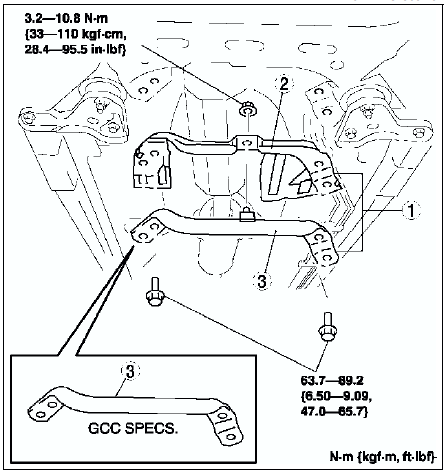
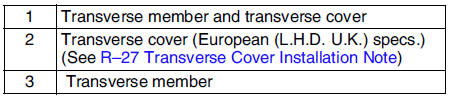
2. Install in the reverse order of removal.
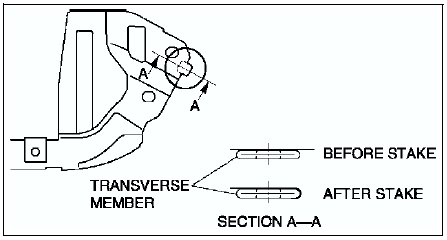
Transverse Cover Installation Note
1. Install the transverse cover.
2. Stake area A as shown in the figure.
 Front crossmember removal/installation
1. Remove the under cover.
2. Remove the splash shield.
3. Remove the front auto leveling sensor. (See FRONT AUTO LEVELING SENSOR
REMOVAL/INSTALLATION.)
4. Remove the transverse member. (See TRAN ...
 Rear suspension
...
Other materials:
Mazda 6 Service Manual: Radio Reception
AM characteristics
AM signals bend around such things as buildings or mountains and bounce off the
ionosphere.
Therefore, they can reach longer distances than FM signals.
Because of this, two stations may sometimes be picked up on the same frequency
at the same time.
FM characteristics
An ...
Mazda 6 Service Manual: No.2 air bag system warning light is illuminated all the time
Diagnostic Procedure
When performing an asterisked (*) troubleshooting inspection, shake the
wiring harness and connectors while doing the inspection to discover whether
poor contact points are the cause of any intermittent malfunction. If there
is a problem, check to make sure connec ...