
Mazda 6 Owners Manual: Collision Warning
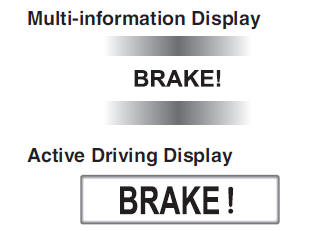
If there is the possibility of a collision with a vehicle ahead, the beep sounds continuously and a warning is indicated in the multi-information display and the active driving display.
 Smart Brake Support (SBS) (Some models)
The Smart Brake Support (SBS) system alerts the driver of a possible collision
using a display and warning sound if the radar sensor (front) and the Forward Sensing
Camera (FSC) determine that the ...
 Stopping The Smart Brake Support (SBS) System Operation
The Smart Brake Support (SBS) system can be temporarily deactivated.
When the Smart Brake Support (SBS) system is turned off, the Smart Brake Support
(SBS) OFF indicator light turns on.
When the ...
Other materials:
Mazda 6 Owners Manual: STEP 2: Contact Mazda North American Operations
If for any reason you feel the need for further assistance after contacting your
dealership management or it becomes necessary to have the components or wiring system
for the supplementary restraint system modified to accommodate a person with certain
medical conditions in accordance with a ce ...
Mazda 6 Owners Manual: Scheduled Maintenance (Mexico)
Follow Schedule 1 if the vehicle is operated mainly where none of the following
conditions apply.
Repeated short-distance driving
Driving in dusty conditions
Driving with extended use of brakes
Driving in areas where salt or other corrosive materials are used
Driving on rough or muddy ...