
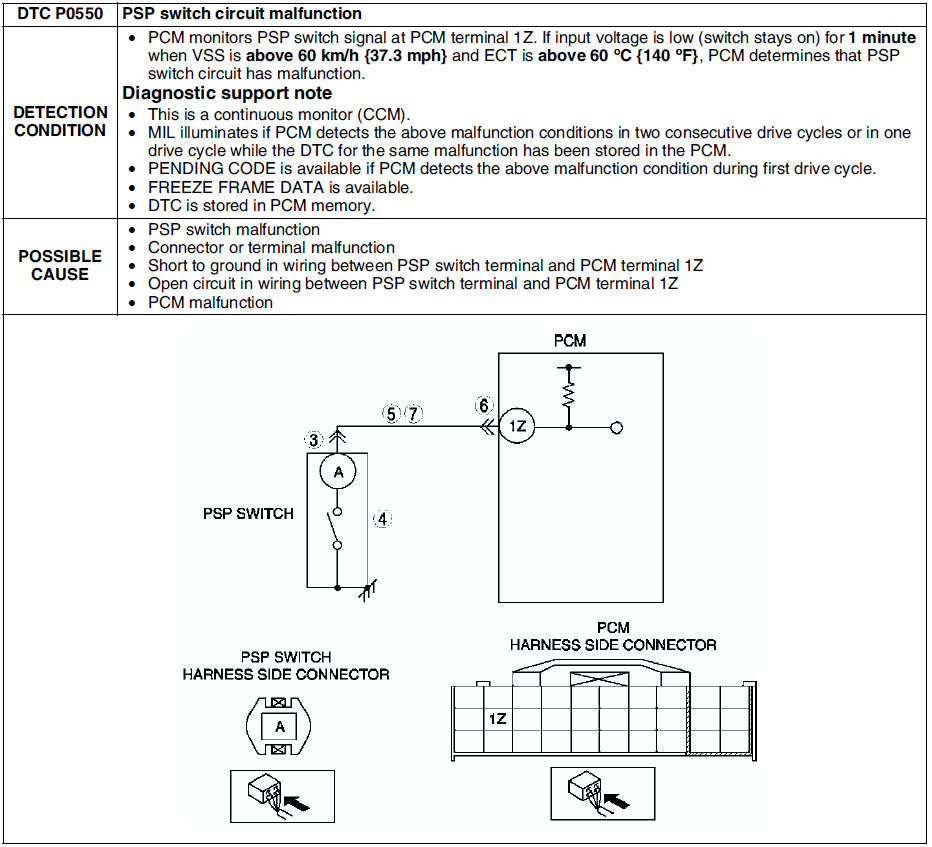
Mazda 6 Service Manual: Dtc p0550
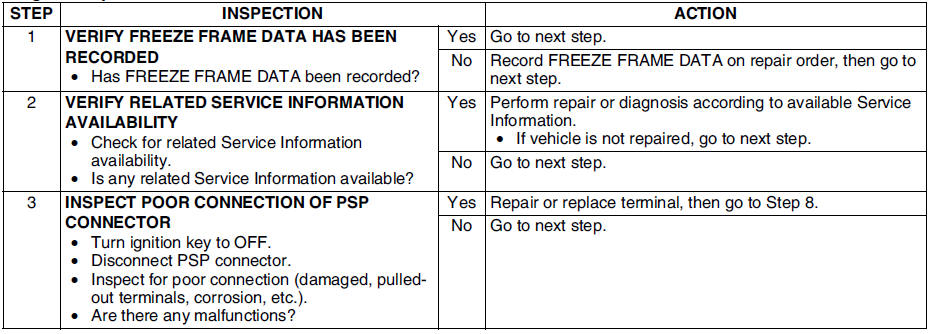
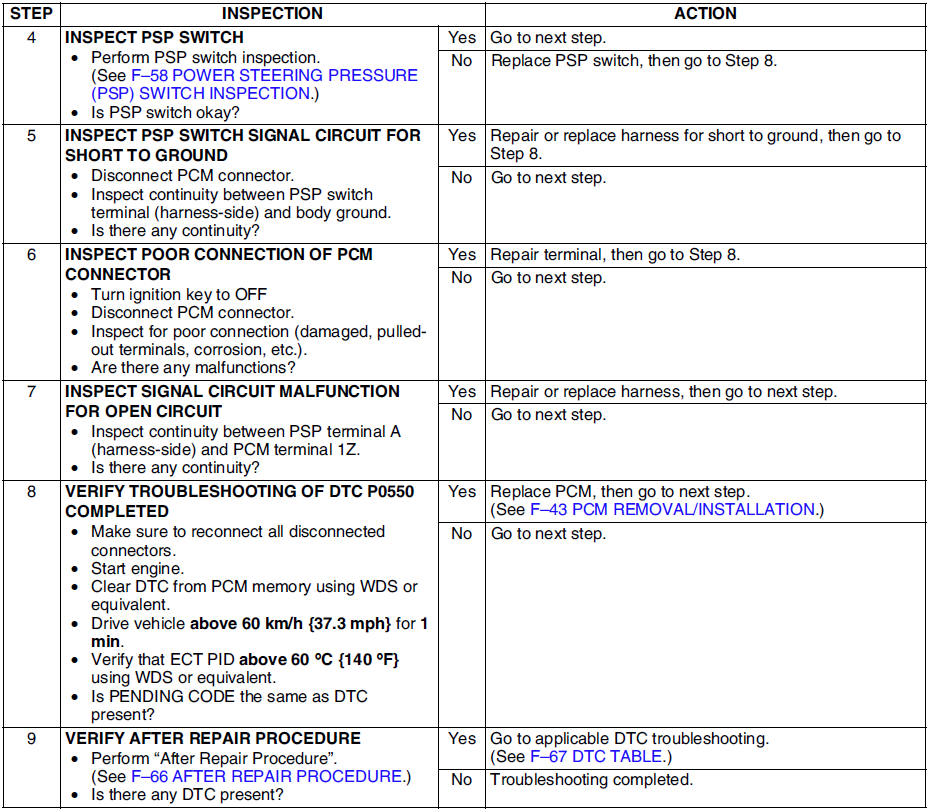
Diagnostic procedure
 Dtc p0511
Diagnostic procedure
...
 Dtc p0602
Diagnostic procedure
...
Other materials:
Mazda 6 Service Manual: No.1 air bag system warning light does not illuminate
Diagnostic Procedure
When performing an asterisked (*) troubleshooting inspection, shake the
wiring harness and connectors while doing the inspection to discover whether
poor contact points are the cause of any intermittent malfunction. If there
is a problem, check to make sure connec ...
Mazda 6 Service Manual: Climate control unit inspection
Full-auto Air Conditioner
1. Connect the all center panel connectors.
2. Turn the ignition switch to ON position.
3. Measure the voltage at each climate control unit terminal and refer to the
terminal voltage list.
If not as specified, inspect the parts listed under Action and the
relate ...