
Mazda 6 Owners Manual: Rear View Parking Camera Location
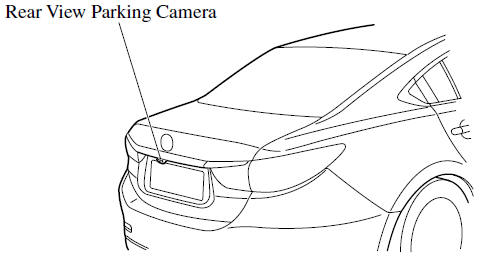
- Switching to the Rear View Monitor Display
- Displayable Range on the Screen
- Viewing the Display
- Rear View Monitor Operation
- Variance Between Actual Road Conditions and Displayed Image
- Picture Quality Adjustment
 Rear View Monitor
The rear view monitor provides visual images of the rear of the vehicle when
reversing.
WARNING
Always drive carefully confirming the safety of the rear and the surrounding
conditions by looking ...
 Switching to the Rear View Monitor Display
Shift the shift lever to R with the ignition switched ON to switch the display
to the rear view monitor display.
NOTE
When the shift lever is shifted from R to another shift lever position, the
...
Other materials:
Mazda 6 Owners Manual: Excessive Speed Warning
If the vehicle speed exceeds the speed limit sign displayed on the active driving
display, the warning sound is activated and the area around the speed limit sign
displayed on the active driving display flashes 3 times in amber, and if the vehicle
speed continues to exceed the displayed speed ...
Mazda 6 Owners Manual: Curtain air bag module removal/installation
Warning
Handling the air bag module improperly can accidentally deploy the air bag
module, which may seriously injure you. Read AIR BAG SYSTEM SERVICE WARNINGS
before handling the air bag module. (See SERVICE WARNINGS.)
1. Turn the ignition switch to LOCK position.
2. Disconnect the nega ...
© 2016-2026 Copyright www.mazda6info.net