
Mazda 6 Service Manual: Trailing link removal/installation
Caution
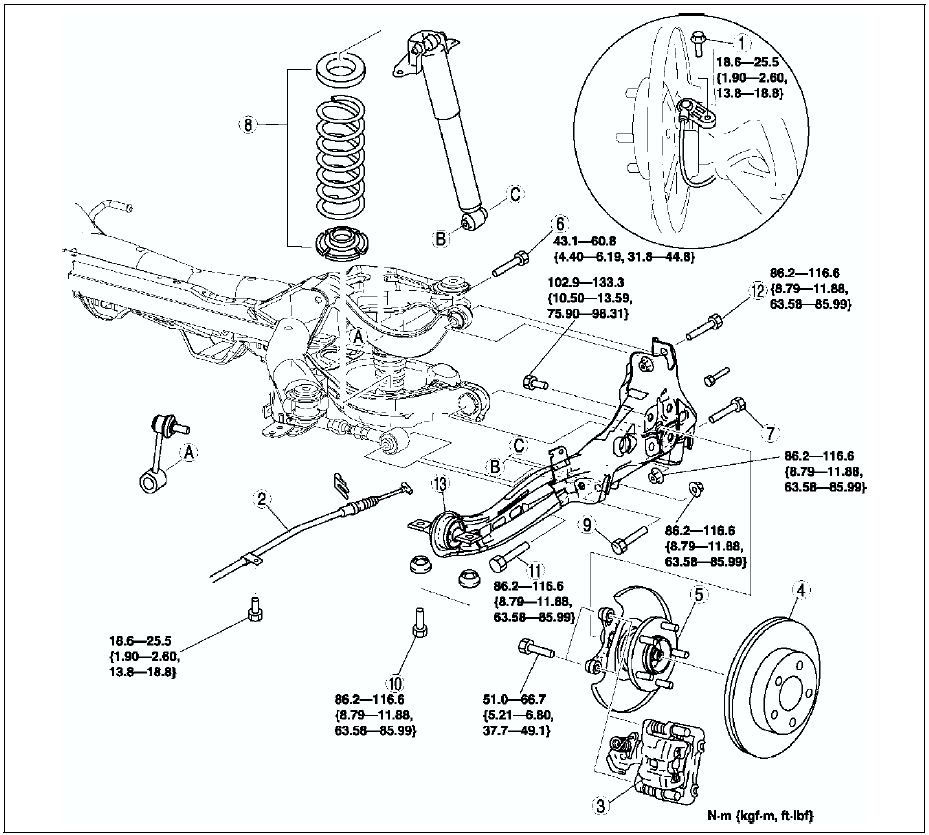
- Performing the following procedures without first removing the ABS wheel-speed sensor may possibly cause an open circuit in the harness if it is pulled by mistake. Before performing the following procedures, remove the ABS wheel-speed sensor (axle side) and fix it to an appropriate place where the sensor will not be pulled by mistake while servicing the vehicle.
1. Remove the rear auto leveling sensor. (See REAR AUTO LEVELING SENSOR REMOVAL/INSTALLATION.)
2. Remove in the order indicated in the table.
3. Install in the reverse order of removal.
4. Adjust the headlight zeroset. (See HEADLIGHT ZEROSET.)
5. Inspect the rear wheel alignment. (See REAR WHEEL ALIGNMENT.)
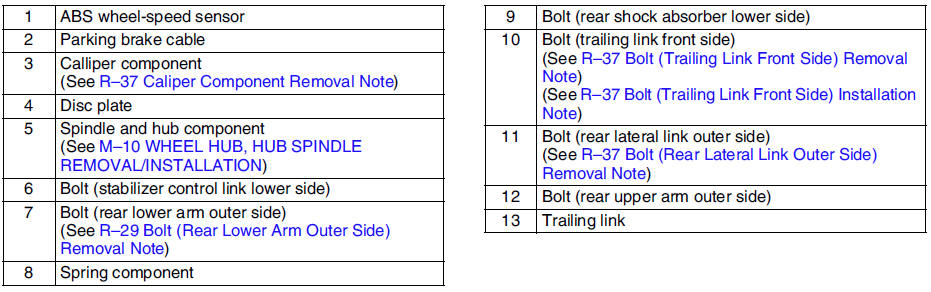
Caliper Component Removal Note
Suspend the caliper aside with cable.
Bolt (Trailing Link Front Side) Removal Note
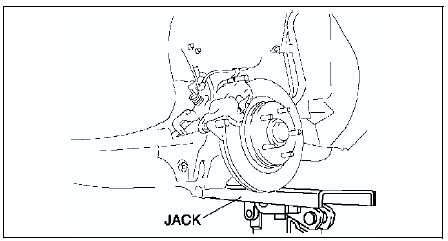
1. Support the trailing link with a jack.
Caution
- Removing the trailing link is dangerous. The trailing link could fall and cause serious injury or death. Verify that the jack securely supports the trailing link.
2. Remove the bolts (trailing link front side).
Bolt (Rear Lateral Link Outer Side) Removal Note
1. Loosen the bolt (lateral link inner side).
2. Remove the bolt (lateral link outer side).
Bolt (Trailing Link Front Side) Installation Note
1. Support the trailing link with a jack.
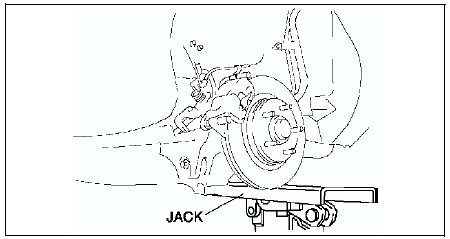
2. Tighten the bolts (trailing link front side).
 Stabilizer control link inspection
1. Remove the stabilizer control link from the vehicle.
2. Inspect for bending and damage.
3. Measure the ball joint starting torque.
(1) Rock the ball joint stud side to side 10 times.
(2) Ro ...
 Rear crossmember removal/installation
Caution
Performing the following procedures without first removing the ABS
wheel-speed sensor may possibly cause an open circuit in the harness if it
is pulled by mistake. Before performing ...
Other materials:
Mazda 6 Service Manual: Precautions before welding
Vehicles have various electrical parts. To protect the parts from excessive
current generated when welding, be sure to perform the following procedure.
1. Turn the ignition switch to the LOCK position.
2. Disconnect the battery cables.
3. Securely connect the welding machine to the ground nea ...
Mazda 6 Service Manual: Climate control unit wire adjustment
Air Mix Wire
1. Set the temperature control dial at max cold.
2. Set the air mix link to max cold in the direction shown by the arrow and
insert a screwdriver at the set hole.
3. Connect the air mix wire to air mix link.
4. Clamp the air mix wire to wire clamp.
5. Verify that the temperatur ...