
Mazda 6 Service Manual: Abs (abs/tcs) hu/cm inspection
1. Disconnect the negative battery cable.
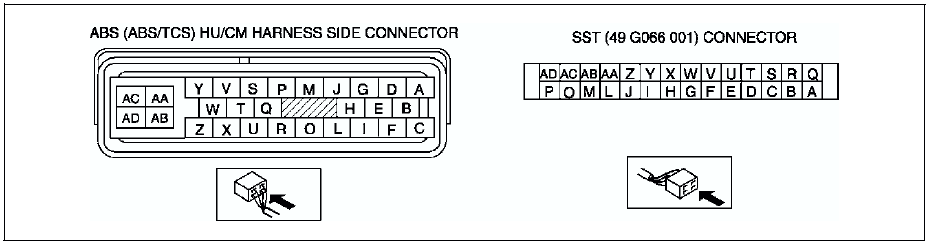
2. Connect the SST
between the ABS (ABS/TCS) HU/CM and harness connector with the ignition switch off.
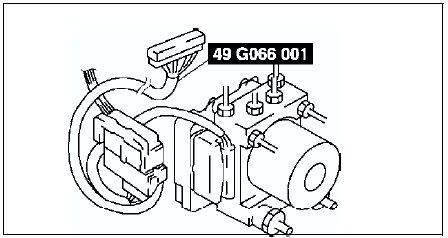
3. Attach the tester leads to the SST
and inspect voltage referring the table below.
Terminal Voltage Table (Reference)
(Engine is idling, and connector is connected unless otherwise indicated.)
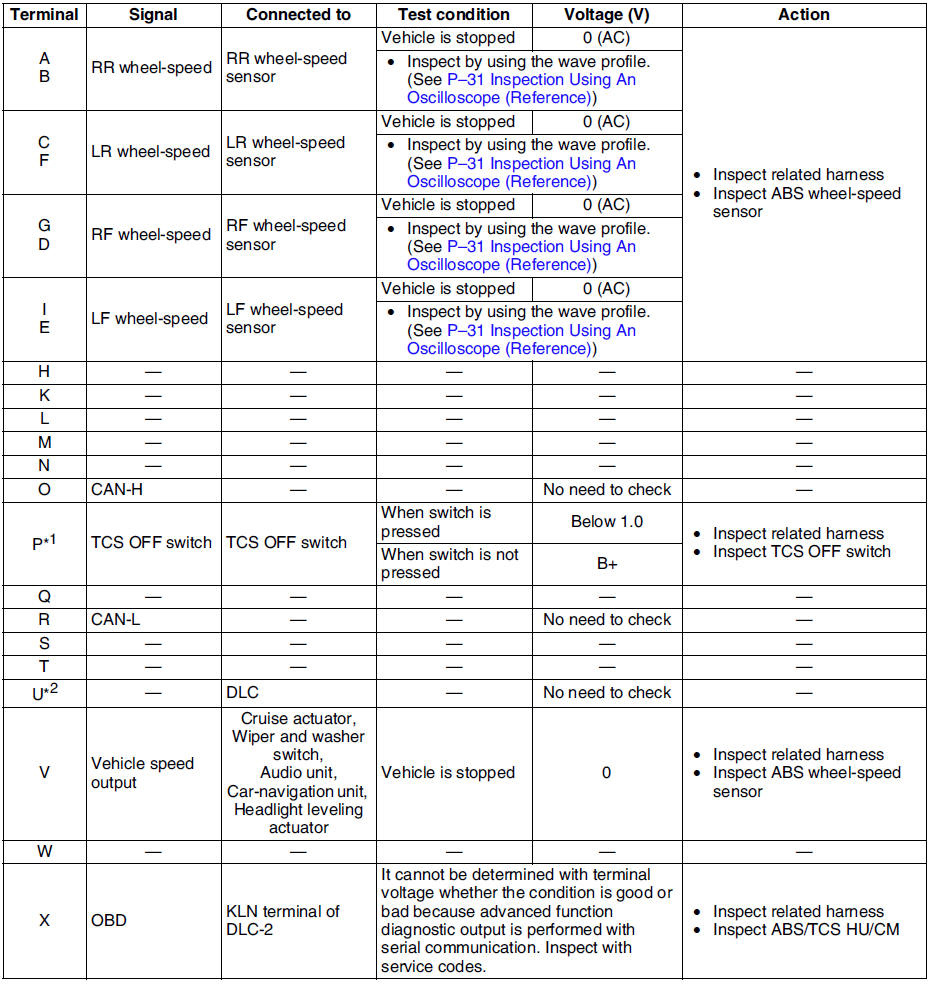
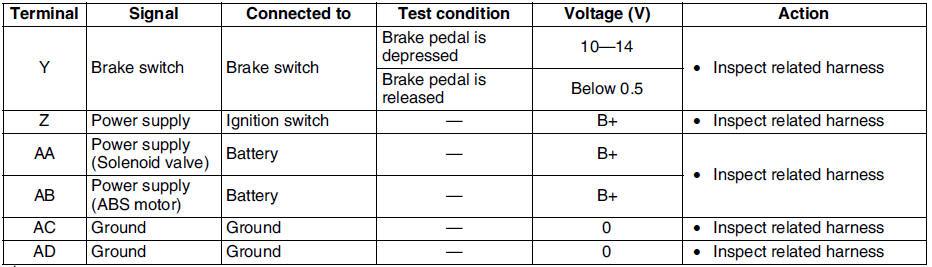
*1 : With TCS
*2 : Use this terminal at factory only, not used for inspection and repair at field
Inspection Using An Oscilloscope (Reference)
Wheel speed
- ABS/TCS HU/CM terminal:
RR : A ( + ) - B ( - )
LR : C ( + ) - F ( - )
RF : D ( + ) - G ( - )
LF : E ( + ) - I ( - )
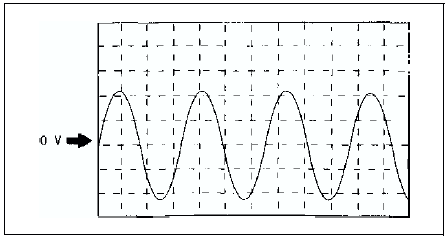
- Oscilloscope setting:
1 V/DIV (Y), 2 ms/DIV (X), AC range
- Vehicle condition: Driving 30 km/h (18.6 mph)
Note
- As vehicle speed increases, period of wave shortens.
- If there is malfunctioning in the sensor rotor, wave profile warps.
Vehicle speed output
- ABS/TCS HU/CM terminal: V( + ) - AC ( - )
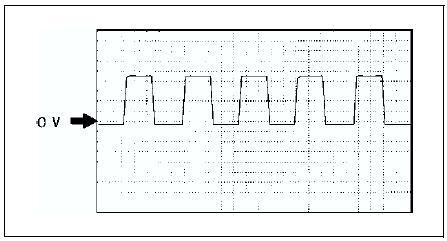
- Oscilloscope setting:
1 V/DIV (Y), 5 ms/DIV (X), DC range
- Vehicle condition: Driving 30 km/h (18.6 mph)
Note
- As vehicle speed increases, period of wave shortens.
 Abs (abs/tcs) or dsc hu/cm configuration
1. Connect the WDS or equivalent to the DLC-2.
2. Input vehicle information following the direction on the WDS or equivalent
screen.
3. Select Module programming.
4. Select Programmable module ...
 Tcs (dsc) off switch removal/installation
1. Press the hooks of the TCS OFF switch and pull the switch out.
2. Disconnect the connector.
3. Install in the reverse order of removal. ...
Other materials:
Mazda 6 Service Manual: Engine Start Function When Key Battery is Dead
CAUTION
When starting the engine by holding the transmitter over the push button start
due to a dead key battery or a malfunctioning key, be careful not to allow the following,
otherwise the signal from the key will not be received correctly and the engine
may not start.
Metal parts of ot ...
Mazda 6 Service Manual: Rear washer hose removal/installation
1. Disconnect the negative battery cable.
2. Remove the washer tank. (See WASHER TANK REMOVAL/INSTALLATION)
3. Partially peel off the right side mud guard.
4. Remove rear washer hose No.1 from the clips.
5. Remove rear washer hose No.1 and joint pipe A.
6. Remove the A-pillar trim. (See A-PIL ...