
Mazda 6 Owners Manual: Cruise Control Switch
Cruise Main Indication (White)/ Cruise Set Indication (Green)
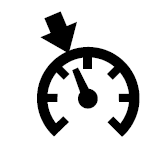
The indication has two colors.
Cruise Main Indication (White)
The indication turns on (white) when the cruise control system is activated.
Cruise Set Indication (Green)
The indication turns on (green) when a cruising speed has been set.
Activation/Deactivation
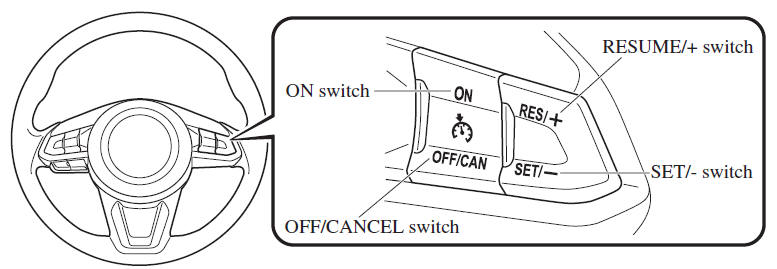
To activate the system, press the ON switch. The cruise main indication (white) turns on.
To deactivate the system, press the OFF/ CANCEL switch.
The cruise main indication (white) turns off.
WARNING
Always turn off the cruise control system when it is not in use:
Leaving the cruise control system in an activation-ready state while the cruise control is not in use is dangerous as the cruise control could unexpectedly activate if the activation button is accidentally pressed, and result in loss of vehicle control and an accident.
NOTE
When the ignition is switched OFF, the system status before it was turned off is maintained. For example, if the ignition is switched OFF with the cruise control system operable, the system will be operable when the ignition is switched ON the next time.
To Set Speed
1. Activate the cruise control system by pressing the ON switch. The cruise main indication (white) turns on.
2. Accelerate to the desired speed, which must be more than 25 km/h (16 mph).
3. Set the cruise control by pressing the SET/
switch at the desired speed. The cruise control is set at the moment the SET/
switch is pressed. Release the accelerator pedal simultaneously. The cruise set indication (green) turns on.
NOTE
- The cruise control speed setting cannot be performed under the following conditions:
- (Automatic transaxle)
The selector lever is in the P or N position.
- (Manual transaxle)
The shift lever is in the neutral position.
- The parking brake is applied.
- (Automatic transaxle)
- Release the SET/
switch at the desired speed, otherwise the speed will continue decreasing while the SET/ switch is pressed
and held (except when the accelerator pedal is depressed). - On a steep grade, the vehicle may momentarily slow down while ascending or speed up while descending.
- The cruise control will cancel if the vehicle speed decreases below 21 km/h (13 mph) when the cruise control is activated, such as when climbing a steep grade.
- The cruise control may cancel at about 15 km/h (9 mph) below the preset speed, such as when climbing a long, steep grade.
The vehicle speed preset using the cruise control is displayed in the instrument cluster and the active driving display (vehicles with active driving display).
Type A Instrument Cluster
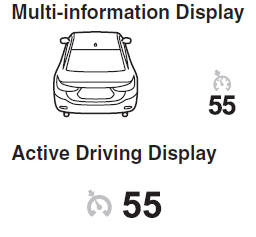
Type B Instrument Cluster

- To Increase Cruising Speed
- To Decrease Cruising Speed
- To Resume Cruising Speed at More Than 25 km/h (16 mph)
- To Temporarily Cancel
- To Deactivate
 Cruise Control (Some models)
With cruise control, you can set and automatically maintain any speed of more
than about 25 km/h (16 mph).
WARNING
Do not use the cruise control under the following conditions: Using
the cruise ...
 To Increase Cruising Speed
Follow either of these procedures.
To increase speed using cruise control switch
Press the RESUME/ switch and hold
it. Your vehicle will accelerate. Release the switch at the desired speed.
Press ...
Other materials:
Mazda 6 Owners Manual: Front and rear fog light switch inspection
Light switch LH side
1. Remove the light switch. (See LIGHT SWITCH REMOVAL/INSTALLATION.)
2. Inspect for continuity between the light switch terminals using an
ohmmeter.
If not as specified, replace the light switch.
Light switch RH side
1. Remove the light switch. (See LIGHT SWITCH ...
Mazda 6 Owners Manual: Windshield installation
Caution
To prevent the sealant from cracking or the glass from being
pushed out by air pressure if a door is closed, open all of the windows and
leave them open until the sealant has hardened.
1. Cut away the old sealant using a razor so that 1-2 mm {0.04-0.07 in}
thickness of sealant ...