
Mazda 6 Service Manual: Dtc b1483, b1484, b1486
Mazda 6 Service Manual / Braking system / On-board diagnostic (dynamic stability control) / Dtc b1483, b1484, b1486
Caution
- When attaching the tester lead to the DSC HU/CM connector the SST (49 G066 004) must be used.
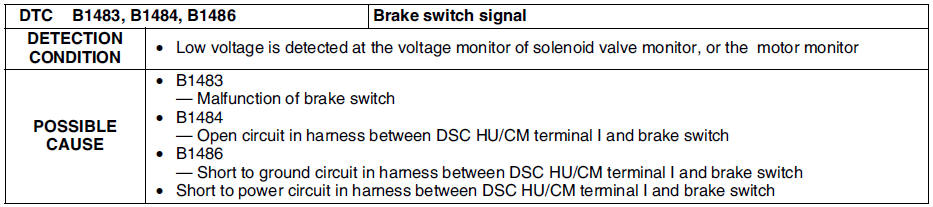
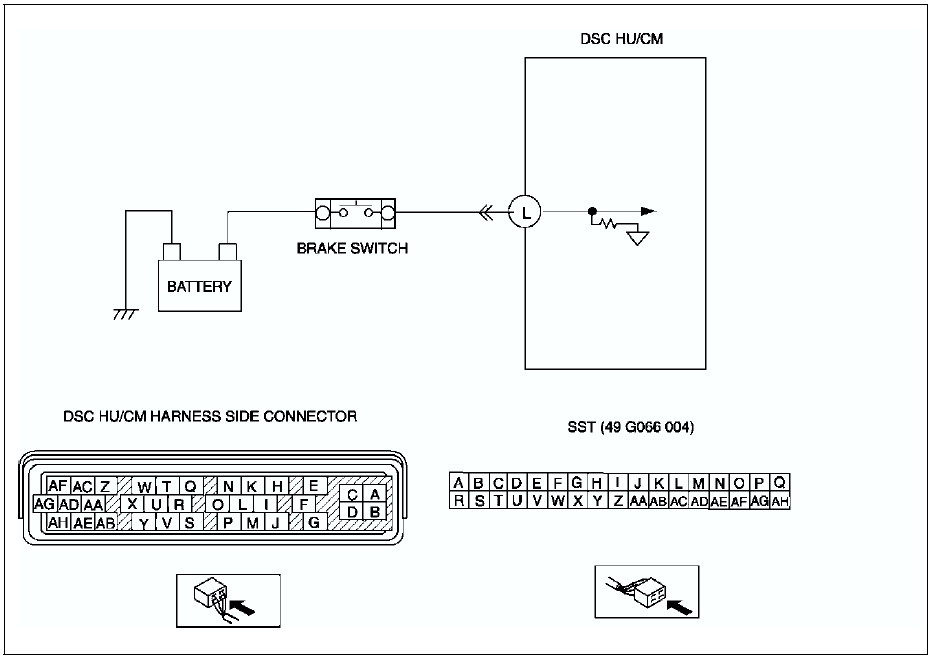
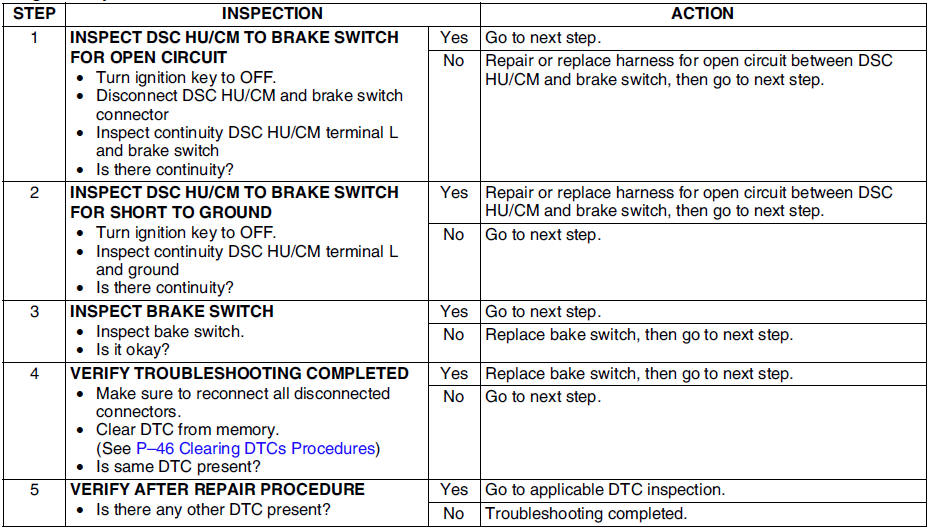
Diagnostic procedure
 Dtc b1342
Caution
When attaching the tester lead to the DSC HU/CM connector the SST
(49 G066 004) must be used.
Diagnostic procedure
...
 Dtc b1627
Caution
When attaching the tester lead to the DSC HU/CM connector the SST
(49 G066 004) must be used.
Diagnostic procedure
...
Other materials:
Mazda 6 Service Manual: Hazard Warning Flasher
The hazard warning lights should always be used when you stop on or near a roadway
in an emergency.
The hazard warning lights warn other drivers that your vehicle is a traffic hazard
and that they must take extreme caution when near it.
Depress the hazard warning flasher and all the turn s ...
Mazda 6 Service Manual: Selector lever disassembly/assembly
1. Disassemble in the order shown in the figure.
2. Assemble in the reverse order of disassembly.
Connector Disassembly Note
1. Insert a thin piece of metal from the terminal side of the connector, and
press down the terminal locking tab.
2. Pull the terminal out of the connector. ...
© 2016-2026 Copyright www.mazda6info.net