
Mazda 6 Service Manual: Dtc b1921
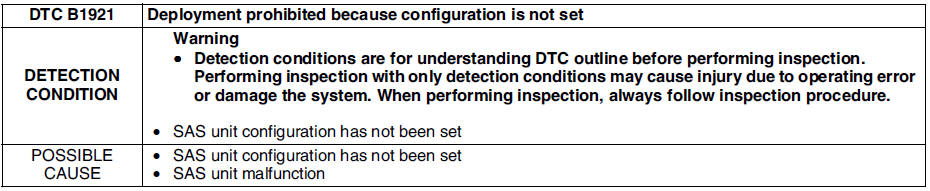
Diagnostic procedure

 Dtc b1913, b1925, b1933, b1935
Diagnostic procedure
...
 Dtc b1992, b1993, b1994, b1995
Diagnostic procedure
...
Other materials:
Mazda 6 Service Manual: Recommendations for Shifting
Upshifting
For normal acceleration, Mazda recommends these shift points:
For cruising, Mazda recommends these shift points:
Downshifting
When you must slow down in heavy traffic or on a steep upgrade,
downshift before the engine starts to overwork. This reduces the chance of stalling
and ...
Mazda 6 Service Manual: Selector lever disassembly/assembly
1. Disassemble in the order shown in the figure.
2. Assemble in the reverse order of disassembly.
Connector Disassembly Note
1. Insert a thin piece of metal from the terminal side of the connector, and
press down the terminal locking tab.
2. Pull the terminal out of the connector. ...
© 2016-2026 Copyright www.mazda6info.net