
Mazda 6 Service Manual: Front lower arm (rear) removal/installation
1. Remove the front crossmember component. (See FRONT CROSSMEMBER REMOVAL/INSTALLATION.)
2. Remove in the order indicated in the table.
3. Install in the reverse order of removal.
4. Inspect the front wheel alignment. (See FRONT WHEEL ALIGNMENT.)
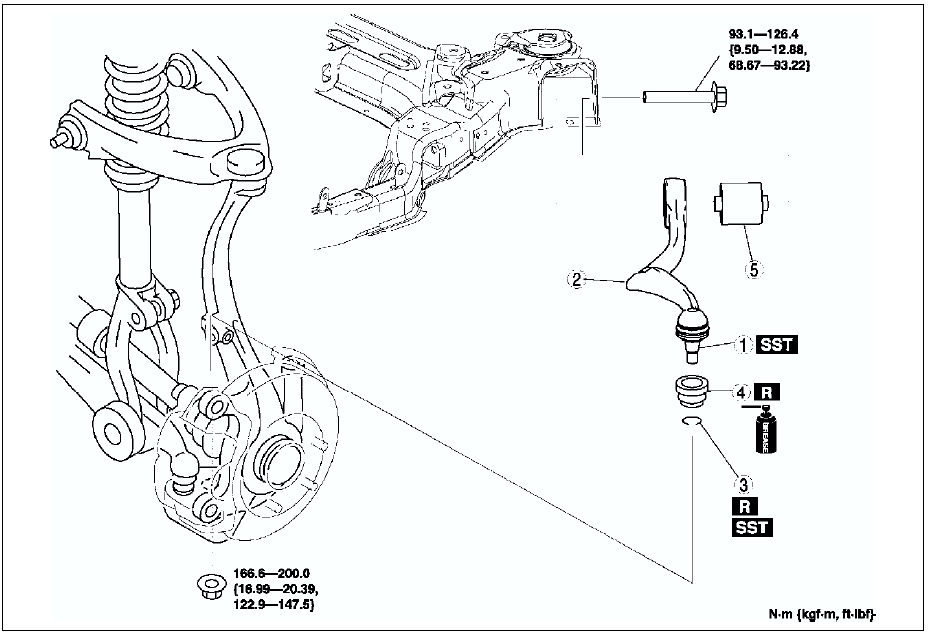

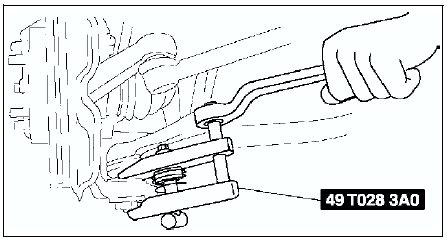
Front Lower Arm (Rear) Ball Joint Removal Note
Separate the ball joint from the knuckle using the SSTs
.
Front Lower Arm (Rear) Bushing Removal Note
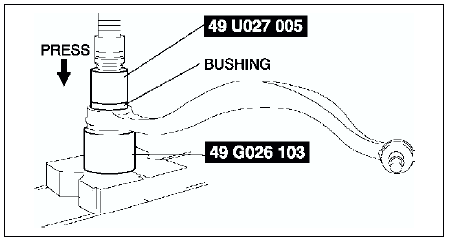
1. Press the bushing out using the SSTs
.
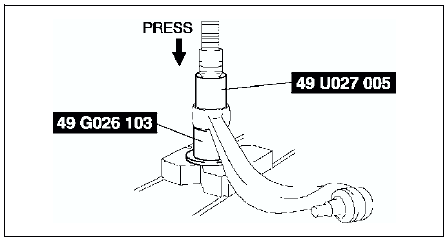
2. Remove the front lower arm (rear) from the press and tap the bushing out with a hammer.
Front Lower Arm (Rear) Bushing Installation Note
1. Mark the new bushing as shown in the figure.
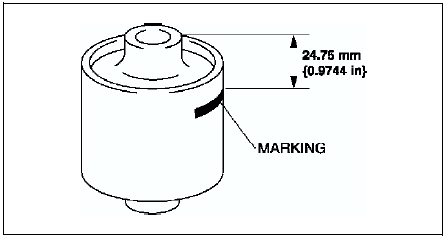
2. Press the bushing in to the marking using the SSTs
.
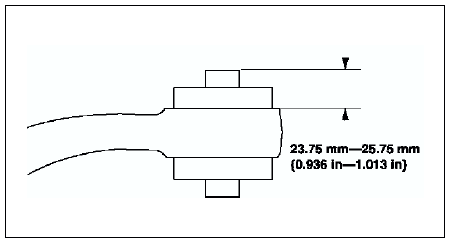
3. Verify that clearance distance AB is 23.75 mm - 25.75 mm {0.936 in - 1.013 in}.
Clip Installation Note
1. Wipe the grease off the ball stud.
2. Fill the inside of the new dust boot with grease.
3. Install the boot on the ball joint.
4. Install the new clip using the SST
.
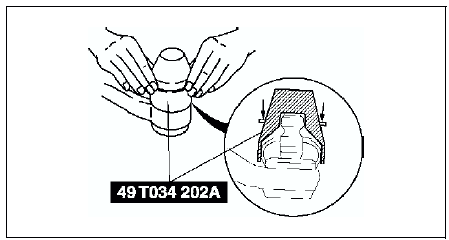
5. Verify that the clip is installed securely to the groove.
6. Wipe away the excess grease.
Front Lower Arm (Rear) Installation Note
Install the lower arm (rear) so that identification mark (L or R) faces toward the front of the vehicle.
 Front lower arm (front) inspection
1. Remove the lower arm (front) from the vehicle.
2. Inspect for damage, cracks, and bending.
3. Inspect the ball joint rotation torque.
(1) Rotate the ball joint five times.
(2) Measure the ...
 Front lower arm (rear) inspection
1. Remove the lower arm (rear) from the vehicle.
2. Inspect for damage, cracks, and bending.
3. Inspect the ball joint rotation torque.
(1) Rotate the ball joint five times.
(2) Measure the ...
Other materials:
Mazda 6 Service Manual: Locking, Unlocking with Door- Lock Switch
All doors lock automatically when the lock side is pressed. They unlock when
the unlock side is pressed.
Driver's door
Front passenger's door
To lock all the doors from an open front door, press the lock side of the door
lock switch and then close the door.
NOTE
When locking the doors t ...
Mazda 6 Service Manual: Settings
NOTE
Depending on the grade and specification, the screen display may differ.
Select the icon on the home
screen and display the Settings screen.
Switch the tab and select the setting item you want to change.
You can customize settings in the setup display as follows:
...