
Mazda 6 Service Manual: Pcm removal/installation
Note
- For replace the PCM, Setup the WDS and perform the PCM configuration. (See PCM CONFIGURATION.)
1. Disconnect the negative battery cable.
2. For R.H.D, perform the following procedures.
(1) Remove the front side trim (left-side).
(2) Partially peel back the flower covering.
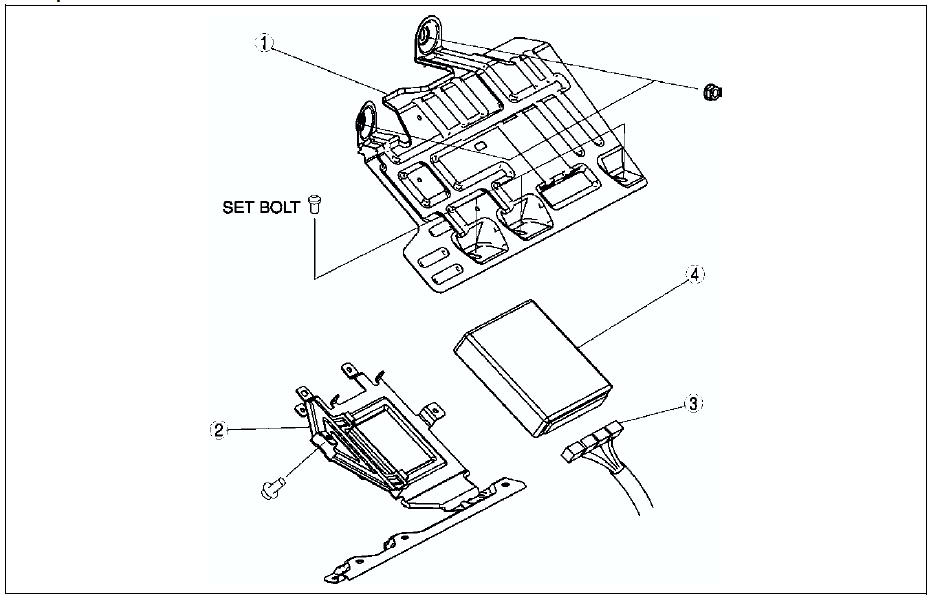
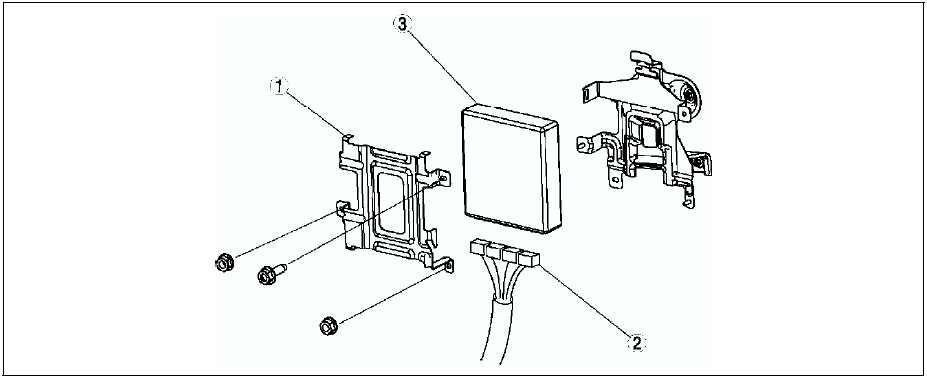
3. Remove in the order indicated in the table.
4. Install in the reverse order of removal.
U.K. specs.

European (L.H.D.) specs.

Set Nut/bolt Removal Note
1. Using a chisel and a hammer, cut a groove on the head of the set nut/bolt so that a screwdriver can be inserted.
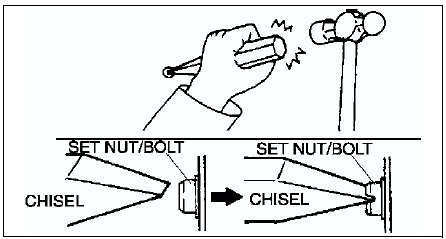
2. Loose the set nut/bolt using an impact screwdriver or pliers.
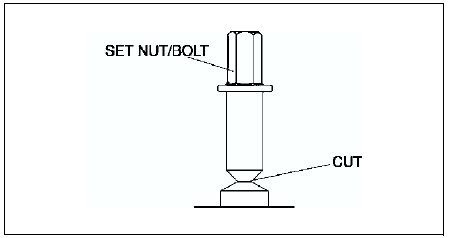
Set Nut/bolt Installation Note
Install a new set nut/bolt and tighten it until the neck of the nut/bolt is cut.
 Control system
...
 Pcm inspection
Note
PIDs for the following parts are not available on this model. Go
to the appropriate part inspection page.
- CMP sensor (See CAMSHAFT POSITION (CMP) SENSOR INSPECTION.)
- Main relay ...
Other materials:
Mazda 6 Service Manual: California Customers
1. Mazda North American Operations participates in BBB AUTO LINE, a mediation/
arbitration program administered by the Council of Better Business Bureaus [4200
Wilson Boulevard, Arlington, Virginia 22203] through local Better Business Bureaus.
BBB AUTO LINE and Mazda have been certified by the ...
Mazda 6 Service Manual: Crankshaft position (ckp) sensor removal/installation
Removal
1. Perform the following procedure to making the working space.
(1) Remove the Front wheel (RH).
(2) Remove the splash shield.
2. Disconnect the CKP sensor connector.
3. Remove the installation bolts to remove the CKP sensor.
Installation
Caution
When foreign material such a ...